Please REGISTER or RENEW your account on RAPiDGATOR.net and support us by doing through all RAPiDGATOR working download links on main posts...
Aug 3

Infuse Pro 8.5

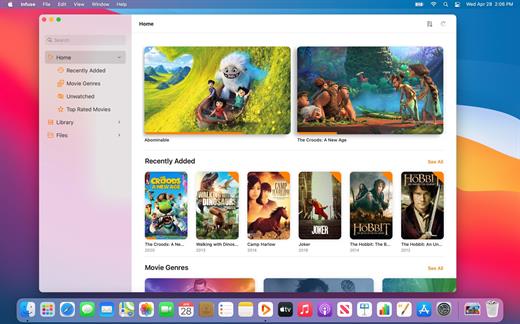
Ignite your video content with Infuse – the beautiful way to watch almost any video format on your iPhone, iPad, Apple TV, and Mac. No need to convert files! Infuse is optimized for macOS 12, with powerful streaming options, Trakt sync, and unmatched AirPlay & subtitle support. Gorgeous interface. Precise controls. And silky-smooth playback.
Play more video types

A powerful video player that plays just about anything, including the standard MP4, M4V and MOV – plus MKV, AVI, WMV, MTS, ISO, VIDEO_TS, FLV, OGM, OGV, ASF, 3GP, DVR-MS, WebM, and WTV. Includes fully certified Dolby® Digital Plus (AC3/E-AC3), DTS® and DTS-HD® audio.

Stream from other devices

Browse and play videos stored on your Mac, PC, NAS, Wi-Fi hard drive, apps like Plex, Emby, and Jellyfin, or from cloud services like Dropbox, Google Drive, OneDrive, Box, pCloud, Yandex.Disk, and Mega.nz – no syncing required!

Trakt 2-way sync

Connect with Trakt to sync watched history, submit ratings and post comments.

Optimized subtitles powered by opensubtitles

Bring your own subtitles, or download them on the fly (for free) in virtually any language.

The basics:

  • Silky-smooth video player (plays full 4K w/ HDR & Dolby Vision)
  • Stream from a Mac, PC, NAS or Wi-Fi enabled hard drive
  • Connect with Plex, Emby, Jellyfin, Kodi (XBMC), WMC and other media servers
  • Beautiful layout with quick access to video info
  • Artwork and metadata added automatically
  • Picture-in-Picture
  • Spatial audio
Supported formats:

  • Video: 3GP, AVI, ASF, BDMV, DIVX, DVDMEDIA, DVR-MS, FLV, ISO, M4V, MKV, MOV, MP4, M2TS, MTS, OGM, OGV, TP, TS, VIDEO_TS, WEBM, WMV, WTV
  • Audio: AAC, AC3/E-AC3, DOLBY TRUEHD, DTS, DTS-HD MA, FLAC, MP3, OGG, PCM, WMA
  • Subtitles: DVB, DVDSUB, MICRODVD, MPL2, PGS, SMI, SSA/ASS, SRT, SUB, TIMED TEXT, TMP, TXT, VOBSUB, VTT, XSUB
Player features:

  • Multiple audio tracks
  • Chapters
  • Gesture controls
  • 8 video zoom options
  • Continuous playback
  • Deinterlacing
Extras:

  • Library organization
  • Folders
  • One-click subtitle downloads from OpenSubtitles
  • Scrobble plays to Trakt
  • Download videos from networked devices
  • Drag and drop uploads via web browser
  • Get extra onboard storage by adding USB drives
Get more with infuse pro!

  • Play even more video formats
  • Enjoy Dolby® Digital Plus (AC3/E-AC3), DTS® and DTS-HD® mobile surround sound
  • Stream a wide variety of video types over AirPlay and Google Cast
  • Access videos stored in cloud services like Dropbox, Google Drive, Box, OneDrive, pCloud, Yandex.Disk, and Mega.nz
  • Sync libraries, settings, watched history, and playback progress between devices
What’s New

Version 8.5:


  • Release notes were unavailable when this listing was updated.
Compatibility

macOS 11.0 or later.
Apple Silicon or Intel Core processor


Release Name: Infuse Pro 8.5
Size: 117.9 MB
Links: HOMEPAGE – NFO – Torrent Search

Download: RAPiDGATOR

3 Comments
Aug 3

Screens 5.8.12

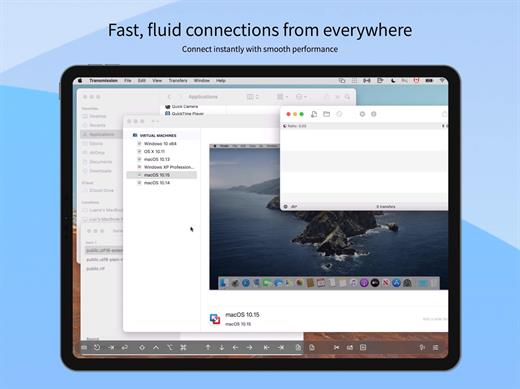
Streamlined and powerful VNC utility designed to provide you with all the tools you need to remotely connect to your devices from your Mac

Accessing your devices from anywhere in the world is surely great, especially if you need to perform some last minute modifications to a project or copy a certain file. This can be done from any computer that can access your device’s network using the VNC desktop sharing system.

Features

  • iCloud – Synchronize all your stored screens on all your iOS devices, including your Mac.
  • Use Screens in fullscreen mode to make it feel your remote computer is right there in front of you.
  • Easy to Use: Screens is an easy, user-friendly VNC client for Mac.
  • Secure: Screens can connect to your computer through an SSH tunnel so your session is encrypted and safe.
  • Multi-Touch: Screens supports many of the multi-touch features – such as pinch and navigation – you’re already used to on your trackpad.
  • Screens Connect: Make your computer available from anywhere with this optional helper app. Easy as flicking a switch. No messy router setup.
  • Works Anywhere: Through Wi-Fi or a 3G network.
What’s New

Version 5.8.12:


  • Release notes were unavailable when this listing was updated.
Compatibility

macOS 14.0 or later.


Release Name: Screens 5.8.12
Size: 40 MB
Links: HOMEPAGE – NFO – Torrent Search

Download: RAPiDGATOR
3 Comments
Aug 3

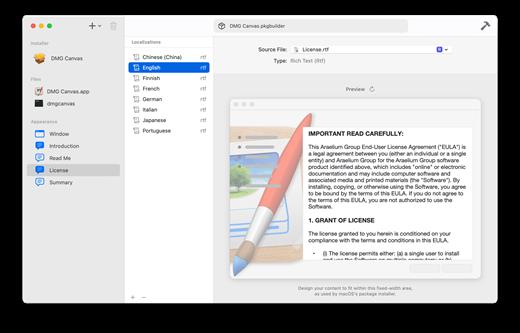
Package Builder 2.0.2

Build macOS installer packages in minutes.

The internet is full of posts from people trying to create a macOS installer package correctly, which is a testament to how confusing and time consuming it can be. Your time is worth more. — Package Builder makes it super easy to build installer packages by simplifying the process: Simply drag and drop your files, set a few settings, and click “Build”. Done.

What’s New

Version 2.0.2:


  • Release notes were unavailable when this listing was updated.
Compatibility

macOS 13.0 or later
Apple Silicon or Intel Core processor


Release Name: Package Builder 2.0.2
Size: 14.8 MB
Links: HOMEPAGE – NFO – Torrent Search

Download: RAPiDGATOR
4 Comments
Aug 3

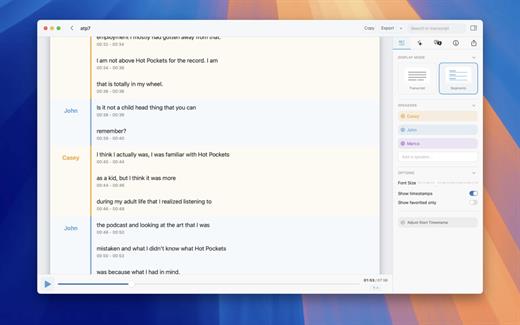
MacWhisper 14.5

MacWhisper converts audio files into text using the Whisper machine learning model for speech recognition and transcription — making it easy to transcribe meetings, lectures, and other recordings.

Key Features


  • Easy Transcription: Drag and drop audio files for instant conversion.
  • On-Device Processing: 100% local transcription—no data leaves your machine.
  • Fast & Accurate: Get text multiple times faster than real-time with Metal & GPU acceleration (depending on the system).
  • Search & Edit: Highlight, edit, and delete transcript sections.
  • Audio Playback: Sync playback with the transcript for easy review.
  • Multi-Language Support: Transcribes in 100+ languages (fastest in English).
  • Subtitle Export: Save transcripts as .srt & .vtt files.
  • Batch Processing & System Audio Capture: Transcribe multiple files simultaneously and capture system audio (Zoom calls, podcasts, etc.).
  • Flexible Output: Export transcripts to Word, PDF, HTML, and subtitles.
  • Speaker Separation: Detect and split transcripts by speaker.
  • Reader Mode: Focused reading experience.
  • Advanced Model Support: Choose from various models for different accuracy and speed levels.
  • Supported Formats: Works with mp3, wav, m4a, mp4, mov, ogg, opus and more.
  • Pro Unlock: Upgrade for industry-leading transcription quality with Medium & Large models, batch processing, system audio recording, podcast transcription, and more.
What’s New

Version 14.5:


  • Release notes were unavailable when this listing was updated.
Compatibility

macOS 14.0 or later.


Release Name: MacWhisper 14.5
Size: 51.1 MB
Links: HOMEPAGE – NFO – Torrent Search

Download: RAPiDGATOR
3 Comments
Aug 3

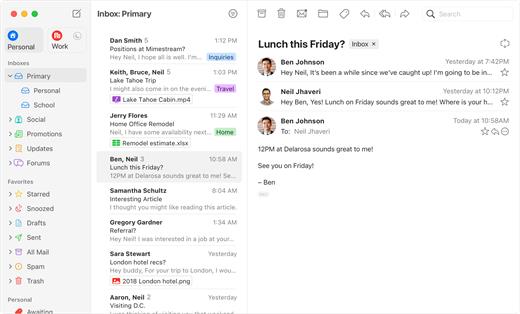
Mimestream 1.10.6

Mimestream combines your favorite Gmail features with the power of a native macOS app so you can move through your email effortlessly

Made for Mac, optimized for Gmail

As a native app written in Swift, Mimestream leverages the full power of macOS to deliver a lightning-fast and instantly familiar experience. Instead of using the IMAP protocol, Mimestream utilizes the Gmail API to enable an enhanced set of features that let you work with ease.

Work smarter, email faster

  • Rise above the noise and focus on the work that matters most. Mimestream makes it easy to keep your inbox organized with confidence.

  • Categorized Inbox – with support for Gmail’s categories, focus on what matters most and triage the rest at your leisure.
  • Multiple Accounts
  • Label Management
Committed to Privacy

Your data and credentials are stored only on your device, and the app only makes direct connections to Gmail. There are no intermediary servers, and Mimestream does not collect or sell your email.

Key Features

  • Lightweight and Fast – Mimestream is built for speed, and only uses a minimal amount of disk space to cache recent messages
  • Offline Access – Fully functional when offline and on the slowest connections-perfect for business travelers and whenever you’re on the go
  • System Notifications – Receive macOS system notifications when you receive new messages, so you never fall behind on important threads
  • Aliases – Your email aliases are automatically synced from Gmail without any setup and are used for replies when appropriate
  • Signatures – Signatures set up in Gmail are automatically synced with Mimestream
  • Robust Search – Enter any Gmail search query into Mimestream and get consistent results. Search while offline, too
  • Swipe Gestures – Use familiar macOS swipe gestures to quickly triage and archive your email
  • Tracking Prevention – Read your email privately – Mimestream blocks tracking pixels from 50+ of the most common tracking services
  • Keyboard Shortcuts – Triage your email quickly using keyboard shortcuts, including the option to use familiar Gmail or Apple Mail shortcut sets
What’s New

Version 1.10.6:

? Fixed


  • (macOS 26.6) Opening attachments sometimes results in an error
Compatibility

macOS 10.15.0 or later


Release Name: Mimestream 1.10.6
Size: 11.7 MB
Links: HOMEPAGE – NFO – Torrent Search

Download: RAPiDGATOR

4 Comments
Aug 3

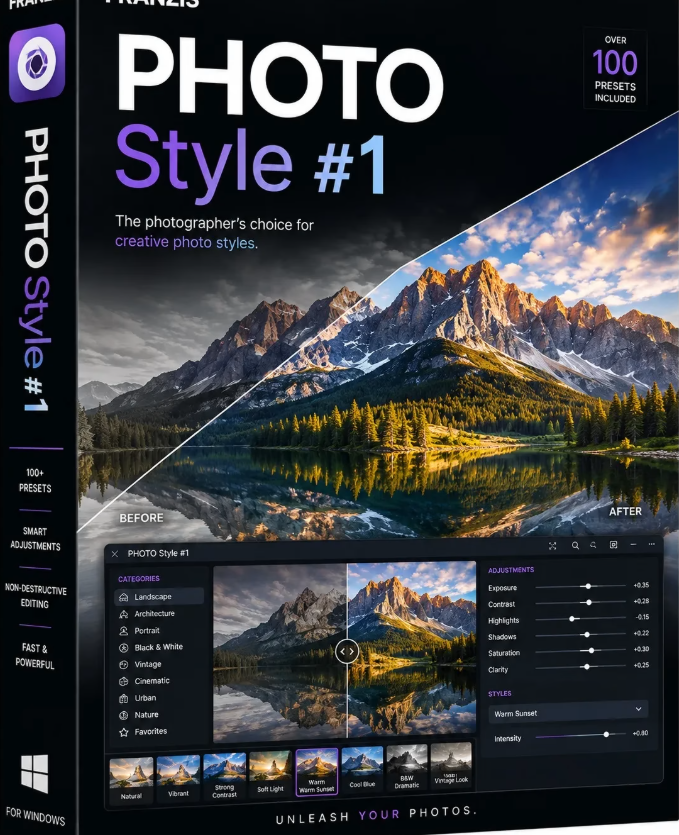
Franzis PHOTO Style #1 professional 1.14.04489

Description: With Photo STYLE #1 professional, you can transfer the signature look of another image to your own photos or give them a unique style—quickly, intuitively, and professionally.

Thanks to integrated image style transfer, you can imbue your photos with the distinctive aesthetic of a reference image—harmoniously, simply, and professionally. Intelligent technology automatically adjusts brightness, contrast, colors, gradients, and vignetting, giving your images a high-quality, cohesive look instantly.

The user interface is designed specifically for users who value clear structure and intuitive operation. You retain full creative control at all times: parameters such as intensity, softness, and damping can be fine-tuned individually, just like specific style components. Use the 24 included image styles for inspiration or build your own expandable style library. You can easily save, export, and re-import your own creations, allowing you to develop your personal signature style step by step.

Whether for cherished memories, creative projects, or professional presentations, this program delivers impressive results without technical hurdles. It is the perfect choice for both ambitious hobbyists and experts seeking a professional workflow without the need to master complex software. Experience image editing that simply works—delivering results that truly impress.

Features
- Image style transfer directly from any photo, incorporating:
- Brightness
- Contrast
- Color
- Brightness gradients
- Color gradients
- Vignetting
- Adjustable style transfer parameters: intensity, softness, damping
- Quick-edit module
- Selective drawing module
- Expandable database for custom image styles
- Watermark module for automatically integrating custom watermarks/logos
- Customizable interface
- RAW module with numerous filters
- Over 100 area protection options for all effects
- Adobe® Photoshop®/Lightroom Classic® plugins
- Virtual micro-details
- Grain module
- Batch processing
- Sensor error correction
- Focus peaking analysis
- AI module for using custom AI filters created with the AI ​​Filter program
- Image preparation with automatic dark frame and flat frame processing for maximum image precision

Release Name: Franzis PHOTO Style #1 professional 1.14.04489
Size: 858.7 MB
Links: HOMEPAGE – NFO – Torrent Search

Download: RAPiDGATOR
4 Comments
Aug 3

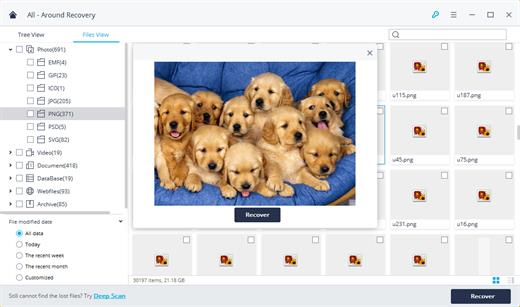
Wondershare Recoverit 14.0.33.15

Description: Recover Files in Minutes, No Tech Skills Needed. 2000+ storage devices supported. Recover 1000+ file types. Success recovery rate of 99.5%. 3 simple steps to recover unlimited data.

2000+ Storage Devices Supported
The high-tech data recovery tool can easily recover lost data from almost any devices or storage media.

Laptops, PCs & NAS
Recyle bin, internal drives, partitions; NAS (Network Attached Storage)

Memory Cards
SD/CF card, microSD, miniSD, Sandisk, memory card/stick, TF memory card…

Internal Hard Drive
Hard Drive (Basic & Dynamic), SSD (Solid State Drive)

External Hard Drive
We Support Nearly All External Hard Drive That You Use

Flash Drives
USB Drives, Jump Drives, Pen Drives, Thumb Drives…

Other Storage Media
Camera (Canon, Sony, Nikon, Fuji), Music/Video Player, Camera Drones (GoPro, DJI)

Recoverit Support 1000+ File Types and Formats
We support recovery of all types of files and file systems, e.g. NTFS, FAT, HFS+, APF.

Document
DOC, DOCX, RTF, XLS, XLSX, XLSB, PPT, PPTX, PPS, PDF, DOT, DOTX, XLSB, XLT, XLTX, POT, PPSX, etc.

Photo
CRW, JPEG, JPG, PNG, PSD, RAW, RGB, 3DM, 3DMF, 3FR, ABM, AFX, ANI, ART, ARW, BIZ, BLD, etc.

Video
AVI, FLA, FLV, M4V, MOV, MP4, WMV, 3G2, 3GP, 3GP2, 3GPP, AMV, ANM, ASF, ASX, etc.

Audio
AAC, AIFF, ALAC, FLAC, MP3, OGG, PCM, WAV, WMA, A52, AA, AA3, AAC, AC3, ACC,AFC, AIF, etc.

Archive
7Z, WAR, ZIP, exe, 7zip, etc.

Other Files
MSG, PST, OST, EML, EMLX, MBOX, EPUB, JIS, KEY, LOG, MPS, 3DA, 3DS, 3TF, 3WS, ABD, etc.

Release Name: Wondershare Recoverit 14.0.33.15
Size: 259.6 MB
Links: HOMEPAGE – NFO – Torrent Search

Download: RAPiDGATOR

5 Comments
Aug 3

Ashampoo Music Studio Pro 27.0.1

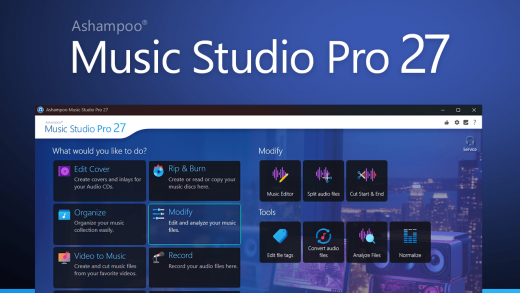
Description: More precision, comfort, and music for you! Ashampoo Music Studio is the Swiss Army knife for your music. It offers a comprehensive set of tools for easy editing, producing, trimming, mixing and organizing of music and audio files.

With the powerful features of Ashampoo Music Studio Pro 27, you'll get the best out of your music collection! Eight handy modules cover pretty much everything music lovers need on a computer. Whether you want to edit, burn, or cut your favorite songs–with Ashampoo Music Studio Pro 27, you can do it quickly and easily. Record Spotify, Deezer, Amazon Music, and much more! Convert to other compatible formats, create mix tapes for the next party or playlists for any audio device! Bring order to your music collection, print covers, rip CDs, and much more!

Edit, organize, and burn music
Create mixtapes for various occasions
Cover designer for CD and DVD cases
Create playlists in various audio formats
Fast and easy CD ripping
Automatic renaming of music files
Extract audio tracks from videos
Tools for editing audio files and metadata
Audio editor for cutting, volume adjustment, and muting

Title detection that thinks for you
When recording music streams, keeping things organized is key–and that’s exactly what Music Studio delivers. For services like Spotify, the software automatically recognizes artist and song title and names your files accordingly. For less clear-cut sources, like browser windows, it analyzes the window title and auto-skips irrelevant parts. The result? Just your music–clearly named.

CD ripping with always correct titles!
Looking to archive your audio CDs or access their music digitally? Music Studio recognizes your CDs more precisely than ever. It automatically compares multiple database entries, merges them intelligently, and provides the best possible metadata for your collection. On top of that, Ashampoo Music Studio reads CD-Text directly from disc for more complete information without any manual editing.

Simply smarter recording
Recording audio on Windows can be tricky, especially when a recording device is muted. Music Studio detects muted devices and automatically unmutes them during recording. Once finished, it will restore their original state so you don’t have to do a thing. It's the perfect solution for spontaneous sessions and reliable recordings and also works flawlessly with your mic in MS Teams, Zoom & more.

Cleaner, smarter recording list
Got a long list of recordings? No problem! The new and improved recording list in Music Studio displays all key information at a glance and feels much more streamlined. You can now sort your recordings by name, date, or duration–ascending or descending. That way, you’ll always find exactly what you’re looking for, no matter how big your collection is.

Release Name: Ashampoo Music Studio Pro 27.0.1
Size: 114.4 MB
Links: HOMEPAGE – NFO – Torrent Search

Download: RAPiDGATOR
5 Comments
Aug 3

PanoramaStudio Pro 4.2.3.501

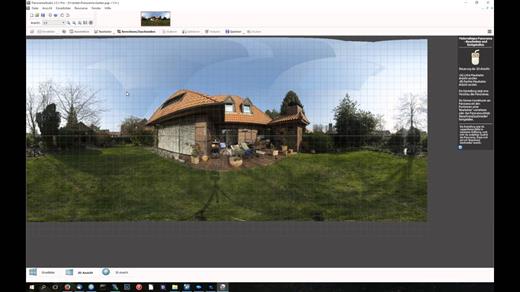
Description: PanoramaStudio Pro offers numerous additional features in addition to all the functions of the standard version. These include the creation of HDR panoramas with HDR/Tonemapping or Exposure Fusion, support for fisheye lenses, more visualization options, automatic white balance, viewpoint correction and a grid assistant for panoramas consisting of a large number of images.

This version not only saves various image formats but also HDR formats, offers a poster printing function and lets you export interactive 3D panoramas or virtual tours consisting of multiple linked panoramas. The proven and simple creation of perfect panoramas is extended in this Pro version by a whole range of functions for ambitious users.

Key Features

Panorama Creation
Automatic stitching of arbitrary image arrangements into seamless panoramas
Automatic correction of exposure mismatches, brightness, vignetting and white balance
Full HDR support to create high dynamic range panoramas
15 different projections for visually different visualizations - in addition to the standards also Mercator, Little Planets, Fisheyes, Pannini and transversal projections such as Cassini

Supported Cameras and Lenses
Processing of photos from any conventional camera as well as fisheye lenses
Recognition of more than 2830 cameras based on their Exif data
Automatic correction of lens distortion

Editing
Manual correction of all individual steps, for example with the control point editor, the viewpoint correction PRO or the masking tool
Dynamic real-time preview in a 2D or 3D view
Numerous non-destructive image processing filters
In HDR mode, real-time preview while adjusting the tone mapping and Exposure Fusion parameters
Grid assistant for pre-sorting large numbers of input images

Import/Export
Export of interactive HTML5 panoramas and virtual tours for local viewing or embedding in websites
Import/export of the most common image formats
Direct import of more than 1250 RAW formats
Import/export of HDR image formats – OpenEXR, HDR, JXL (JPEG-XL), 32-bit TIFF
Poster printing function

Release Name: PanoramaStudio Pro 4.2.3.501
Size: 47.6 MB
Links: HOMEPAGE – NFO – Torrent Search

Download: RAPiDGATOR
5 Comments
Aug 3

MedCalc 23.6.5

Description: MedCalc is a statistical software package for biomedical research. Includes more than 220 statistical tests, procedures and graphs. ROC curve analysis, method comparison and quality control tools. Minimal learning curve. Developed since 1993.

Easy to learn, fast and reliable
MedCalc includes more than 220 statistical tests, procedures and graphs
save graphs in SVG, PNG, JPG, high resolution TIF, or other file formats, or as PowerPoint slides (*.pptx).
free updates
available with an English, Chinese (simplified and traditional), French, German, Italian, Japanese, Korean, Polish, Portuguese (Brazilian), Russian and Spanish user-interface (help file and documentation in English)
one edition includes all features (do not pay extra for the functions you really need).
compatible with all contemporary Windows desktop editions

Data management
Integrated spreadsheet with 1 048 576 rows and 16 384 columns.
Correct handling of missing data.
Outliers can easily be excluded.
Built-in WYSIWYG text editor.
Imports Excel, Excel 2007, SPSS, DBase and Lotus files, and files in SYLK, DIF or plain text format.
Easy selection of subgroups for statistical analysis.

MedCalc Documentation
Complete HTML manual on MedCalc web site.
Comprehensive context-sensitive help.
Context help in dialog boxes.

ROC curve analysis
MedCalc is the reference software for ROC curve analysis. Our ROC curve analysis module includes:
Area Under the Curve (AUC) with standard error, 95% confidence interval, P-value. Offers choice between methodology of DeLong et al. (1988) and Hanley & McNeil (1982, 1983).
List of sensitivity, specificity, likelihood ratios, and positive and negative predictive values for all possible threshold values.
ROC curve graph with 95% Confidence Bounds.
Threshold values can be selected in an interactive dot diagram with automatic calculation of corresponding sensitivity and specificity.
Plot of sensitivity and specificity, or cost, versus criterion values.
Plot of predictive values versus prevalence.
Interval likelihood ratios.
Comparison of up to 6 ROC curves: difference between the areas under the ROC curves, with standard error, 95% confidence interval and P-value.
Sample size calculation for area under ROC curve and comparison of ROC curves.
Go to the ROC curve analysis section of the MedCalc manual for more information on ROC curve analysis in MedCalc.

Graphs
Lots of graphs, see Graph gallery.
Data point identification in graphs.
Draw text boxes, lines, arrows and connectors.
Name, save and recall graphs and statistics.
Statistical info in graph windows.
Save graphs as SVG, PNG, JPG, GIF, BMP, PCX, or high resolution TIF files, or as PowerPoint slides (*.pptx).

Release Name: MedCalc 23.6.5
Size: 120.2 MB
Links: HOMEPAGE – NFO – Torrent Search

Download: RAPiDGATOR

3 Comments