Please REGISTER or RENEW your account on RAPiDGATOR.net and support us by doing through all RAPiDGATOR working download links on main posts...
Aug 11

DigitalOfficePro HTML5Point 4.1.75

Description: HTML5Point - is the world's first PowerPoint to HTML5 converter that lets you to convert your PowerPoint presentation into an interactive HTML5 content that can be viewed on iPads, iPhones, other mobile devices and on all modern browsers - all in a Single click!

Convert PPT to HTML5 in a single click
Say goodbye to expensive programmers
Flexible publishing / delivery options

View Converted HTML5 presentations on iPad, iPhone and other devices
Develop interactive presentations for desktops, laptops, Android tablets, iPads & iPhone with a single click. HTML5Point accurately converts your PowerPoint content to HTML5 preserving all the animations, transitions and other special effects associated with the original PowerPoint presentation. Developing an e-Learning package with support on all devices is now very easy with HTML5Point.

HTML5 slideshows support on all modern browsers
Converted HTML5 output works flawlessly on almost all modern browsers without any additional plugins (unlike flash which requires additional plugins) installed on your machine. It is due to this cross platform compatible nature that publishers recommend the new HTML5 format over any other conventional formats.

Animations and Transitions in HTML5
HTML5Point PPT to HTML5 converter completely retains the animations and transition effects of original PowerPoint presentation. The superior plug-in also has the capability to support auto timing feature associated with the presentation.

Compatible with SCORM
With HTML5Point PowerPoint to HTML5 conversion tool you can create SCORM [SCORM 2004 (2nd, 3rd and 4th edition)] compatible presentation that can be uploaded to any SCORM compliant LMS (Learning Management System) on the cloud.

FTP Support
Anyone can easily upload a presentation to the website instantly with just a click. Add your credentials and click the publish button. Simple and fast!

No Functional Limitations in Trial
There are no functional limitations to HTML5Point trial version. You can use your trial for unlimited days to test drive the product to the fullest.

Installed to right within PowerPoint
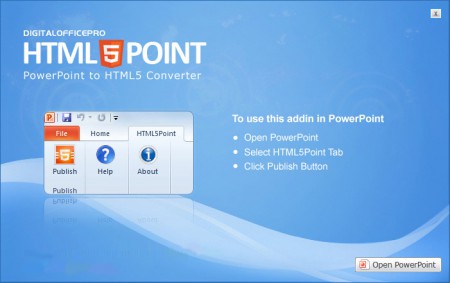
PPT to HTML5 converter called HTML5Point is downloaded as a PowerPoint add-in. The HTML5Point installer places a tab to your PowerPoint ribbon, and you can access all its functions from this tab. We have updated this plugin with the latest features to get your work done quickly and accurately.

HTML5Point Key Features
powerpoint to html5 features
YouTube & Video Support
Narration & Continuous Audio
Animated Gifs
Hyperlinks
Optimize compression of images
Animations & Transitions
No Additional Plugins
Cross browser compatibility
Consistency
Search Engine friendly
Improved Semantics
Improved Accessibility

Release Name: DigitalOfficePro HTML5Point 4.1.75
Size: 134.6 MB
Links: HOMEPAGE – NFO – Torrent Search

Download: RAPiDGATOR

6 Comments
Aug 11

Coolutils PDF Splitter Pro 6.1.0.92/63

Description: PDF Splitter Pro helps you to split multipage PDF files by any text line: invoice numbers, company's name, a date. It's not just splitting PDF by pages, as some invoices can take 1 page and some 2-3 pages. PDF Splitter Pro is smart enough to split your document by invoices, not pages.

You set which line in your doc should be considered as the separator. The app analyzes the file and splits it according to your requirement. Imagine splitting one huge PDF file with lots of invoices inside in one go - automatically! Apart from splitting, PDF Splitter Pro can also
Combine PDF pages;
Rotate PDF pages;
Turn color PDFs to black-and-white to save space and ink;
Add a page counter;
Stamp bates;
Add your logo or any other image to every page.

PDF Splitter Pro features a built-in renamer. You can give your files new descriptibe names in batch. It can even add the text line you set as a separator into the file name. Speaking about invoices, you can split your PDF by invoice numbers and add those numbers into the file name of the new files.

PDF Splitter Pro can be run via neat user-interface or command line. You don't have to learn the params. Just make all the setting in the GUI and the app wil create a ready-to-use bat file. Get you copy now. You will be amazed how much time and effort PDF Splitter Pro can save!

Release Name: Coolutils PDF Splitter Pro 6.1.0.92/63
Size: 317.3 MB
Links: HOMEPAGE – NFO – Torrent Search

Download: RAPiDGATOR
6 Comments
Aug 11

Helium Streamer 8.1.0.1855 Premium

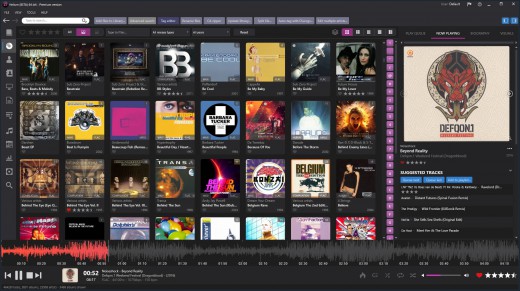
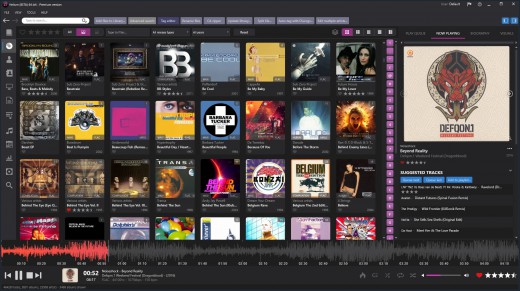
Description: There are a variety of ways to browse your music collection including by artist, album, title, genre, year and more. Helium Streamer enables the playback of playlists, searches, suggested tracks and user favourites. Details of the currently playing track are shown; as is information about the playing track's artist.

The app fully supports multiple users to ensure that you see exactly your personal playlists, favourites and ratings. Whilst playing you can change rating and favourite per-user as well as scrobble tracks with Last.fm.

Helium Streamer consists of a web based music streamer application installed on your Windows computer and optionally the Helium Streamer app for Android or iOS.

Release Name: Helium Streamer 8.1.0.1855 Premium
Size: 32 MB
Links: HOMEPAGE – NFO – Torrent Search

Download: RAPiDGATOR

5 Comments
Aug 11

Microsoft Office 2021 LTSC v2108 Build 14334.20848

Description: Office 365 ProPlus, the cloud-connected version of Office, delivers the most productive and most secure Office experience—with the lowest total cost of ownership for deployment and management. However, for customers who aren’t ready for the cloud, Office 2021 provides new features and updates to the on-premises apps for both users and IT professionals.

Like Windows Long Term Servicing Channel (LTSC) releases, Office 2021 provides a set of valuable enhancements for customers who can’t be cloud-connected or receive regular updates.

The new enhancements in Office 2021 are a subset of a long list of features that have been added to Office 365 ProPlus over the last three years. Office 2021 is a one-time release and won’t receive future feature updates. However, we’ll continue to add new features to Office 365 ProPlus monthly, including innovations in collaboration, artificial intelligence (AI), security, and more. Office 2021 delivers features across apps to help users create amazing content in less time. In PowerPoint 2019, you can create cinematic presentations with new features like Morph and Zoom. And improved inking features across the apps in Windows—like the roaming pencil case, pressure sensitivity, and tilt effects—allow you to naturally create documents.

Microsoft Office Volume 2021 Select Edition includes:
Microsoft Office 2021 Professional Plus
Microsoft Access 2021
Microsoft Excel 2021
Microsoft Lync 2021
Microsoft OneNote 2021
Microsoft Outlook 2021
Microsoft PowerPoint 2021
Microsoft Publisher 2021
Microsoft Visio Viewer 2021
Microsoft Word 2021
Microsoft Visio pro 2021
Microsoft Project 2021
Skype for business 2021
OneDrive for Business 2021
Office Shared Features
Profing Tools Only 2021
And many more

Release Name: Microsoft Office 2021 LTSC v2108 Build 14334.20848
Size: 4.2 GB
Links: HOMEPAGE – NFO – Torrent Search

Download: RAPiDGATOR
5 Comments
Aug 11

Helium Music Manager 18.1.813 Premium

Description: A music cataloger, tag editor, cd ripper, audio converter, mp3 and flac analyzer, duplicate finder, player and music scrobbler - all in one. Get more from your music collection.

Has everything you need
Why mess with a lot of different tool for cataloging, tagging, playing or renaming files when you only need one?
Getting started with Helium is very easy - simply install it and then import your digital audio files. After the initial import is done you can start to browse your collection using all various browse mode and work with all powerful tools that are included. Quickly use the powerful search capabilities to locate specific artists, albums or tracks. Adjust and correct data of your files and manage your album and artist pictures in a batch.
Helium offers many quick and simple operations to handle your music collection, but it does not stop there. You can also interact with Helium via its scripting API. The scripting API allows you to execute specific operations via C# scripts to tracks, artists and albums in your collection.

Big collections - no problems!
We have designed Helium to be useful with collections ranging from small collections to large collections with several hundred thousand tracks. Due to its scalable design, you can easily migrate from the default database engine to more powerful engines like SQL Server, MySQL, or PostgreSQL, stored either locally on the same machine as Helium or on a remote machine for optimal multi-user support.

Helium is designed to work with Windows 10 and Windows 11

Cataloging
Support for multiple database types for the ultimate scaling for small and large collections.

Tagging
Different tag editors with multiple capabilities. Support for quick editing whilst viewing.

Manage
Download pictures and information, convert files, automatically rename files and much more.

Modern user interface
Browse your collection in various ways to quick and easily find what you are looking for. Dark or light themes available.

Play
Play music through playlists and use visualization for the optimal experience.

Automate
Automate multiple tasks with Helium's script engine. Create your own tasks and run in batches.

Premium version
Unlimited separate user accounts
Advanced searches
Multiple database type support
Remote control app
Advanced dynamic statistics
Client/server multi user features

Release Name: Helium Music Manager 18.1.813 Premium
Size: 43.6 MB
Links: HOMEPAGE – NFO – Torrent Search

Download: RAPiDGATOR
5 Comments
Aug 11

Tenorshare 4DDiG 10.9.5.9

Description: Reliable Windows Backup Tool. Backup file, partition or computer to computer or external device. Full system backup to keep your system safe. Restore a specific partition from a full backup to save time. Task management dashboard to backup effortlessly.

One-click Backup Your Data
PC Backup - Simple Like That
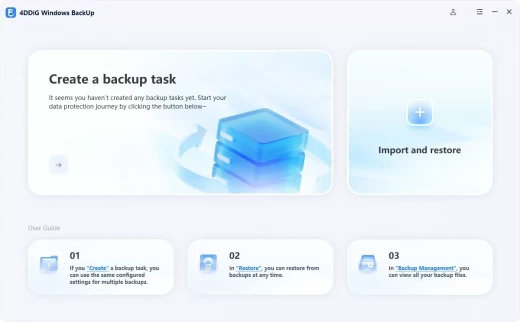
Deletion, overwrite, corruption or sudden crash can cause data loss. To keep data safe, easily create a backup of your files, partition, disk or system with 4DDiG Windows Backup. Create a backup task, select what you want to backup and where you store the backup. Complete the backup process, and you can restore it at anytime.

File Backup
Backup important files for data safety. Restore files to original version whether it is lost, overwritten or corrupted.

Partition/Disk Backup
Keep a backup of partition or the whole disk to prevent data loss.

System Backup
Backup system so that you can restore to previous version when your computer crash or in bad performance.

System Supported
Operating System: Windows 11/10/8.1/8/7
Files System: NTFS, exFAT, and FAT16/FAT32

Release Name: Tenorshare 4DDiG 10.9.5.9
Size: 122.5 MB
Links: HOMEPAGE – NFO – Torrent Search

Download: RAPiDGATOR
5 Comments
Aug 10

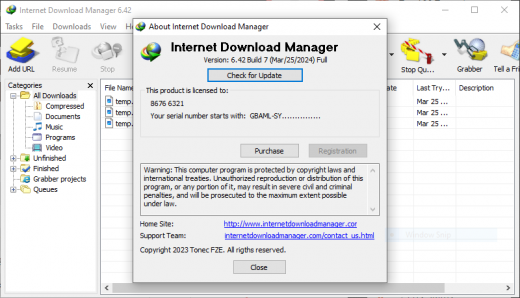
Internet Download Manager (IDM) 6.43 Build 8

Description: Internet Download Manager has a smart download logic accelerator that features intelligent dynamic file segmentation and safe multipart downloading technology to accelerate your downloads. Unlike other download accelerators and managers that segment files before downloading starts, Internet Download Manager segments downloaded files dynamically during download process.

Features
- All popular browsers and applications are supported!
Internet Download Manager has been tested with the following browsers: Internet Explorer, MSN Explorer, AOL, Netscape Communicator, Netscape 6, Netscape 7, Mozilla, Mozilla Firefox, Mozilla Firebird, Opera, NetCaptor, UltraBrowser, Slim Browser, Avant Browser, MyIE2, Optimal Desktop, Ace Explorer, Advanced Browser, 27 Tools-in-1 Wichio Browser, WindowSurfer, 550 Access Browser, FineBrowser Freeware, Kopassa Browser, Fast Browser Pro, Enigma Browser, GoSuRF, K-Meleon, Smart Explorer, The Off By One Web Browser, Smartalec Voyager, CrystalPort AppCapture, The Family Browser, XANA Web Browser, Bluto, AutoSurf, 32bit Web Browser, BrowseMan, WrestlingBrowser, Eminem Browser, UltraBrowser, Cygsoft LDAP Browser, and Net M@nager. Internet Download Manager supports all versions of popular browsers, and can be integrated into any 3rd party Internet applications.

- Easy downloading with one click.
When you click on a download link in a browser, IDM will take over the download and accelerate it. IDM supports HTTP, FTP, HTTPS and MMS protocols.

- Download Speed Acceleration.
Internet Download Manager can accelerate downloads by up to 5 times due to its intelligent dynamic file segmentation technology. Unlike other download managers and accelerators Internet Download Manager segments downloaded files dynamically during download process and reuses available connections without additional connect and login stages to achieve best acceleration performance.

- Download Resume.
Internet Download Manager will resume unfinished download from the place where they left off.

- YouTube grabber.
Internet Download Manager can grab FLV videos from popular sites like YouTube, MySpaceTV, and Google Video.

- Simple installation wizard.
Quick and easy installation program will make necessary settings for you, and check your connection at the end to ensure trouble free installation of Internet Download Manager

- Drag and Drop.
You may simply drag and drop links to IDM, and drag and drop downloaded files out of Internet Download Manager.

- Automatic Antivirus checking.
Antivirus checking makes your downloads free from viruses and trojans.

- Advanced Browser Integration.
When enabled, the feature can be used to catch any download from any application. None of download managers have this feature.

- Built-in Scheduler.
Internet Download Manager can connect to the Internet at a set time, download the files you want, disconnect, or shut down your computer when it's done.

- IDM includes web site spider and grabber.
IDM downloads all required files that are specified with filters from web sites, for example all pictures from a web site, or subsets of web sites, or complete web sites for offline browsing. It's possible to schedule multiple grabber projects to run them once at a specified time, stop them at a specified time, or run periodically to synchronize changes.

- IDM supports many types of proxy servers.
For example, IDM works with Microsoft ISA, and FTP proxy servers.

- IDM supports main authentication protocols
Basic, Negotiate, NTLM, and Keberos. Thus IDM can access many Internet and proxy servers using login name and password.

- Download All feature.
IDM can add all downloads linked to the current page. It's easy to download multiple files with this feature.

- Customizable Interface.
You may choose the order, and what buttons and columns appear on the main IDM window.

- Download Categories.
Internet Download Manager can be used to organize downloads automatically using defined download categories.

- Quick Update Feature.
Quick update may check for new versions of IDM and update IDM once per week.

- Download limits.
Progressive downloading with quotas feature. The feature is useful for connections that use some kind of fair access policy (or FAP) like Direcway, Direct PC, Hughes, etc.

- IDM is multilingual.
IDM is translated to Albanian, Arabic, Azerbaijan, Bosnian, Bulgarian, Chinese, Croatian, Czech, Danish, Dutch, Farsi, French, German, Greek, Hebrew, Hungarian, Italian, Japanese, Korean, Lithuanian, Macedonian, Norwegian, Polish, Portuguese, Romanian, Russian, Serbian, Slovak, Slovenian, Spanish, Thai, Turkish, and Uzbek languages.

Release Name: Internet Download Manager (IDM) 6.43 Build 8
Size: 14 MB
Links: HOMEPAGE – NFO – Torrent Search

Download: RAPiDGATOR
4 Comments
Aug 10

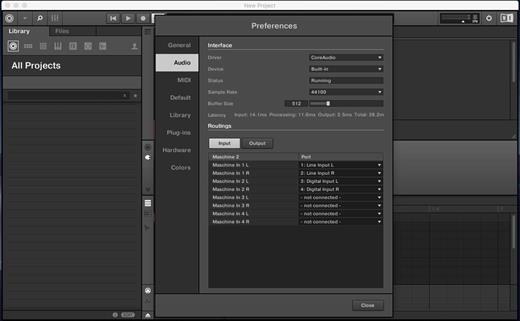
Maschine 3.6.0

MASCHINE 3 is all about getting your musical ideas flowing. It’s there every step of the way from beat making and sampling to arranging and performing your tracks. Use it with virtual instruments or your own samples, both on its own and in a DAW. And if you’re ready to take things up a gear, bring in Maschine hardware to get hands on.

The new version is completely redesigned, Drum Synths, mixer, etc. NEW audio engine sound engine MASCHINE 3 now allows you to add unlimited groups and inserts effects MASCHINE powerful set of features. Multicore support ensures that your computer will handle all this in parallel with the processing of ultra high – even when using the software as a VST or AU plug-in module. New audio engine now also supports side bindings for sidechaining, for classic ducking effects and more…

MASCHINE a revolutionary system for creating grooves tactile creative bit-making organization of recognized sound library Kontakt 8 any other VST, VSTi library.
Together with the software package for creating beats MASCHINE create quickly and easily combine the power and flexibility of software with tactile immediacy of hardware. His sequencer based on patterns, high-performance sampler, has an incredible set of professional tools and studio effects, exemplary drum synthesizers and library Kontakt 8 are you a complete system for quickly and professionally create grooves.

NEW JUICE FOR OLD MASCHINES
If you’re still using MASCHINE 2.x, the MASCHINE 3 software update can give you more functionality, sound, and raw power for modern music production. Completely reworked, the software offers countless new ways to support and fast-track your ideas. The software is compatible with all generations of MASCHINE and MASCHINE MIKRO* – it works with the hardware you already have. Read on for details on what you get…

REWORKED AUDIO ENGINE
MASCHINE 3’s audio engine adds unlimited groups and insert effects to MASCHINE’s powerful feature set. Multicore support ensures your computer handles it all in parallel with ultra-efficient processing – even when using the software as a VST or AU plug-in. The new audio engine now also supports sidechaining, for classic ducking effects and more.

DRUM SYNTHS
MASCHINE 3 sets a new benchmark in software drum synthesis. Create your own perfectly-tuned electronic and acoustic drum sounds in truly peerless sound quality.
Six exclusive monophonic drum plug-ins, with their own unique algorithms, give you any percussive sound you need. All fully tweakable, automatable, and perfectly integrated into MASCHINE – with the quality that comes from NI’s acclaimed DSP expertise.

MIXER WINDOW
Polish your tracks to perfection with the mixer window in MASCHINE 3. Tweak volume and panning with ultimate ease. See group and individual track levels clearly on meters complete with peak level indicators. Adjust levels on any group of sounds. And two aux sends per channel let you freely route sounds anywhere in your project.
MASCHINE’s new user interface brings you all this and much more – cutting-edge groove production has never been this easy.

NEW PLUG-IN STRIP
MASCHINE 3’s new plug-in strip gives you a whole new way of seeing your instruments and effects. Each internal instrument and effect now has its own layout for lightning fast visual recognition. This intuitive, visual integration extends to KOMPLETE Instruments and Effects. And beyond that, MASCHINE can handle pretty much any VST, AU or effect plug-in you own.

MORE SOUND INSIDE
Browse presets and load any KOMPLETE 15 Instrument or Effect at-a-glance directly from MASCHINE 3’s full-color product icon display. And now, there’s even more to discover. MASCHINE 3 includes KOMPLETE 12 SELECT – a premium selection of 15 KOMPLETE Instruments and Effects. Get a full suite of professional sound right out of the box and control it all from your MASCHINE hardware.

You also get over 2000 more samples, 200 brand-new MASSIVE presets, and over 100 new kits – all in a streamlined browser that makes finding your sound fast and simple. No matter what sound you’re after, MASCHINE is waiting for you.

What’s New

Version 3.6.0:


  • Release notes were unavailable when this listing was updated.
Compatibility

macOS 10.15 or later


Release Name: Maschine 3.6.0
Size: 1.3 GB
Links: HOMEPAGE – NFO – Torrent Search

Download: RAPiDGATOR
3 Comments
Aug 10

Parallels Desktop 26.4.1-57516

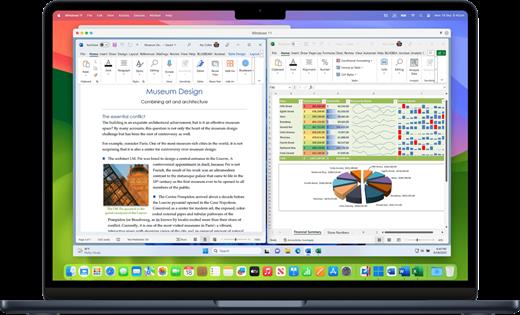
Parallels Desktop allows you to run Windows and Mac applications side by side. Choose your view to make Windows invisible while still using its applications, or keep the familiar Windows background and controls on your Mac.

Works with Boot Camp®


  • Reuse your existing Boot Camp installation. Converting a virtual machine from Boot Camp is now much easier and more intuitive than ever.
Not just for Windows

  • Run a wide array of operating systems including OS X, Windows 10, 8.1 & 7, Linux, and Google ChromeTM. You can run just about anything on your Mac!
One-click tuning

  • Select productivity, games, design, or development, and Parallels Desktop 11 for Mac will optimize your virtual machine settings and performance for you.
Robust Performance

  • Parallels Desktop Pro Edition gives your virtual machines more processing power. Up to 64 GB vRAM and 16 vCPUs per virtual machine lets you run even the most demanding applications with ease.
Business Class Software

  • Keep IT in control of end user licenses and Windows virtual machines with a Unified Volume License Key, centralized license management, and advanced security features available in Parallels Desktop Business Edition.

If the version you are using does not have bugs. No reinstallation is required.

What’s New

Version 26.4.1:


  • Release notes were unavailable when this listing was updated.
Compatibility

macOS 12 or later


Release Name: Parallels Desktop 26.4.1-57516
Size: 193.1 MB
Links: HOMEPAGE – NFO – Torrent Search

Download: RAPiDGATOR

4 Comments
Aug 10

HQPlayer Pro 6.0.2

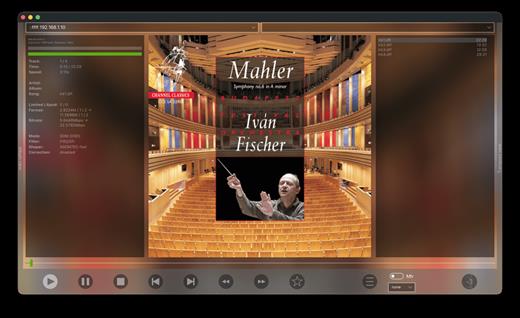
HQPlayer is a high quality audio player for Mac OS X. HQPlayer also features several selectable high quality upsampling and downsampling algorithms as well as selectable dither, noise shaping and modulator algorithms. All modern DACs employ oversampling and delta-sigma modulation, however the hardware implementations are more or less resource constrained.

Higher quality oversampling and delta-sigma modulation can be done by utilizing vast mount of processing power available in modern PCs. Many AVRs also resample internally to 48, 96 or 192 kHz, with the HQPlayer, these can be fed at the native rate. Want to buy 192/24 or DXD files for future but currently own only 96/24 capable hardware? Or want to buy DSD128 or DSD256 files but currently own only DSD64 or 192/24 PCM capable hardware? Resampling and dither/noise shaper can be used to playback high resolution files on a lower resolution hardware, allowing future-proof investment on high resolution files. For digital room correction and other equalization purposes, selectable convolution algorithms are included. Convolution engine supports RIFF (WAV) format FIR impulse responses, which can be produced with suitable software, such as Acourate, Room EQ Wizard or DRC.

Network Audio Adapter
Network audio is especially useful to give freedom from cables when player is run on a tablet or other wireless device. Processing is performed by the player application and the processed data is then asynchronously streamed over network to a very lightweight network audio adapter interfacing to the DAC. Asynchronous FIFO provides maximum isolation between processing and audio reproduction.

Supported source formats:

  • CDDA (Audio CD)
  • FLAC
  • DSDIFF (DFF, non-compressed)
  • DSF
  • RIFF (WAV, including DXD)
  • AIFF
  • RAW streams
What’s New

Version 6.0.2:


  • Release notes were unavailable when this listing was updated.
Compatibility

macOS version 14.0 or later


Release Name: HQPlayer Pro 6.0.2
Size: 121.7 MB
Links: HOMEPAGE – NFO – Torrent Search

Download: RAPiDGATOR
6 Comments