Please REGISTER or RENEW your account on RAPiDGATOR.net and support us by doing through all RAPiDGATOR working download links on main posts...
Aug 9

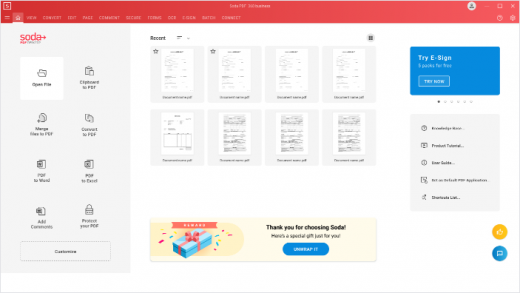
Soda PDF Desktop Pro 15.0.16.24798

Description: Powerful PDF tools made simple. Say goodbye to complicated software & hello to easy-to-use PDF tools. Edit, merge, convert, compress, sign & secure your documents in just a few clicks.
Revising a document is hard, we make it easy
Create, modify or remove text in your PDF. Draw, stamp, whiteout & highlight paragraphs.

Work across multiple devices
Access your files online or offline on any platform. Start from your computer, save to Dropbox, Google Drive, SharePoint or Evernote & finish the job on your phone.

Prepare documents faster
Quickly convert multiple files with our batch tool. Avoid re-typing by transforming scanned documents or images into editable PDFs in just a few clicks.

Manage files smarter
Protect your information through cost-effective security measures. Whiteout or redact sensitive information, secure files with a password or set permissions, export PDFs to other file types or archive your data using the PDF/A format.

Made for Professionals
With advanced security and collaboration features, Soda PDF is easy to adopt and helps increase productivity. Access all Soda PDF functionalities in the cloud, from any mobile device. You can even prepare and send your contracts for e-signature directly through Soda PDF. With multiple deployment options, volume licensing discounts and a dedicated support team, businesses have it all.

Release Name: Soda PDF Desktop Pro 15.0.16.24798
Size: 465 MB
Links: HOMEPAGE – NFO – Torrent Search

Download: RAPiDGATOR

6 Comments
Aug 9

PDF Suite Pro+OCR 20.0.61.21558

Description: Experience Portability with PDF Suite. PDF Suite allows you to: read, create, convert, edit, review & secure PDFs, start managing electronic documents within minutes with the easy and intuitive interface, edit any PDF file by modifying the text or images, apply 256-bit passwords and restrictions to secure your documents.

Read & Markup
View & read your PDF files and other electronic documents with PDF Suite. Leave comments to your documents with the watermark, sticker notes and the markup tools.

Create & Convert
Convert any printable document into a fully readable PDF document. Convert Word, Excel, PowerPoint, and other MS Office documents into PDFs.

Edit & Secure
Edit texts & images of your PDF documents in just a few clicks. Secure your PDF documents with a 256-bit password.

Fill-in & Create PDF Forms
Fill out online forms and submit them back to the sender in a couple clicks. Enjoy a powerful and easy-to-use form creator to add text fields and much more to your PDF documents.

PDF Suite Pro+OCR
- Open and view all PDF files
- Create PDF from any PC application
- Convert your documents with accuracy and no loss of information
- Batch create multiple PDFs at once
- PDF files Editing: cut, copy, paste, move text, delete, etc.
- MS Office Conversion Plug-in
- Export PDF to Word/Excel
- Highlight, draw, and add watermarks
- Create personalized forms
- Insert & edit hyperlinks
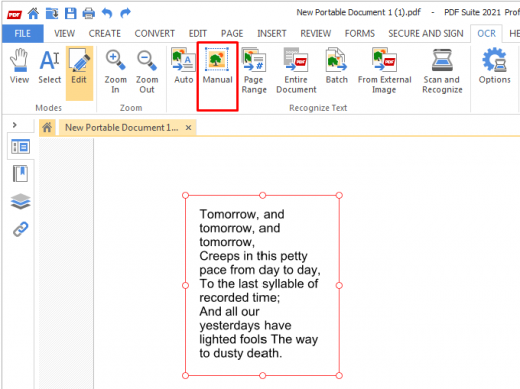
- Transform scanned documents and images into editable PDFs.
- Recognize text in PDFs (OCR)

System Requirements
- OS: Windows 11, Windows 10, Windows 8 32 & 64, Windows 7 32 & 64
- Processor: Pentium III or equivalent
- RAM: 512 MB
- Disk Space: 100 MB or more

Release Name: PDF Suite Pro+OCR 20.0.61.21558
Size: 245 MB
Links: HOMEPAGE – NFO – Torrent Search

Download: RAPiDGATOR
5 Comments
Aug 9

SmartScribe Pro 1.0.43

Description: Write your story. We'll handle the formatting. SmartScribe Pro is a complete novel-writing studio for Windows. See your manuscript laid out as a real printed book, keep a living story bible, and proofread, rewrite, and listen to your work — all on your own computer.

Everything a manuscript needs, in one place
The writing tools, the formatting, and the reference material — so you can stay in your story instead of fighting your word processor.

Book-Accurate Layout & Print-Ready PDF
Write on the real, paginated page — alternating gutters, running headers and footers, and 15+ trim sizes — then export a production-ready PDF to hand straight to your printer or publishing house.

The World Book
A story bible of index cards for your characters, places, factions, and lore — the reference you build and keep as you write.

Margin Notes
Pin sticky notes to any point in your manuscript. They sit beside your text, travel with it as you write and edit, and never show up in the printed book.

Proofreader
A copy-editor built for fiction. Check a selection, the current page, or a whole chapter, and jump straight to each fix in your text.

Rewrite & Word Lookup
Reword a passage in a click, or right-click any word to see its meaning and a set of stronger alternatives in context.

Series Management
Keep an entire series together, move between books in a click, and search across everything you've written.

Read Aloud & Dictate
Hear your prose in a natural voice to catch what your eyes miss, record narration to an audio file, or write by speaking.

Import Anything
Bring in Word, RTF, HTML, or plain text — SmartScribe reads it in and finds your chapters for you automatically.

Private by Design
Your manuscript lives on your computer. Online helpers are optional, off by default, and use your own account keys.

A real page on your screen — a print-ready book off it
SmartScribe Pro gives you the true, on-screen page production you'd expect from a full word processor like Microsoft Word — but purpose-built for novels. You write on the finished, laid-out page as you type — real pagination, alternating gutters, and running headers — while the popular novel-writing apps make you draft in plain text and compile later just to see how it looks. When the manuscript's done, export a production-ready PDF to send straight to your printer or publishing house.

See the finished book while you write
SmartScribe renders your manuscript the way it will actually be printed and bound — not as a flat document, but as facing pages with proper margins.

- True pagination — you write on the actual page, not a flowing document
- Alternating gutters, just like a real bound book
- 15+ ready-made formats, or set any custom trim size
- Professional headers, footers, and page numbering
- Export a production-ready PDF to send straight to your printer or publishing house

A story bible that keeps every detail straight
The World Book is your own set of index cards — one for every character, place, and piece of lore. You build it as you go, and it's always a click away.

- Cards for characters, places, factions, objects, and more
- Summarize a chapter and file it straight into your notes
- Your reference, built by you — never invented for you

An editor that reads like a copy-editor
The Proofreader was tuned for fiction, not business memos. Run it on a sentence, a page, or a whole chapter, and step through each suggestion right where it lives in your manuscript.

- Checks a selection, the current page, or an entire chapter
- "Show in document" jumps straight to the flagged passage
- Rewrite and Word Lookup are a right-click away

The reports it writes for you
Point SmartScribe Pro at your chapter notes and it drafts the documents every author needs — in seconds. These are the real reports it produced for the Treasure Island sample. Click any one to read it.

System Requirements
- Windows 10 / 11, 64-bit
- 8 GB RAM / 16 GB or more recommended
- ~1 GB disk plus room for your books
- Internet optional only for online helpers

Release Name: SmartScribe Pro 1.0.43
Size: 647.4 MB
Links: HOMEPAGE – NFO – Torrent Search

Download: RAPiDGATOR

7 Comments
Aug 9

Wondershare Recoverit 14.0.34.2

Description: Recover Files in Minutes, No Tech Skills Needed. 2000+ storage devices supported. Recover 1000+ file types. Success recovery rate of 99.5%. 3 simple steps to recover unlimited data.

2000+ Storage Devices Supported
The high-tech data recovery tool can easily recover lost data from almost any devices or storage media.

Laptops, PCs & NAS
Recyle bin, internal drives, partitions; NAS (Network Attached Storage)

Memory Cards
SD/CF card, microSD, miniSD, Sandisk, memory card/stick, TF memory card…

Internal Hard Drive
Hard Drive (Basic & Dynamic), SSD (Solid State Drive)

External Hard Drive
We Support Nearly All External Hard Drive That You Use

Flash Drives
USB Drives, Jump Drives, Pen Drives, Thumb Drives…

Other Storage Media
Camera (Canon, Sony, Nikon, Fuji), Music/Video Player, Camera Drones (GoPro, DJI)

Recoverit Support 1000+ File Types and Formats
We support recovery of all types of files and file systems, e.g. NTFS, FAT, HFS+, APF.

Document
DOC, DOCX, RTF, XLS, XLSX, XLSB, PPT, PPTX, PPS, PDF, DOT, DOTX, XLSB, XLT, XLTX, POT, PPSX, etc.

Photo
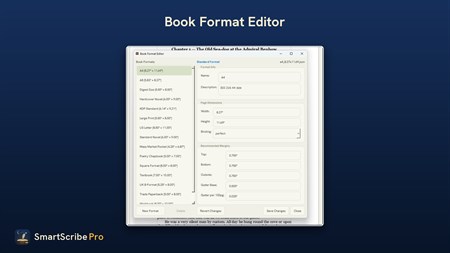
CRW, JPEG, JPG, PNG, PSD, RAW, RGB, 3DM, 3DMF, 3FR, ABM, AFX, ANI, ART, ARW, BIZ, BLD, etc.

Video
AVI, FLA, FLV, M4V, MOV, MP4, WMV, 3G2, 3GP, 3GP2, 3GPP, AMV, ANM, ASF, ASX, etc.

Audio
AAC, AIFF, ALAC, FLAC, MP3, OGG, PCM, WAV, WMA, A52, AA, AA3, AAC, AC3, ACC,AFC, AIF, etc.

Archive
7Z, WAR, ZIP, exe, 7zip, etc.

Other Files
MSG, PST, OST, EML, EMLX, MBOX, EPUB, JIS, KEY, LOG, MPS, 3DA, 3DS, 3TF, 3WS, ABD, etc.

Release Name: Wondershare Recoverit 14.0.34.2
Size: 259.6 MB
Links: HOMEPAGE – NFO – Torrent Search

Download: RAPiDGATOR
6 Comments
Aug 9

Prompt to Picture AI 1.0.0

Description: Prompt to Picture AI - An offline AI image generator for Windows. Describe an image, pick a style, and generate it on your own hardware — no account, no subscription, no credits.

Prompt to Picture AI is a paid, one-time-purchase Windows desktop app that turns a written description into an original image. The AI model runs on your own PC — prompts and generated images are never uploaded. Almost every consumer AI image tool is a cloud service with a monthly fee and a credit allowance; this is the opposite: buy it once, run it locally, generate without limits, and keep your prompts and pictures on your own machine. Choose from eight styles (Photorealistic, Cinematic, Digital Art, Anime, Storybook, Fantasy, Sci-Fi, Minimal Graphic), five formats, and three quality modes. Generate several images at once, create variations, control seeds, and export as PNG, JPG, or WebP. A local gallery saves every image with its prompt, style, dimensions, and seed. GPU acceleration on compatible NVIDIA, AMD, and Intel hardware, with Low Memory mode and CPU fallback. Works offline after the AI model has been downloaded. Windows 11 recommended; 16 GB RAM and a DirectX 12 graphics card recommended.

- One-time purchase — no subscription, no credits, no generation limits
- Images generated locally on your PC; prompts and pictures are never uploaded
- No account or sign-in required
- Works offline after a one-time AI model download
- Eight visual styles and five output formats
- Fast, Balanced, and Detailed quality modes with batch generation
- Prompt Builder, Improve Prompt, and a 15-category prompt library
- Local gallery with search, filters, favourites, and full generation details

System Requirements
- OS: Windows 10 version 17763.0 or higher
- Mouse: Integrated Mouse (Minimum), Not specified (Recommended)
- Memory: 16 GB (Minimum), Not specified (Recommended)
- Graphics Processor: Modern GPU for optimal performance. Minimum is an NVIDIA GeForce RTX 20 Series/AMD Radeon RX 6000 Series or anything later (Minimum), Nvidia RTX 3060 (Recommended)

Release Name: Prompt to Picture AI 1.0.0
Size: 4.1 GB
Links: HOMEPAGE – NFO – Torrent Search

Download: RAPiDGATOR

3 Comments
Aug 9

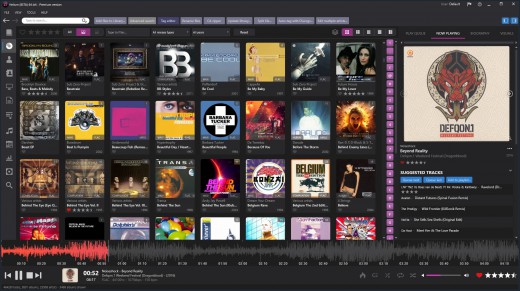
Helium Music Manager 18.1.812 Premium

Description: A music cataloger, tag editor, cd ripper, audio converter, mp3 and flac analyzer, duplicate finder, player and music scrobbler - all in one. Get more from your music collection.

Has everything you need
Why mess with a lot of different tool for cataloging, tagging, playing or renaming files when you only need one?
Getting started with Helium is very easy - simply install it and then import your digital audio files. After the initial import is done you can start to browse your collection using all various browse mode and work with all powerful tools that are included. Quickly use the powerful search capabilities to locate specific artists, albums or tracks. Adjust and correct data of your files and manage your album and artist pictures in a batch.
Helium offers many quick and simple operations to handle your music collection, but it does not stop there. You can also interact with Helium via its scripting API. The scripting API allows you to execute specific operations via C# scripts to tracks, artists and albums in your collection.

Big collections - no problems!
We have designed Helium to be useful with collections ranging from small collections to large collections with several hundred thousand tracks. Due to its scalable design, you can easily migrate from the default database engine to more powerful engines like SQL Server, MySQL, or PostgreSQL, stored either locally on the same machine as Helium or on a remote machine for optimal multi-user support.

Helium is designed to work with Windows 10 and Windows 11

Cataloging
Support for multiple database types for the ultimate scaling for small and large collections.

Tagging
Different tag editors with multiple capabilities. Support for quick editing whilst viewing.

Manage
Download pictures and information, convert files, automatically rename files and much more.

Modern user interface
Browse your collection in various ways to quick and easily find what you are looking for. Dark or light themes available.

Play
Play music through playlists and use visualization for the optimal experience.

Automate
Automate multiple tasks with Helium's script engine. Create your own tasks and run in batches.

Premium version
Unlimited separate user accounts
Advanced searches
Multiple database type support
Remote control app
Advanced dynamic statistics
Client/server multi user features

Release Name: Helium Music Manager 18.1.812 Premium
Size: 43.6 MB
Links: HOMEPAGE – NFO – Torrent Search

Download: RAPiDGATOR
5 Comments
Aug 9

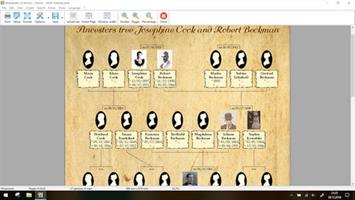
Ahnenblatt 4.49.0.1

Description: Organize your genealogy with Ahnenblatt. Ahnenblatt is an easy to use full featured genealogy software suitable for beginners and even experienced genealogist to organize your genealogy research. Use plausibility check to find inaccuracies in your family and generate impressive charts with only a few mouse clicks.

Welcome
Ahnenblatt welcomes you! The most useful functions for an immediate start are shown at the start of the program.

Input
Enter your data in simple and clear dialogs. If available, you can add pictures, sources and notes to persons or single events.

GEDCOM
Load and save family data in GEDCOM format. If you already use other software, you can easily transfer your data to Ahnenblatt.

Charts
Create ancestors, decendants or hourglass charts with start person of your choice. There are a lot of options to adjust the graphic design.

Lists
Create ancestors, decendants or family lists. Or create person’s sheets for persons of your choice.

Export
Charts and lists can be saved in various file formats (e.g. pdf). This is useful for further processing like external printing.

Release Name: Ahnenblatt 4.49.0.1
Size: 35.4 MB
Links: HOMEPAGE – NFO – Torrent Search

Download: RAPiDGATOR

5 Comments
Aug 9

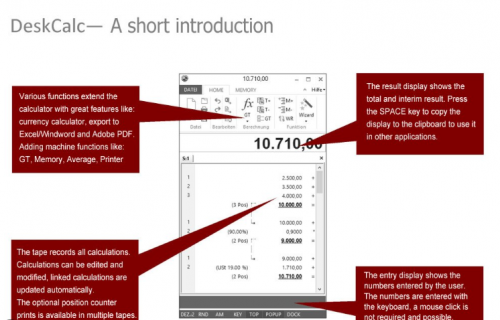
pmaSoft DeskCalc 10.0.8

Description: The Windows Adding Machine with running tape. Business managers, accountants and number crunchers love DeskCalc — modern interface, paper-tape workflow, and one calculator that follows you from the office to the home office to the client site.

Accounting
Book-keepers & Accountants
Save desk space, skip the tape rolls, ditch the batteries. Keep your workspace clutter-free while you crunch numbers all day.

Office & Home
Anywhere you work
Work in the office, at home, or on a terminal server. Same calculator, same shortcuts, same muscle memory — wherever you log in.

Checkstrip
Audit-grade tape
A full-featured adding tape with text labels and inline corrections — update, add or delete values, then export directly to PDF, Excel or Word.

Memory
Always visible
No more "what was in M again?" — the memory value lives right in the calculator header, visible at every moment for easy recall.

Editable tape
Made a mistake? Don't restart. Edit any previous entry on the tape and watch all totals recalculate instantly.

Data exchange
Copy tape values directly into Excel, Word, or PDF documents. No more double-typing from a physical machine.

Tax & currency
Built-in professional tax functions and real-time currency converters for international business needs.

Work anywhere
Log in from your laptop or desktop with the same license. Your settings and tape history follow you everywhere.

Release Name: pmaSoft DeskCalc 10.0.8
Size: 6.2 MB
Links: HOMEPAGE – NFO – Torrent Search

Download: RAPiDGATOR
5 Comments
Aug 9

Exportizer Enterprise 10.3.5.1408

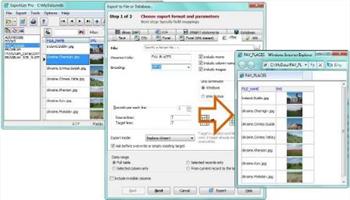
Description: Exportizer Enterprise opens local databases, ODBC data sources, and all major relational databases like Access, SQLite, Oracle, SQL Server, Firebird etc; it exports data to large list of file formats and types of databases, and adds extra powerful features like ability to drastically accelerate data migration between databases, converting group of tables at a time, exporting very big tables etc.

Do you need a SQLite converter? Or, maybe, DB2 or Firebird exporter? DBF to SQL Server or MDB to Excel conversion tool? It's all about Exportizer Enterprise.

And, like Exportizer Pro, it provides the database query tool which extends your capabilities of the source data extraction.

Supported source data types:
File databases like Paradox (.db), dBase (.dbf), FoxPro (.dbf), text, CSV, or XML (with some limitations)
ODBC data sources [Pro, Enterprise]
Multi-table files like MS Excel (.xls, .xlsx, .xlsmb, .xlsm), HTML (.html, .htm)
Multi-table file databases like Visual FoxPro (.dbc), MS Access (.mdb, .accdb), Interbase (.gdb, .ib), Firebird (.fdb), SQLite [Enterprise]
Databases specified by ADO connection strings [Enterprise]
Relational server databases like PostgreSQL, DB2, Oracle, SQL Server, MySQL, SQL Anywhere, Informix, Advantage Database Server [Enterprise]

Supported destination data types:
File formats like text, CSV, JSON, XLS, XLSX, RTF, XML, HTML, PDF, DBF, SLK, SQL script (with INSERT, UPDATE, MERGE, or DELETE statements)
User defined file format based on user's formula
ODBC data sources [Pro, Enterprise]
Relational databases of any supported source type (see the list above) [Enterprise]
Files of any types from database BLOB and CLOB columns (see below) [Pro, Enterprise]

For example, in Exportizer, you can export
- dbf to SQL script,
- csv to dbf,
- text to JSON,
- Paradox to Excel,
and make several other data conversions.

Release Name: Exportizer Enterprise 10.3.5.1408
Size: 25 MB
Links: HOMEPAGE – NFO – Torrent Search

Download: RAPiDGATOR
5 Comments
Aug 9

WinRepairSuite 2.0.0

Description: A comprehensive Windows repair and diagnostics suite. Fix system files, repair boot issues, reset network and firewall, run memory diagnostics, manage drivers, and securely delete files — all from one clean, modern dashboard.

Comprehensive Repair Tools
Everything you need to diagnose, repair, and optimize your Windows PC

SFC & DISM Repair
Run System File Checker and DISM with one click. Detect and repair corrupted Windows system files automatically without touching the command line.

Boot Repair
Fix boot configuration issues, repair the BCD store, and restore boot records. Get your PC starting up properly again with guided repair tools.

Network & Firewall Reset
Reset Winsock, TCP/IP stack, DNS cache, and Windows Firewall to defaults. Fix connectivity issues and restore blocked connections instantly.

Memory Diagnostics
Run Windows Memory Diagnostic to detect RAM errors and hardware faults. Identify memory-related crashes and instability with built-in testing tools.

Driver Manager
View installed drivers, check for outdated or problematic entries, and manage device drivers. Keep your hardware running with the right driver versions.

Temp Cleanup & Secure Delete
Clean temporary files, rebuild system caches, and securely delete sensitive files with multi-pass overwrite. Free up disk space safely.

System Requirements
- Windows 10 (19041.0+) or Windows 11
- 2 GB RAM (4 GB recommended)
- x86 or x64 architecture

Note
- Administrator access required
- No background services needed

Release Name: WinRepairSuite 2.0.0
Size: 130.4 MB
Links: HOMEPAGE – NFO – Torrent Search

Download: RAPiDGATOR

6 Comments