Please REGISTER or RENEW your account on RAPiDGATOR.net and support us by doing through all RAPiDGATOR working download links on main posts...
July 25

PhotoFoundry 1.3.3

Professional batch photo-editing. Filters, photo effects, resizing, watermarks, …anything you’ve been looking for in a photo-editing app.
Features

Easy-to-use

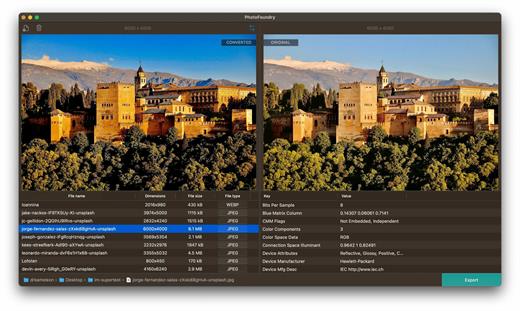
Just open or drag’n’drop your photos and PhotoFoundry will take care of the rest.

Fast

All the speed of the Mac at your fingertips. With highly-optimized algorithms for image processing, our topmost goal has been performance.

Versatile

Reads pretty much all the image formats you’ll need. Want to export? Great! PhotoFoundry currently supports PNG, JPEG, BMP, TIFF and GIF.

Extremely configurable

With close to 200 available – and parametrizable – actions, we’ve got you covered: Blends? Color adjustments? Ready-to-use photo effects? Everything at your fingertips!

Live preview

Preview your changes live, as-you-make-them, or side-by-side – so that you’re always sure what the resulting images are going to look like!

Smart Export

Ready to export? Awesome! Just click the Export button and PhotoFoundry will take care of the rest for you.

What’s New

Version 1.3.3:


  • Release notes were unavailable when this listing was updated.
Compatibility

macOS 11.0 or later.
Apple Silicon or Intel Core processor


Release Name: PhotoFoundry 1.3.3
Size: 36 MB
Links: HOMEPAGE – NFO – Torrent Search

Download: RAPiDGATOR
5 Comments
July 25

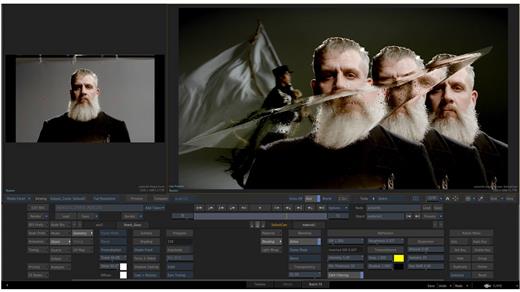
Autodesk Flame 2027.1

Advanced 3D visual effects software – Flame® software offers tools for fast, interactive 3D visual effects, finishing, compositing, advanced graphics, color grading, conform, editorial, and look development. 3D compositing (Action) Combines the interactive speed of traditional 2D compositing and powerful 3D visual effects. Includes WYSIWYG preview for artists in session.

Node-based compositing (Batch)
Batch, a node-based procedural compositing environment, integrates with the timeline and desktop to combine 2D and 3D elements.

Editorial timeline
Oversee projects, create consistent looks, and correctly match graded and 3D VFX shots. Includes scene detection.

Matchbox API
Lightbox, Matchbox, and PBR shaders let you use GPU-accelerated GLSL shaders to solve challenges in Action’s 3D compositing environment.

Action projection tracking
Turn a projection into a UV set for the geometry.

Connected Conform smart merge
Merge new editorial cuts dynamically with work-in-progress shots late in a project.

Python API
Drive the Batch environment via scriptable commands.

Pybox
Use a scriptable handler to process your images via external renderers.

What’s New

Version 2027.1:


  • Release notes were unavailable when this listing was updated.
Compatibility

macOS 11 or later


Release Name: Autodesk Flame 2027.1
Size: 8.5 GB
Links: HOMEPAGE – NFO – Torrent Search

Download: RAPiDGATOR
1 Comments
July 25

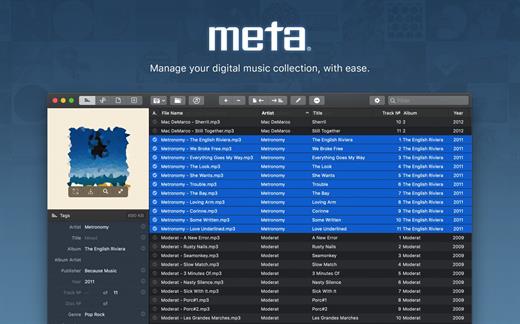
Meta 2.5.0

Meta helps you manage your ever-growing digital music collection. Use it to easily edit information such as a song’s artist, title, album, album cover, etc. It supports editing of most audio formats such as MP3, MP4, M4A, FLAC, Ogg, OGA, SPX, WAV, AIFF, and a variety of metadata formats including ID3v1, ID3v2.3, ID3v2.4, iTunes MP4, Vorbis comments, and APE tags.

Features


  • A polished, intuitive user interface that adopts OS X’s standards
  • Write metadata to multiple files at once (Batch Tag Editing)
  • Remove all metadata from files (Strip Tags)
  • Change typecase (capitalise, upper/lowercase, titlecase), strip underscores
  • Rename files based on their metadata or instead, convert filenames to metadata
  • Find and Replace characters, words, or strings in metadata, with support for regular expressions (patterns)
  • Add selected tracks to iTunes, or refresh their metadata using a simple keyboard shortcut
  • Automatically generate track numbers
  • Benefit from built in file management operations (Move, Delete, Reveal in Finder)
  • Interface is compatible with Retina displays

Album covers can easily be set or exported via drag-and-drop, and it is possible to configure Meta so that it scales, crops, and compresses images each time a new image is set, so as to keep your audio files’ size to a minimum.

What’s New

Version 2.5.0:


  • Release notes were unavailable when this listing was updated.
Compatibility

macOS 10.11 or later.


Release Name: Meta 2.5.0
Size: 13.7 MB
Links: HOMEPAGE – NFO – Torrent Search

Download: RAPiDGATOR

5 Comments
July 25

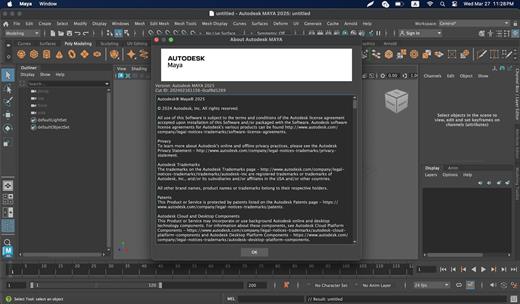
Maya 2027.2 macOS U2B (x64)

Maya 3D animation software offers a comprehensive creative feature set for 3D computer animation, modeling, simulation, rendering, and compositing on a highly extensible production platform. Maya has next-generation display technology, accelerated modeling workflows, and tools for handling complex data.

Facilities and software features of Autodesk Maya


  • -Advanced design three-dimensional models
  • -simulate a variety of natural and environmental elements such as climate change, water and liquids, fire, plants and …
  • -having a variety of tools for modeling and data management
  • -the possibility of transferring the properties of one object to another object
  • -Design Clothes, hair and sex and different scenarios
  • -Coordination with other software modeling and animating
  • -Supports mathematical model NURBS (short for Non-uniform rational B-spline)
  • -ability to combine elements of two-dimensional and three-dimensional models
  • -Ability to use scripting programming language and MEL (stands for Maya embedded language) and ++ C and Python in the development of software
What’s New

Version 2027.2:


  • Release notes were unavailable when this listing was updated.
Compatibility

macOS 11.0 or later


Release Name: Maya 2027.2 macOS U2B (x64)
Size: 5.3 GB
Links: HOMEPAGE – NFO – Torrent Search

Download: RAPiDGATOR
1 Comments
July 22

CleanShot X 4.8.10

CleanShot is the ultimate screen recording app made for macOS. With its rich toolkit, CleanShot actually feels like 6 apps in one. You can use it to swiftly capture Mac’s screen without desktop icons, record and trim video, annotate, save screenshots to dedicated cloud, and more.

Features:

CleanShot Cloud

You can instantly save your screen captures to CleanShot Cloud, dedicated screenshots hosting integrated with the app. Right from the quick menu, upload your screenshot to the cloud, and get a link to it in a click.

Hide desktop icons

CleanShot hides desktop icons, so that you can capture your Mac’s screen on the spot, without wasting time on a cleanup. If you need a quick capture, toggle the icons and bring them back once you’re finished. You can even set a custom wallpaper like an image or plain color for your screenshots.

Record screen

CleanShots lets you choose between recording a video or a GIF, whether you capture a specific window, part of the screen, or fullscreen. Even set your custom dimensions before hitting the Record button. You can also disable desktop notifications for when you’re recording.

Quick Access Overlay

Right after taking a screenshot, you’ll see a small pop-up window appear on the screen. It’s the shortcut to viewing, annotating, or sharing whatever you’ve just captured. Essentially, Quick Access Overlay gives you an instant editing toolkit, plus saves you from searching and reopening screenshots.

Simple yet powerful

CleanShot teaches you to use simple actions while capturing the screen — yet provides tons of options to do it. You can grab the area, fullscreen, window, or even a scrolling window. Set a timer if you need a few seconds to capture the right moment. In your hands, it caters for your needs.

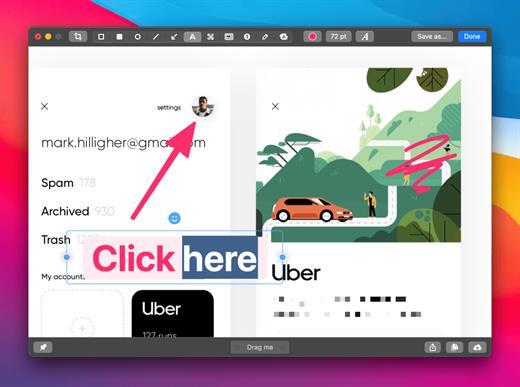
Annotate, highlight or blur

No screenshot is perfect. Using CleanShot’s built-in editor, you can highlight or hide specific parts of your screenshots as well as add annotations flexibly. Just click on the pencil icon in the Quick Access Overlay to edit screen captures in a flash.

What’s New

Version 4.8.10:


  • Fixed an issue that caused CleanShot to crash during screen recording
Compatibility

macOS 10.14.4 or later
Apple Silicon or Intel Core processor


Release Name: CleanShot X 4.8.10
Size: 43.4 MB
Links: HOMEPAGE – NFO – Torrent Search

Download: RAPiDGATOR

5 Comments
July 22

BetterZip 6.0

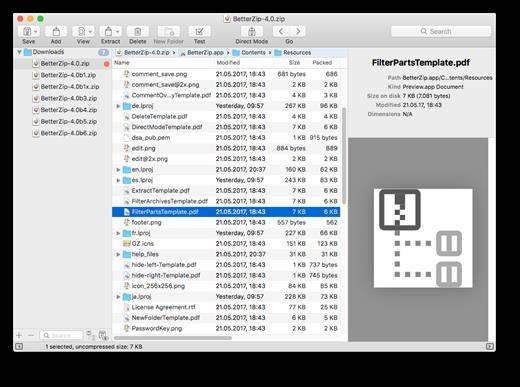
BetterZip lets you quickly inspect archives without first extracting their contents.


  • Extract Only Files You Really Need: If you only need a few files or folders from a larger archive, you don’t have to extract the whole thing. Simply drag the files you need from the BetterZip window to any Finder window or the desktop.
  • Open Archives Without Extracting: Not only can BetterZip open archives without first extracting them but you can also search for a file using the iTunes-like interface. BetterZip can open and extract archives with the most common formats: ZIP, SIT, TAR, XAR, XZ, GZip, BZip2, RAR, 7-Zip, CPIO, ARJ, LZH/LHA, JAR, WAR, CAB, ISO, CHM, RPM, DEB, NSIS, BIN, HQX, DMG, EPUB, and Winmail.dat.
  • Create Archives: Simply drag files and folders from your hard drives, disks, or network places into your new zip file. You no longer have to copy all the files into a temporary folder first. The supported formats are ZIP, TAR, GZip and BZip2 compressed TAR, XAR, 7-ZIP, and RAR (using the external RAR commandline tool). Large archives can also be split.
  • Protect Your Data: BetterZip can protect your data with a password and create AES-256 encrypted archives. 7-zip and rar archives can also be protected.
  • Update Archives: Add new or updated files to existing archives. Remove any file or folder from an archive, or even move files around inside the archive as if it were a normal folder.
  • Make Archives Compatible: Strip Mac-specific files and resource forks from archives for best compatibility with systems like Windows or Linux.
What’s New

Version 6.0:


  • Release notes were unavailable when this listing was updated.
Compatibility

macOS 10.13.0 or later


Release Name: BetterZip 6.0
Size: 25.4 MB
Links: HOMEPAGE – NFO – Torrent Search

Download: RAPiDGATOR
6 Comments
July 22

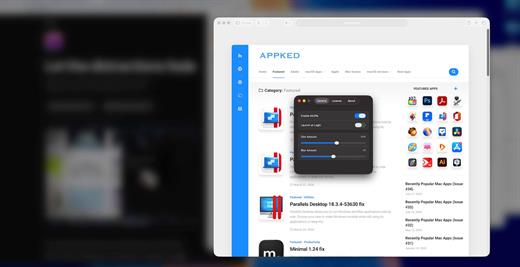
Muffle 1.3

Muffle is a lightweight macOS utility designed to enhance your productivity by reducing visual distractions. It automatically blurs and dims all background windows, keeping your active window clear and in focus.

Unlike traditional dimming tools, Muffle combines both blur and dimming effects to create a more natural and immersive focus environment, while maintaining extremely low system resource usage.

What’s New

Version 1.3:


  • Release notes were unavailable when this listing was updated.
Compatibility

macOS 114.0 or later


Release Name: Muffle 1.3
Size: 4.6 MB
Links: HOMEPAGE – NFO – Torrent Search

Download: RAPiDGATOR
4 Comments
July 22

CrossOver 26.3.0

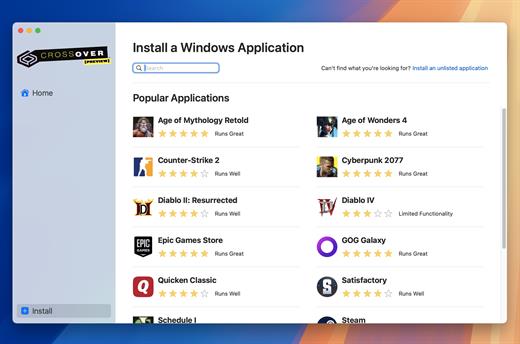
CrossOver allows you to install many popular Windows applications on your Mac. Your applications integrate seamlessly in OS X; just click and run. No rebooting, no switching to a virtual machine, and no Windows Operating System license required.

CrossOver is capable of running a wide range of Windows software. To see if your favorite application works with CrossOver, please check What Runs, or search for it using the search box at the top of this page.

Easy Installs! Many Windows titles can be installed using our CrossTie technology. If you have CrossOver installed, and have the installer for your Windows software, simply click the button in our Compatibility Database, and CrossOver will automatically install your application for you!

What’s New

Version 26.3.0:


  • Release notes were unavailable when this listing was updated.
Compatibility

macOS 10.15 and later


Release Name: CrossOver 26.3.0
Size: 385.4 MB
Links: HOMEPAGE – NFO – Torrent Search

Download: RAPiDGATOR
5 Comments
July 22

Money Pro – Personal Finance 2.11.31

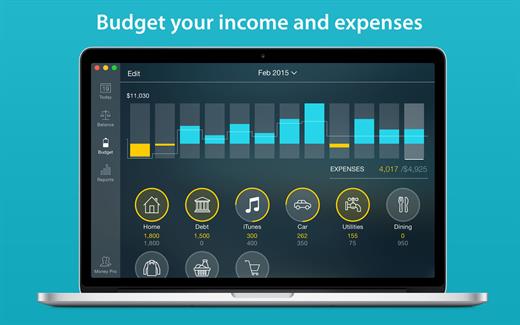
Money Pro is the next generation of Money app (over 2 million downloads worldwide).

Money Pro is the one place for bill planning, budgeting and keeping track of your accounts. Easy sync with iPhone/iPad versions. Money Pro works great for home budgeting and even for business use.

Features:

  • Calendar
  • Today view
  • Bills due notifications
  • Budgets
  • Budget rollover
  • Checkbook register
  • Account reconciliation
  • Import of bank statements
  • Split transactions
  • Calculator and currency converter
  • Search
  • Detailed reports
  • Lots of options for customization
  • iCloud
  • Multiple profiles
  • Data export
  • Notification Center widget
What’s New

Version 2.11.31:


  • Bug fixes and performance improvements
Compatibility

macOS 10.12.0 or later
Apple Silicon or Intel Core processor


Release Name: Money Pro – Personal Finance 2.11.31
Size: 53.3 MB
Links: HOMEPAGE – NFO – Torrent Search

Download: RAPiDGATOR

4 Comments
July 22

SoundSource 6.1.0

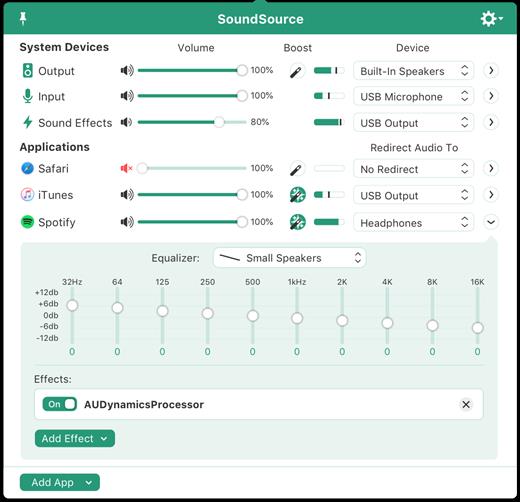
SounceSource lets you adjust your input, output, and sound-effects devices and volume settings in mere moments, right from the menu bar. Enable soft play-thru of input devices to your desired output, so you can hear sound coming in through any microphone or other source. With SoundSource, you get fast access to your Mac’s most important audio settings.


  • Instant Audio-Device Switching – With just two clicks, you can switch the audio devices your Mac is using for input, output, and even sound effects.
  • Fast Volume Control – SoundSource provides easy access to the volume controls for your audio devices as well.
  • Audio Play-Thru, Too – SoundSource’s Play-Thru window makes it easy to monitor the audio coming from any input device.
  • Comprehensive – SoundSource gives you one place to go for all Mac’s most important audio controls.
  • At Your Fingertips – With SoundSource running in your menu bar, your audio controls are always available.
  • Lightweight – When you don’t need SoundSource, it stays out of your way.
What’s New

Version 6.1.0:


  • Release notes were unavailable when this listing was updated.
Compatibility

macOS 10.14.0 or later
Apple Silicon or Intel Core processor


Release Name: SoundSource 6.1.0
Size: 56 MB
Links: HOMEPAGE – NFO – Torrent Search

Download: RAPiDGATOR
4 Comments