Please REGISTER or RENEW your account on RAPiDGATOR.net and support us by doing through all RAPiDGATOR working download links on main posts...
May 28

Lyn 2.4.9

Lyn for macOS is a lightweight, and fast media browser and viewer for designed for Photographers, Graphic Artists and Web Designers.

Featuring an extremely versatile and aesthetically pleasing interface, Lyn delivers an easy to use geotagging technology, image editing and a complete solution for sharing your photographs.
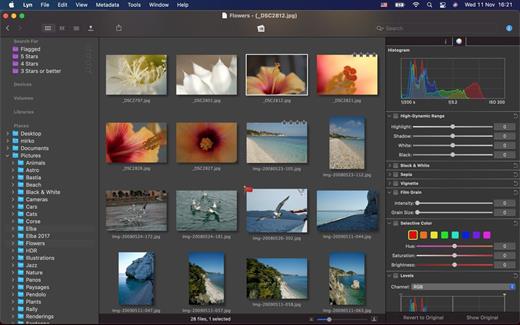
Lyn natively supports all popular image formats from standard formats to HDR and RAW plus any other image format supported by macOS. It also integrates a movie player to watch camera recordings and a simple PDF viewer.

The new editing inspector gives you everything to turn your shots into great photos. Adjust exposure, color temperature, brightness, contrast or reveal image details with highlight and shadow. You change the individual curves and levels, or you can alter colors selectively. You can experiment and convert your color photos to black and white, try a classic sepia tone or add a vignette border or film grain.

Features:


  • Progressive display, on single- or multiple-monitor configurations, of images of virtually any size.
  • Multi-threading to take advantage of multicore CPUs.
  • Display color-corrected images and soft-proofing function.
  • Compatible with High Dynamic-Range images like TIFF float as well as Radiance and OpenEXR.
  • Common metadata parser: EXIF, Camera’s makernote, GPS, GeoTIFF, IPCT.
  • Image navigation with Apple Remote Control or Magic Trackpad.
  • User-switchable thumbnails cache.
  • Filtering by tags and metadata.
  • Fullscreen and slideshow with music.
  • Full IPTC editing with user-defined presets.
  • Batch operations: convert and rename.
  • User-defined places.
  • Non-destructive editing.
  • Editing inspector with filters and effects: temperature and tint, exposure, brightness, contrast, highlight, and shadow. Black and white, sepia tone, and vignette.
  • Easily browse your iPhoto, Aperture, and Lightroom libraries!
  • Facebook, Flickr, Dropbox, SmugMug, 500px, and Picasa Web Albums sharing!
  • Maps layout: geotag your photographs and edit locations with a simple drag and drop.
  • Integrated QuickTime video player
What’s New

Version 2.4.9:


  • Release notes were unavailable when this listing was updated.
Compatibility

macOS 10.11 or later

Release Name: Lyn 2.4.9
Size: 38.7 MB
Links: HOMEPAGE – NFO – Torrent Search

Download: RAPiDGATOR

3 Comments
May 28

Mimestream 1.10.0

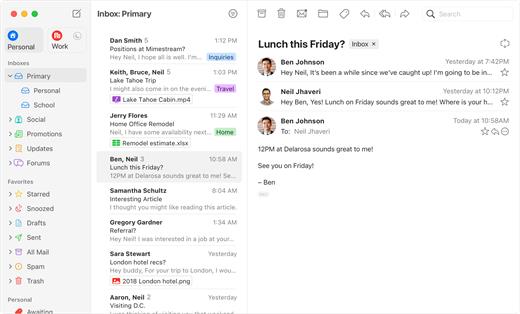
Mimestream combines your favorite Gmail features with the power of a native macOS app so you can move through your email effortlessly

Made for Mac, optimized for Gmail

As a native app written in Swift, Mimestream leverages the full power of macOS to deliver a lightning-fast and instantly familiar experience. Instead of using the IMAP protocol, Mimestream utilizes the Gmail API to enable an enhanced set of features that let you work with ease.

Work smarter, email faster

  • Rise above the noise and focus on the work that matters most. Mimestream makes it easy to keep your inbox organized with confidence.

  • Categorized Inbox – with support for Gmail’s categories, focus on what matters most and triage the rest at your leisure.
  • Multiple Accounts
  • Label Management
Committed to Privacy

Your data and credentials are stored only on your device, and the app only makes direct connections to Gmail. There are no intermediary servers, and Mimestream does not collect or sell your email.

Key Features

  • Lightweight and Fast – Mimestream is built for speed, and only uses a minimal amount of disk space to cache recent messages
  • Offline Access – Fully functional when offline and on the slowest connections-perfect for business travelers and whenever you’re on the go
  • System Notifications – Receive macOS system notifications when you receive new messages, so you never fall behind on important threads
  • Aliases – Your email aliases are automatically synced from Gmail without any setup and are used for replies when appropriate
  • Signatures – Signatures set up in Gmail are automatically synced with Mimestream
  • Robust Search – Enter any Gmail search query into Mimestream and get consistent results. Search while offline, too
  • Swipe Gestures – Use familiar macOS swipe gestures to quickly triage and archive your email
  • Tracking Prevention – Read your email privately – Mimestream blocks tracking pixels from 50+ of the most common tracking services
  • Keyboard Shortcuts – Triage your email quickly using keyboard shortcuts, including the option to use familiar Gmail or Apple Mail shortcut sets
What’s New

Version 1.10.0:
? New


  • Mimestream Private Push is now on by default for users on macOS 26+. Upgrade your account in settings, if needed.
  • Unknown senders now display their full email address
  • A new "All" profile that can be enabled to view all accounts unified together
  • Setting for "Notification Action" -- choose options like Archive, Trash, or a Menu.
  • Added a "What's New" sheet to inform users about improvements
✨ Improved

  • New top-level settings tab for Notifications
  • New top-level settings tab for Profiles
  • The text size setting can now go larger than before
  • Tracking prevention improved to pass all emailprivacytester.com tests
  • Accounts can now have "None" as a profile selection
  • Each label now maintains a separate sync window, solving longstanding message list consistency issues (when "Adaptive Cache Management" is enabled in Advanced settings)
? Fixed

  • High CPU utilization when refreshing the message list with a large cache
  • High CPU utilization when doing a Select-all in the message list
  • The "Insert before quoted text" setting doesn't work correctly
  • Disabled account services get automatically enabled after relaunch
  • Unnecessary padding above the profile tabs in full screen
  • Replying to a sent message should omit account aliases from the To recipient list
  • Can't add new recipients to new templates after changing selection
  • Automatic saving of account details runs one keystroke behind
  • Accounts aren't shown in the Account list if they don't have a linked profile
  • Invalid characters like "^" should not be allowed in label names
  • Search does not initially fetch enough messages
  • The settings window's button to subscribe is missing after the trial expires
  • Left/right arrow keys sometimes stop working to move between split view panes
  • Settings shows that a Trial on its last day is already expired, even though it still has a few hours of validity left
  • Rare 100% CPU Utilization loop in background when Adaptive Cache Management is enabled
  • Rare crash after choosing "Add to Contacts"
  • The "Insert from Photos" sheet doesn't show videos
  • The "Insert from Photos" sheet doesn't insert with the original filename intact
  • Replying to a message sent to a plus-aliased identity doesn't preselect the correct reply identity
  • Single-character searches trigger categorized inbox count updates
  • Search results temporarily show non-sequential results after switching scope
  • (macOS 26) Layout issues in the "Create Filter" screen
? Cleanup

  • Skip syncing of categorized inbox unread counts if categorized inbox isnt enabled
  • Layout tweaks to the Account-added view
  • Clean up expired licenses for returning users eligible to restart a trial.
  • Improved chevron in message header address tokens
  • Preserve constant conversation view margins at larger text sizes
  • Cleaned up alignment issues in the sidebar profile tabs
  • The Profile settings view now has an improved account list view
  • Mimestream now uses provisional notification permissions to always appear in the system notification settings list
  • Eliminate the Mimestream-level notification sound preference in favor of the system-level one
Compatibility

macOS 10.15.0 or later

Release Name: Mimestream 1.10.0
Size: 11.6 MB
Links: HOMEPAGE – NFO – Torrent Search

Download: RAPiDGATOR
3 Comments
May 28

Deckset 2.0.51

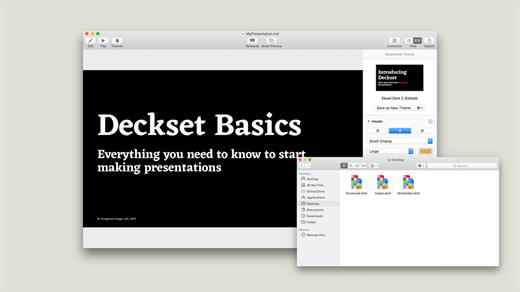
Deckset is a new, simple way to create presentations. Open your favorite text editor, write down your thoughts, and Deckset will turn them into beautiful presentations. Focus on your ideas, not on designing slides.

Deckset comes with ten amazing-looking themes that are designed to work for any audience, whether it’s a business meeting or a tech conference.

Features

  • 10 themes for every occasion, ranging from playful to serious
  • Automatic layout and advanced typographic features
  • Present code samples with syntax highlighting and “scale to fit”
  • Easily include images and videos
  • Stunning image filters
  • Speaker notes and rehearsal mode
  • Everything’s Markdown: edit your presentation using your favorite text editor
  • Floating preview window
  • Easily change aspect ratio to suit any projector
  • Export to PDF
  • Formula support as in-app purchase
What’s New

Version 2.0.51:


  • Release notes were unavailable when this listing was updated.
Compatibility

macOS 10.13 or later


Release Name: Deckset 2.0.51
Size: 114.1 MB
Links: HOMEPAGE – NFO – Torrent Search

Download: RAPiDGATOR
3 Comments
May 28

Wondershare Recoverit 14.0.18.0

Wondershare Recoverit is a comprehensive data recovery suite to recover Mac data lost due to accidental deleting, formatting, virus infection, improper operation, unexpected power failure, and other unknown reasons.

It can recover Mac data from lost, deleted, logical corrupted and formatted Mac hard drive, iPod, USB drive, SD card, digital camera, mobile phone, MP3, and MP4 player. Compatible with HFS+, FAT16/32, and NTFS file system volumes, this non-destructive Mac file recovery software ensures safe Mac file recovery without modifying the original data saved on your Mac machine or any other storage media. Versatile preview lets you enjoy Mac data recovery in advance.

Features

  • Safety First:

    • Read-only and risk-free Mac data recovery program. No any writing operation to your original data.
  • Versatile Preview Ability:

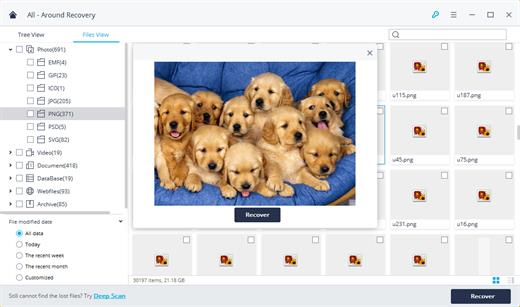
    • For images, real-time and direct scan results is displayed during the scan process to let users stop scanning once the target images are found.
    • For other Mac files such as videos, audio files, archives and documents, they are displayed as a text in a Hex mode for preview to let users enjoy file recovery on Mac in advance.
  • Precise File Recovery for Mac:

    • Before data recovery on Mac, you can choose the target file types to scan, which saves you much time especially when there are tons of files on your Mac machine.
    • Restore deleted files for Mac with original file names, shooting date, and storage paths.
    • Support file names search for scanning results to provide you precise Mac file recovery.
  • Easy-to-use and Clean Interface:

    • Complete wizard and easy-to-use interface let you perform Mac data recovery in a breeze.
What’s New

Version 14.0.18.0:


  • Release notes were unavailable when this listing was updated.
Compatibility

macOS 10.10 or later


Release Name: Wondershare Recoverit 14.0.18.0
Size: 203.2 MB
Links: HOMEPAGE – NFO – Torrent Search

Download: RAPiDGATOR
4 Comments
May 28

Piezo 1.9.9

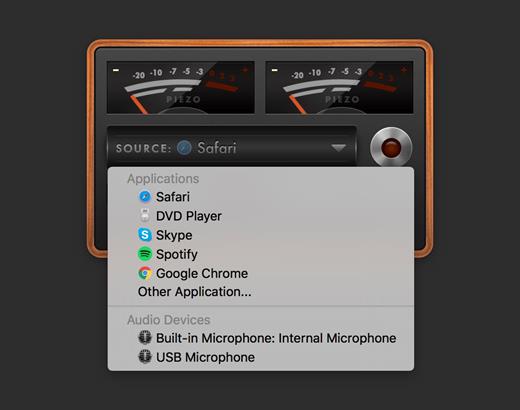
Piezo makes it a snap to record audio on your Mac. In seconds, you’ll be recording audio from any application or from audio inputs like microphones. Piezo requires almost no configuration, and it’s a blast to use! Simple and inexpensive – that’s a winning combination.

What’s New

Version 1.9.9:


  • Release notes were unavailable when this listing was updated.
Compatibility

macOS 10.14.0 or later
Apple Silicon or Intel Core processor

Release Name: Piezo 1.9.9
Size: 15 MB
Links: HOMEPAGE – NFO – Torrent Search

Download: RAPiDGATOR

4 Comments
May 28

NanoClip 1.1.3

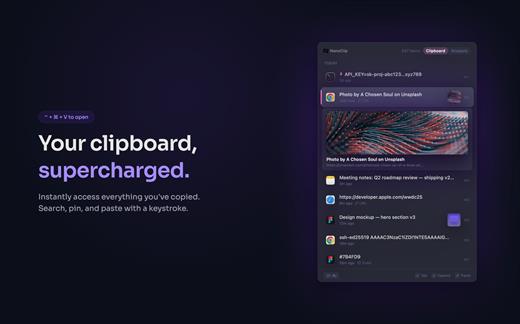
NanoClip is a lightweight macOS menu bar clipboard manager that saves every copy and keeps snippets instantly accessible with a global shortcut. It supports clipboard history, smart text snippets, iCloud sync across Macs, inline previews for images, GIFs, files, colors, and code, plus multiple themes in a fast, privacy-focused design.

What’s New

Version 1.1.3:


  • Release notes were unavailable when this listing was updated.
Compatibility

macOS 15 or later


Release Name: NanoClip 1.1.3
Size: 10.3 MB
Links: HOMEPAGE – NFO – Torrent Search

Download: RAPiDGATOR
3 Comments
May 28

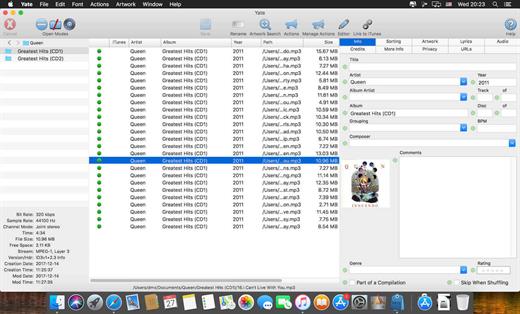
Yate 9.2.1

Yate was developed for people who want complete control over their tagging experience. Supports audio in AIFF, APE, DFF, DSF, FLAC, OGG OPUS, OGG VORBIS, M4A, M4B, MP3, MP2, MP4, STEM.MP4, WAV and WV files. Supports video in M4V and MP4.

Yate has a long list of features; most importantly, an innovative scripting system called actions. Actions can be used to update all of an album’s tags with a single operation. Yate also supports integration with AcouticBrainz, AcoustID, Beatport, Discogs, iTunes, MusicBrainz and TMDb. All changes can be easily reverted and individual changes can be undone in any order. Whether you want to automatically or manually tag your files, Yate can do it all!

What’s New

Version 9.2.1:


  • Release notes were unavailable when this listing was updated.
Compatibility

macOS 10.10 or later


Release Name: Yate 9.2.1
Size: 17.3 MB
Links: HOMEPAGE – NFO – Torrent Search

Download: RAPiDGATOR

3 Comments
May 28

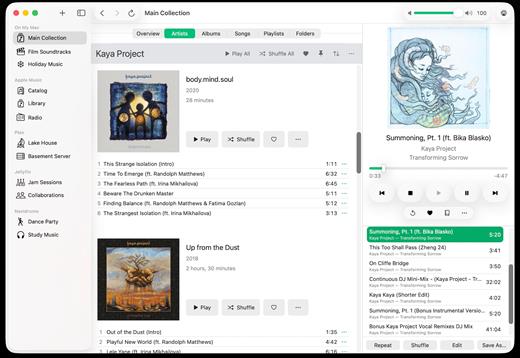
Radiccio 1.4

Radiccio is a beautifully crafted Mac music player that unifies your entire library in one place. Play local files, Apple Music, Navidrome, Plex, Jellyfin, and more, with thoughtful features like pinned albums, favorites, auto-skip, and a personal Journal for logging your feelings about songs over time.

What’s New

Version 1.4:


  • Release notes were unavailable when this listing was updated.
Compatibility

macOS 15.0 or later.


Release Name: Radiccio 1.4
Size: 18.7 MB
Links: HOMEPAGE – NFO – Torrent Search

Download: RAPiDGATOR
3 Comments
May 27

Downie 4.12.5

A simple download manager that offers you the possibility to quickly save videos from different websites to your own disk drive.

If you are using a poor internet connection, trying to visualize videos streamlined online might not work properly since the content is loaded too slowly. Downie is a simple Mac app that can help you download those videos to your computer, and then watch them by using your default media player.

User friendly video downloader featuring support for drag and drop actions

Working with Downie is extremely straightforward: simply drop the video URL on top of the app’s main window or on the Dock icon. Downie adds the video to your downloads list, so all you have to do next is start the process by pressing the appropriate button. Of course, you can also remove items from the list.

By default, Downie downloads MP4 files and places them in your default Downloads folder, but you can easily change this via the Preferences window. The same area allows you to setup notifications, or post processing actions (convert to MP4 if necessary, or extract audio only).

Effortlessly download videos from a wide collection of hosting websites

Downie provides support for more than 400 different websites that host video content, among which there are the most popular choices, such as YouTube, Apple, LiveLeak, Vimeo, BBC, and so on. If a certain website is not included, within the app you can send a request email to the Downie developers.
Moreover, Downie also provides matching extensions for various popular web browsers, such as Firefox, Safari, Google Chrome or Chromium. The add-ons are not installed by default: open the Preferences window and install only the ones you plan to use.

Straightforward solution for downloading video content hosted online

Downie is a great tool for saving videos posted on various websites to your Mac for offline playback. The application is extremely useful especially if you have a slow internet connection.

What’s New

Downie 4.12.5:


  • New: You can now schedule start of recording for live streams.
  • New: You can now specify a custom title when using the automation URL.
  • Improved: bbc.co.uk, instagram.com, orf.at, radiofrance.fr, sbs.com.au, soundcloud.com, today.com, youtube.com.
Compatibility

macOS 10.12 or later
Apple Silicon or Intel Core processor


Release Name: Downie 4.12.5
Size: 42.3 MB
Links: HOMEPAGE – NFO – Torrent Search

Download: RAPiDGATOR

6 Comments
May 27

Looq 1.5.0

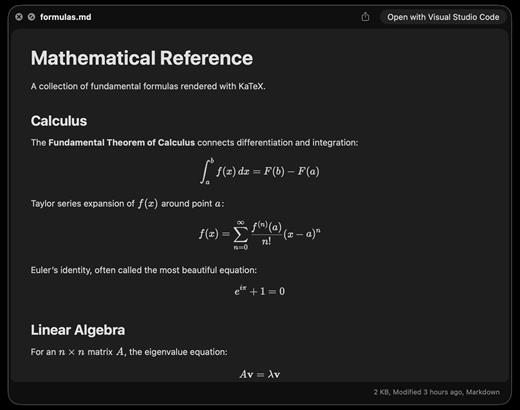
A better look at your files. Preview Markdown with KaTeX and Mermaid, highlight 190+ languages, view CSV and SQLite tables, browse archives and folders. All from Quick Look.
macOS 14 (Sonoma) or later

Markdown
Full GFM rendering with rich formatting support.


  • Live rendering on file save
  • KaTeX math (inline and block)
  • BeautifulMermaid diagrams
  • Syntax-highlighted code blocks
  • GitHub Alerts and emoji shortcodes
  • Auto table of contents sidebar
  • Remote image caching
  • Scroll position memory

Source Code
Syntax highlighting for 190+ languages.


  • Progressive rendering
  • Auto-format JSON, CSS, XML, SVG, plist
  • Configurable line numbers
  • Custom fonts, size, and weight
  • Tab width and word wrap
  • Independent light and dark themes
  • Shebang detection

Data Files
Native table views for structured data.


  • Resizable CSV and TSV columns
  • Alternating row colors
  • SQLite multi-table preview
  • Column type and constraint tooltips
  • Color-coded diff/patch
  • Multi-file tab switching
  • Large file truncation

Archives and Folders
Browse compressed files and directories.


  • ZIP and TAR directory tree
  • Pure Swift binary parsing
  • File size, date, and type columns
  • Sortable column headers
  • Folder preview with Spotlight metadata
  • Configurable display columns
  • Finder tag support
What’s New

Version 1.5.0:


  • Release notes were unavailable when this listing was updated.
Compatibility

macOS 14 (Sonoma) or later


Release Name: Looq 1.5.0
Size: 17.4 MB
Links: HOMEPAGE – NFO – Torrent Search

Download: RAPiDGATOR
5 Comments