Please REGISTER or RENEW your account on RAPiDGATOR.net and support us by doing through all RAPiDGATOR working download links on main posts...
July 13

reaConverter Pro 8.0.232

Description: Easily process full batches of files and folders. reaConverter combines powerful automation with intuitive tools to streamline image conversion and eliminate repetitive editing.

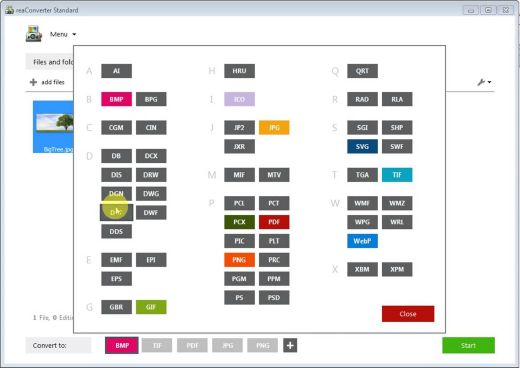
700+ File Formats
reaConverter delivers high-efficiency batch conversion for an extensive range of file formats.

Efficient Conversion
A powerful file conversion toolkit with advanced processing features — giving you precise, granular control over every output.

Image Editing
reaConverter simplifies batch image editing — apply touch-ups, transformations, and effects to unlimited images simultaneously.

Automation
Professional-grade automation features for high-volume file conversion and batch processing.

Development
Integrate reaConverter's functionality into scripts, applications, or websites using its command-line tool or DLL.

Release Name: reaConverter Pro 8.0.232
Size: 419.8 MB
Links: HOMEPAGE – NFO – Torrent Search

Download: RAPiDGATOR

6 Comments
July 13

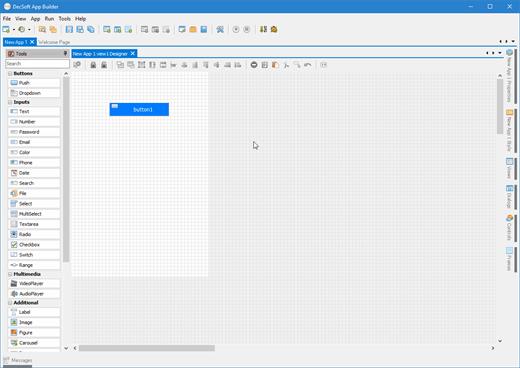
App Builder 2026.19

Description: Professional visual integrated development environment to create modern HTML5 apps, Web Apps, Progressive Web Apps, Web Extensions and Hybrid apps for both mobile and desktop browsers, Android, iOS, Windows and more.

Apache Cordova
DecSoft App Builder is integrated with Apache Cordova and prepares for your app the right config file, platform icons, splash screens, batch files, shell files and JSON files. DecSoft App Builder integrates also the officials Apache Cordova plugins.

User Functions
In addition to the available app methods and the methods provided by the app views, app dialogs, app frames, the Apache Cordova plugins methods, and, all the possible controls that you can use, its also possible to setup your own User Functions in order to be available for your app at runtime.

App languages
Its easy to translate the apps into various languages by using the app languages manager. We can add any number of languages and then translate the app in runtime just by using the app.translateView() method.

Auto scale apps
There are many themes availables for your app, and, you can also set the fixed and scaled styles, even at runtime. The auto scale style made the app properly show in different screen sizes.

Release Name: App Builder 2026.19
Size: 63.5 MB
Links: HOMEPAGE – NFO – Torrent Search

Download: RAPiDGATOR

6 Comments
July 13

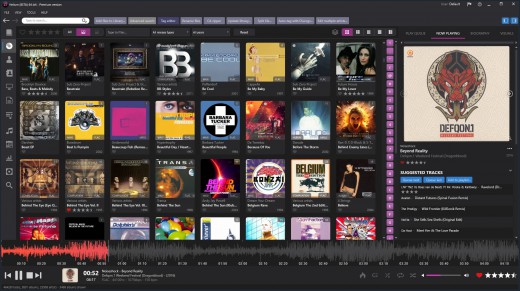
Helium Music Manager 18.1.784 Premium

Description: A music cataloger, tag editor, cd ripper, audio converter, mp3 and flac analyzer, duplicate finder, player and music scrobbler - all in one. Get more from your music collection.

Has everything you need
Why mess with a lot of different tool for cataloging, tagging, playing or renaming files when you only need one?
Getting started with Helium is very easy - simply install it and then import your digital audio files. After the initial import is done you can start to browse your collection using all various browse mode and work with all powerful tools that are included. Quickly use the powerful search capabilities to locate specific artists, albums or tracks. Adjust and correct data of your files and manage your album and artist pictures in a batch.
Helium offers many quick and simple operations to handle your music collection, but it does not stop there. You can also interact with Helium via its scripting API. The scripting API allows you to execute specific operations via C# scripts to tracks, artists and albums in your collection.

Big collections - no problems!
We have designed Helium to be useful with collections ranging from small collections to large collections with several hundred thousand tracks. Due to its scalable design, you can easily migrate from the default database engine to more powerful engines like SQL Server, MySQL, or PostgreSQL, stored either locally on the same machine as Helium or on a remote machine for optimal multi-user support.

Helium is designed to work with Windows 10 and Windows 11

Cataloging
Support for multiple database types for the ultimate scaling for small and large collections.

Tagging
Different tag editors with multiple capabilities. Support for quick editing whilst viewing.

Manage
Download pictures and information, convert files, automatically rename files and much more.

Modern user interface
Browse your collection in various ways to quick and easily find what you are looking for. Dark or light themes available.

Play
Play music through playlists and use visualization for the optimal experience.

Automate
Automate multiple tasks with Helium's script engine. Create your own tasks and run in batches.

Premium version
Unlimited separate user accounts
Advanced searches
Multiple database type support
Remote control app
Advanced dynamic statistics
Client/server multi user features

Release Name: Helium Music Manager 18.1.784 Premium
Size: 67.5 MB
Links: HOMEPAGE – NFO – Torrent Search

Download: RAPiDGATOR

3 Comments
July 13

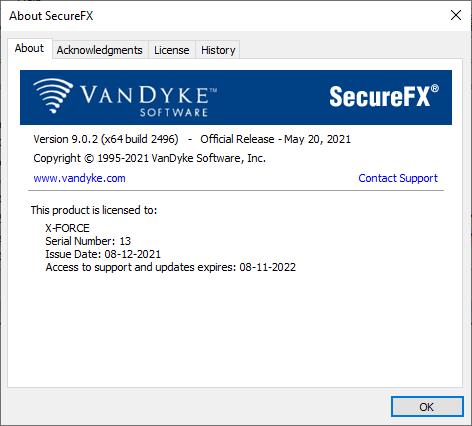
VanDyke SecureCRT and SecureFX 9.7.3.3916

Description: SecureCRT client for Windows, macOS, and Linux provides rock-solid terminal emulation for computing professionals, raising productivity with advanced session management and a host of ways to save time and streamline repetitive tasks. SecureCRT provides secure remote access, file transfer, and data tunneling for everyone in your organization.

Whether you are replacing Telnet or Terminal, or need a more capable secure remote access tool, SecureCRT is an application you can live in all day long. With the solid security of SSH, extensive session management, and advanced scripting, SecureCRT will help raise your productivity to the nth degree.

SecureFX. Our flexible file transfer client for Windows, macOS, and Linux gives you the tools you need to increase the security and efficiency of file transfer operations and site synchronization. SecureFX's user-friendly interface makes it easy to learn, and support for multiple platforms allows you to apply the strong encryption and authentication mechanism of Secure Shell protocol to your data in transit.

Release Name: VanDyke SecureCRT and SecureFX 9.7.3.3916
Size: 68.9 MB
Links: HOMEPAGE – NFO – Torrent Search

Download: RAPiDGATOR

4 Comments
July 13

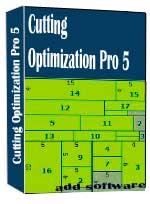
Cutting Optimization Pro 5.18.28

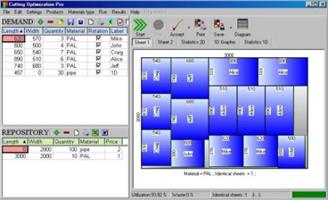
Description: Cutting Optimization Pro is a software application used to obtain optimal cutting layouts for one (1D) and two (2D) dimensional pieces. The software also lets you to define and handle complex products, such as table, desk, cupboard, locker, book shelf ... Cutting Optimization Pro can be used for cutting rectangular sheets made of glass, wood, woodworking, metal, furniture, or any other material used by industrial applications.

Features of Cutting Optimization pro ...
1D and 2D optimization in the same cutting program - you may use the program for both 2D and 1D optimization.
Guillotine optimization - The cuts are performed from one side to the other of the material. This feature is very useful for glass, wood, thermopan, ...
Non-guillotine (nested) optimization - The cutting machine can follow the shape of the material. In this case you need to have a complex machine based on laser or flame blade.
Multi-stage guillotine - all cuts in a stage are perpendicular to the cuts on the previous stage. The user may specify the number of stages and the direction of cuts for the first stage.
Any number of pieces in the INVENTORY and DEMAND - virtually no limit for the number of pieces that you want to optimize.
Any measurement metric- The way in which you introduce the data is a general one. You don't have to specify a metric. Just choose a metric in your mind and enter all data using that metric only.
Fractional input. Pieces can be introduced either as 100.5 or 100 1/2. More info about fractional input can be read here.
Adjustable cutting blade thickness- For glass cutting with diamond the cutting blade thickness is 0, but for wood, metal handling you need a saw with a greater thickness.
Adjustable optimization level- One may specify how many layouts to be generated before the solution is outputted. If you don't have too much time and you don't have a good computer you may set the Optimization Level to a low level. This feature helps you to run your program on any kind of computer (from 486 to the best processors available today).
Maximal cut length limit - You may specify how long a cut can be. This is useful when you perform the cuttings manually.
Adjustable useful waste - all wastes smaller than this size are garbage (will not be added to repository).
Adjustable limit for breakable parts - No waste will have a size lower than this parameter and no 2 parallel cuts will be closer than this. It is used in order to avoid the breaking of too small material. Useful in glass industry.
Reduces panel waste and costs - By using the latest achievements in the field of Artificial Intelligence you may obtain reduce the waste by 15%.
Grain direction control - useful for wood cutting optimisation. A parameter let the user to specify if the piece can be rotated or it should be kept fixed.
Automatic offcuts handling - the useful waste is automatically added to the Inventory of materials.
Vertical printing of the labels and edge bands - this will optimise and simplify your layout.
Graphical display black-white or colourful images and text mode of the obtained results - the results are displayed as images (black and white or colourful) or as text-tables.
Save images automatically - all the obtained 2D sheets can be saved as bmp images with 1 click. The programs automatically appends a number to an image.
Copy-paste from Excel. Just select some columns from Excel and paste them in Demand or Inventory grids.
Grouping similar layouts - this will reduce the number of printed sheets of paper. The number of repetitions for each sheet will be displayed.
Magnifying a sheet. This is useful if you have a long roll which you can visualize it by magnifying it.
Printing the obtained layouts - on any printer.
Printing multiple layouts on the same page - You may print 1, 2, 4 or 6 layouts on the same sheet of paper.
Printing the REPOSITORY and the DEMAND of the customer - you may print the pieces that you want to optimize.
The cuts are shown in text format in order to use them with a CNC machine.
Edge banding handling - the quantity and the type of material attached to the edges of the wood sheets is manipulated by the program.
Computes / Prints the total cutting length.
Displays diagrams - a table which contain the pieces cut for each sheet.
Possibility to define complex products such as table, desk, cupboard, locker, book shelf ...
Possibility to define types of materials (glass, wood, band) - for each material the user has a special table where it can introduce more information about the material.
Automatic tool for computing the size of the pieces based on the external sizes of the product.
Statistics related to the current cut / layout- At the end of the optimisation process you will have access to the: number of cuts, cuts definition (starting and ending point), number of waste rectangles, the waste rectangles (the coordinates of the top-left and bottom-right corners), number of utilized pieces, the placement of the utilized pieces, used surface, ...
Saves/loads results - All results can saved in txt files and loaded later.
Generates and prints adhesive labels -
Load data from xml, *.dbt (specific files), *.2d (Real Cut 2D files), *.xls (Excel files), *.csv (comma separated) and *.1d (Real Cut 1D files).
Automatically computing of the order price -
The REPOSITORY and the DEMAND can be sorted - by using various criteria: Length, Width, Quantity, Type, Rotation, Labels
Maximises productivity, saves time and money ....
Data can be exported into very popular formats: Word, Excel, HTML, CSV (comma separated) and XML files.
All panels and table's columns are resizable - You may customize the workspace. The new positions are automatically stored.
Very fast running time - Solutions are obtained within seconds.
Optimization engines provided by Optimal Programs Cut 2D X and Cut 1D X components.
Interface in multiple languages: Dutch, English, French, German, Italian, Portuguese, Romanian, Spanish and Swedish.

Release Name: Cutting Optimization Pro 5.18.28
Size: 2.3 MB
Links: HOMEPAGE – NFO – Torrent Search

Download: RAPiDGATOR

5 Comments
July 13

Gilisoft Video UniReel 19.0.0

Description: Gilisoft Video UniReel offers diverse creative tools such as intelligent video mashups, filter application, and audio track replacement, enabling creators to effortlessly transform ordinary footage into uniquely styled new videos. Whether you are a short video reposter, social media manager, or corporate video producer, these features help enhance content value and quickly capture audience attention.
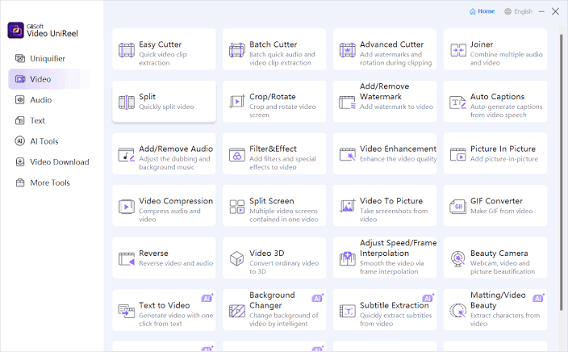
Gilisoft Video UniReel is a multifunctional tool that seamlessly integrates technology and creativity, offering video creators an efficient, intelligent, and user-friendly experience. From video deduplication to batch repurposing, every step helps users break free from tedious workflows and focus on realizing the true value of their content.

Powerful Video Cutting Function
It is common to shoot far more footage than you actually need and choose only the best material for the final edit. Easy Cutter of GiliSoft Video Editor can easily cut a long video file into many smaller different video parts with no quality loss. Often you will shoot several versions (takes) of a shot and choose the best one when editing. Batch Cutter of GiliSoft Video Editor helps you cut multiple video files at the same time in batch mode.

Advanced Video Cutting Function
Advanced Cutter of GiliSoft Video Editor helps you cut video into several parts and provides lots of video editing functions to make a great home movie: adding watermarks, adding subtitles, video rotation, video cropping, brightness adjustment, filter effects and so on while video cutting. Many videos can be dramatically improved by simply getting rid of the flawed or unwanted bits. Advanced Cutter also supports deleting unwanted video clips from video file.

Powerful Video Joiner
Joiner of GiliSoft Video Editor is a professional video file joining tool which join or merge multiple video files into a large one. Users can choose whether to add the fade in/out effect to videos by their own wills. It supports joining the same format video files without encoding SUPER-FAST merge and supports joining different formats of video files and select any format one of the file as the output format, or set a custom output format.

Powerful Video Splitter
Splitter of GiliSoft Video Editor is perfect video splitting software to split video files into several segments easily and fast. It supports splitting by time, for example every 600 seconds (5 minutes) per segment. It supports splitting by file size, such as 100 megabytes per segment. It supports customize Split, you can set the Split Point by hand.

Add Special Effects to Video
Effect of GiliSoft Video Editor helps you add a lot of picture effect (Black and White, Old Film, Embossment, Carving, Wood Carving, Pencil, Posterize, Oil Painting, Mosaic, Negative, Glow, Haze, Fog, Motion Blur) to video. It supports instant preview, you also can adjust video brightness, contrast, and saturation at the same time.

Add Watermark to Video
Watermark of GiliSoft Video Editor is a full-featured yet easy-to-use software that allows placing a digital watermark or logo or text or video, animated gifs over an existing video in the batch mode. Watermarks can be used for protection or adding comments to your movies. You may impose watermark on a whole video file or on a specified section of the movie.

Add Subtitle to Video
Subtitle of GiliSoft Video Editor is an application that allows you to permanently embed subtitles in videos. It means that you do not have to have, and run, separate files for video and its subtitles. Instead, the subtitle file will be merged with the video file and converted into one new file. It supports ASS, SRT subtitle format, you can instantly preview the effect, and can dynamically adjust the subtitle font and position.

Adding Music to Video
Sometimes music can have a dramatic effect on our perception of a video – no matter whether it’s a movie, a commercial, or a video presentation. But what if all you have is silent footage or a video with just a few snippets of voice commentary that really needs some music to make it interesting? With Add Music of GiliSoft Video Editor, you can easily add an audio track in MP3, WMA, OGG, or FLAC format to your MP4, AVI, or any other format video and save it as a new file.

Rotate Video
It’s an error made by many. When filming with your cellphone, or even a real video camera, you’re not always thinking about ‘orientation’ – whether you’re filming in portrait or landscape. Some devices take into account every flick of your wrist, but most don’t, and you end up with a video that’s rotated by 90 degrees. Rotate of GiliSoft Video Editor may help you rotate video file and it works pretty well.

Easy Video Cropper
There will undoubtedly be times when you need to crop your videos to remove any unwanted areas. For example, when you got some video files with black bars on top and bottom or you want to crop videos with large dimensions to fit the small screen of devices. Cropper of GiliSoft Video Editor is a powerful video editor that not only crop your video files, but also allows you to enhance the video with visual effects, titles and more.

Release Name: Gilisoft Video UniReel 19.0.0
Size: 1.6 GB
Links: HOMEPAGE – NFO – Torrent Search

Download: RAPiDGATOR

3 Comments
July 13

Pepakura Designer 6.2.7

Description: Pepakura Designer is a Windows application which makes unfolded patterns from 3D data. Pepakura Designer features to automatically unfold 3D polygon-mesh models, and allow you to edit them. Pepakura Designer allows you to create real paper craft models from digital data!

You can try Pepakura Designer with no charge. (The data exporting feature is activated with purchase of the license keycode.) Note that Pepakura Designer does not have 3D data design features. You require 3D data before starting to use Pepakura Designer. Pepakura Designer supports common 3DCG file formats. Recommended 3DCG software is Metasequoia. You can use it for 3D model design at no charge. Pepakura Designer reads Metasequoia files with high compatibility.

One Button Unfolding
An unfolded 3D model pattern will be generated once you press the button.

Useful Toolset for Layout Editing
Pepakura Designer provides a simple and useful toolset for layout editing.
The Move, Rotate, and Join/Disjoin Parts editing tools, and the Adding Flaps support to arrange the layout.

Assemble Assistance
Pepakura Designer assists in the assembly process.
For example, ID numbers are assigned to edges, so you can understand the pairs of edges to be glued together. The positions of the pairs to be glued together are indicated by an arrow.

Exporting
Pepakura Designer supports the export in several file formats, including BMP, PNG, GIF, JPG, EPS, DXF, and PDF.

Texture Setting
By switching the textures on and off, you can assemble the color model or the white model, whichever you prefer.
You can also change the texture images on Pepakura Designer.

Operating System: Windows 8/10/11 (64bit)

Release Name: Pepakura Designer 6.2.7
Size: 18.6 MB
Links: HOMEPAGE – NFO – Torrent Search

Download: RAPiDGATOR

4 Comments
July 13

IDimager Photo Supreme 2026.3.1.9350

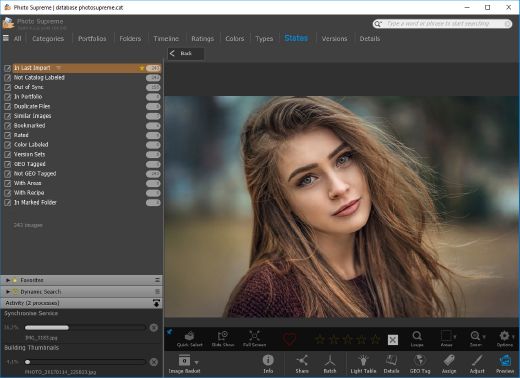
Description: Photo Supreme v2026 is a thoughtful and forward-looking release. This update has focused on smarter discovery, faster performance, and modern workflow expectations, especially around large catalogs, mobile integration, searches, and team environments.

Import and Select
One of the standout additions in Photo Supreme v2026 is the new multi-pass Import and Select workflow. This allows users to review and refine image selections in multiple stages instead of making all decisions in one pass. It’s especially useful for large shoots, letting photographers cull images more deliberately and with less pressure. In addition, the Import and Select feature now loads images faster than ever. Mac users will also appreciate direct iOS device importing, which makes it possible to bring photos straight from an iPhone or iPad into the catalog without relying on intermediary software. This significantly streamlines mobile-first workflows.

Powerful Searches
Photo Supreme now supports natural language searching, allowing users to find images using plain, conversational phrases rather than rigid metadata queries. This feature is powered by AI services such as OpenAI, Google Gemini, or local models with Ollama. This gives users flexibility in how advanced features are enabled. In addition, a new classification system enhances search accuracy by grouping images into meaningful categories upon import, making it easier to surface relevant results in large or complex catalogs.

Video & Media Handling
For users working with video, Photo Supreme v2026 introduces hover-based video previews. Simply hovering over a video thumbnail now reveals a short animated preview, making it much faster to identify clips without opening them individually. Support for modern formats has also been expanded, ensuring the software keeps pace with current media standards.

Sharing with ZIP
Exporting images is more flexible in v2026 thanks to ZIP output support in transfer profiles. This makes it easy to bundle images into a single archive for delivery, backup, or client sharing, all directly from within Photo Supreme. These enhancements simplify distribution workflows and reduce the need for external tools.

GEO Maps
GEOgraphic-Mapping features can now generate maps using not only Google Maps, but also OpenFreeMap with OpenStreetMaps. This removes the need for API keys while still delivering rich, interactive map displays. This update makes location-based browsing easier to configure and more accessible for all users.

Performance and Refinements
Photo Supreme v2026 delivers notable performance enhancements, resulting in faster browsing and a more responsive overall experience. Response times are improved by up to 10%, with especially noticeable gains for large libraries containing many catalog labels.
Catalogs with numerous stacks also see significant performance improvements, particularly when displayed in stacked views.
v2026 includes a wide range of refinements, such as: "Visually similar" stack detection, numerous stability fixes and workflow enhancements, polished UI behavior in collections, searches, and metadata handling

Wait, there's more, a lot more…
New "RAW Files" and "Video Files" catalog states
Added support for Google Gemini as an AI service
Added support for OpenAI GPT-5.2 as an AI Service
Added support for Ministral3 model with Ollama
Added file management support for ACR sidecar files
Update HTTP Server with Photo Supreme Online (Server Edition)
Faster face recognition
Added "AI-Estimated GEO Location" to the AI Panel
Faster result display in the Collection Viewer
"Cascade Metadata" from image to Stack or Version Set is now a background process
A highlighted stroke has been added to the active tabs, improving navigation
Now you can display metadata charts and graphs across multiple tabs
Added support for Ctrl/Cmd+Z functionality in text and memo fields
Defined the new Affinity v3 .AF and .AVIF file format as a supported "other file format"
Switching the collection viewer's view style is faster (eg from Basic to Grid to Clean to Custom Thumb Info)
Advanced Search now has an option to search by "File Size" and "File Size MB"
Finetuned the check for "need to compact" on PostgreSQL (Server Edition)
Bookmark keyboard shortcuts are now a "toggle", similar to ratings and color labels
Expanding nodes in the Catalog Tree is ~25% faster
When using the "Dump Full to Catalog File" feature, there's now the option to create either a "catalog dump" file, or a "catalog with thumbs" dump files
Added a XMP Storage Location for "original file AND non-standard sidecar file"
In "Stacked View", you can now select a specific item from the stack to show
Support for PostgreSQL 18.
And more…

Highlights for v2026
Multi-Pass "Import and Select": Seamlessly transition through passes with a fast-culling system that optimizes your workflow.
Direct iOS Image Import on macOS: Import images directly from your iOS devices with ease.
Video Thumbnail Preview: Hover over a video thumbnail or open the Quick View to view a live video preview.
Natural Language Search Powered by AI: Search your content using plain language, with smart integration through OpenAI, Google Gemini, or Ollama models.
Transfer Profiles can now create ZIP output files: Copy or send sets of images as a single ZIP file for easier sharing.
Maps with OpenFreeMap: Display images on interactive maps using OpenFreeMap/OpenStreetMaps with no API key needed.
Server Edition Thumbnail Caching: Enjoy faster performance with local thumbnail caching, automatic cleanup, and customizable settings for retention and cache size.
Classifications: Enhance search accuracy with an automatic image classification mechanism on import.

Release Name: IDimager Photo Supreme 2026.3.1.9350
Size: 162.6 MB
Links: HOMEPAGE – NFO – Torrent Search

Download: RAPiDGATOR
5 Comments
July 13

Advanced PC Cleanup 3.33.33.10081

Description: Cleaning your PC has become easier with Advanced PC Cleanup. Get rid of redundant apps and files from your computer in a few clicks. Safeguards your computer from potential malware threats and removes the personal information saved online. Disable startup items and uninstall unwanted apps to enhance PC speed.


Advanced PC Cleanup main functions
Advanced PC Cleanup shows the current state of your Windows PC in one scan. This includes all junk & temporary files along with the areas needed to be taken care of. It shows storage space you can free up. Scan for malware and saved information to secure your identity and system at the same time.

1.Scan PC for all clutter
Scan will show how much storage space can be recovered from deleting all the unused files & old downloads. Clear up the personal information saved on the web browser.

2.One-click solution
Fix all issues such as PC cleanup and boost performance in one click. Remove malware, adware to save system from any potential threats to data.

Amazing Features
PC Cleaner
Deletes temporary files and clears trash from Recycle Bin on your PC.

System Manager
Manage the list of startup programs and improve the speed of your PC.

PC Security
Make sure your computer is safe from online threats & malware attacks.

System Optimizer
Clean up all the junk from your computer to improve the performance.

Release Name: Advanced PC Cleanup 3.33.33.10081
Size: 17.6 MB
Links: HOMEPAGE – NFO – Torrent Search

Download: RAPiDGATOR
5 Comments
July 13

WinTools.one 26.7.1

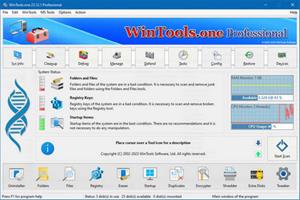
Description: WinTools.one - this program is designed to help both ordinary users and advanced users, as well as computer engineers, fine-tune the MS Windows operating system. It allows you to increase the performance of the operating system, maintain its performance at a high level, correct operating system errors, free up space on the hard drives of your computer, and control the operation of installed programs. In addition, the program allows you to store and protect your confidential and secret information, as well as work with virtual disks.

WinTools.one contains the following tools: Clean Uninstaller, Scan Folders, Scan Files, Scan Shortcuts, Scan Registry, Objects Eraser, Startup Manager, Duplicate Files, File Encryptor, File Shredder, Extra Disks and System Tweaker, that contains dozens of useful settings and fixes.

The WinTools.one program is available in two editions: Home and Professional. WinTools.one Professional is the premium edition of the WinTools.one Home program. It includes an additional tool for managing Duplicate Files and an expanded set of features in the System Tweaker tool.

WinTools.one represents the next evolution of the WinTools.net program. Here are the key differences

between WinTools.one and WinTools.net:
It no longer supports older operating systems such as MS Windows XP and Me.
It is optimized for modern MS Windows 11 systems.
It features completely new code for x64 architecture.
The program boasts a newly modified interface.
It includes tools for working with both regular and encrypted virtual disks.
It offers an additional tool specifically for encrypting secret files.
The System Tweaker tool has been completely redesigned to cater to modern operating systems.

Release Name: WinTools.one 26.7.1
Size: 9 MB
Links: HOMEPAGE – NFO – Torrent Search

Download: RAPiDGATOR

4 Comments