Please REGISTER or RENEW your account on RAPiDGATOR.net and support us by doing through all RAPiDGATOR working download links on main posts...
Aug 9

Numbers 15.3.1

Create gorgeous spreadsheets with Numbers on iPhone, iPad and Mac. Get started with Apple-designed templates for everything from a home budget to an invoice. Add tables, charts, text, and images anywhere on the flexible canvas. Animate your data with interactive charts, find patterns with pivot tables, and use hundreds of powerful functions.
Get Started Quickly


  • Work from iPhone, iPad, Mac, or even a PC with iCloud.com
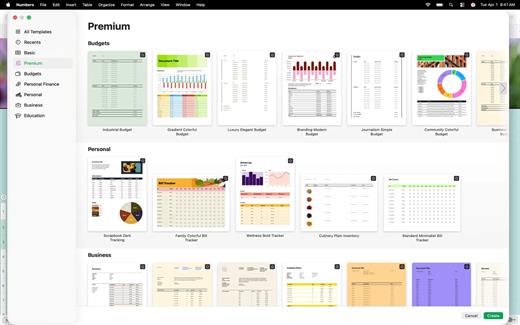
  • Select from a wide variety of Apple-designed templates
  • Add from a library of shapes, tables, and charts with pre-defined styles
  • Import and edit Microsoft Excel and CSV files

Create Beautiful Spreadsheets


  • Place tables, charts, text, and images anywhere on the flexible canvas
  • Create a form on iPhone or iPad to quickly enter data on the go
  • Draw or write with Apple Pencil on iPad

Formulas for Everyone


  • Choose from hundreds of powerful functions, including XLOOKUP and RegEx
  • Search the integrated function browser for built-in help and sample formulas
  • Easily add stock information to spreadsheets
  • See results from a single formula across multiple cells using spilling arrays

Everything Adds Up Beautifully


  • Use pivot tables and categories to see your data in a whole new way
  • Quickly organize and summarize tables to gain new insights
  • Insert gorgeous 2D and 3D charts, including bar, column, line, area, pie, donut, and radar charts
  • Animate data with interactive column, bar, scatter, and bubble charts
  • Easily filter through large tables for specific values, text, or duplicate entries
  • Change values in cells using sliders, steppers, checkboxes, pop-ups, and star ratings

Share with Anyone


  • Share your spreadsheet publicly or collaborate with specific people using iCloud or Box
  • Make changes from any device and see a list of changes from others in real-time
  • Export your spreadsheet in CSV, TSV, PDF, and Microsoft Excel

Apple Intelligence


  • Use Writing Tools to proofread, rewrite, summarize, and compose text
  • Create your own fun images with Image Playground based on a description
What’s New

Version 15.3.1:


  • Release notes were unavailable when this listing was updated.
Compatibility

macOS 15.6 or later.


Release Name: Numbers 15.3.1
Size: 305 MB
Links: HOMEPAGE – NFO – Torrent Search

Download: RAPiDGATOR

3 Comments
Aug 7

Luminar Neo 1.28.0.17626

Description: AI-driven creative image editor. A creative image editor to bring your ideas to life. Have you ever wanted to achieve more with your images? Luminar Neo is an innovative image editor powered by AI technologies of the future that simplifies complex editing routines and enables creators to bring their boldest ideas to life.

Control the light in 3D space with RelightAI
Relight backlit photos or darkened images in a click with the RelightAI feature. Luminar Neo calculates the depth of a photo and creates a 3D map, making it possible to spread light naturally in 3D space across a 2D image. You can also relight the background and foreground separately — meaning you can darken parts of the image as well. This opens up an opportunity for creative relighting in order to bring your artistic vision to life.

Remove messy powerlines with AI
Automatically remove distracting elements in your cityscapes, urban landscapes or travel photos. Get a clear sky with no cluttered phone or power lines.

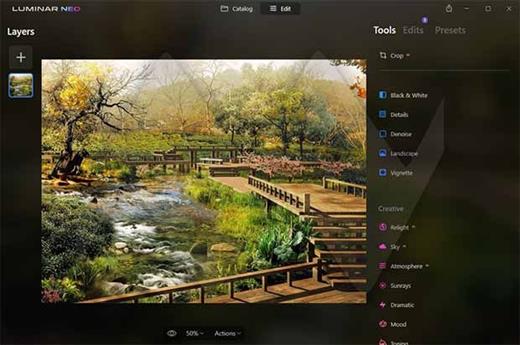
Unleash your creativity with Layers and AI Masking
Use both MaskAI and Layers for limitless creativity. MaskAI automates the masking process by identifying objects in the image and creating precise masks. You can always manually refine those masks with a brush if you choose to. Layers open up a whole new level of creative expression, with endless possibilities for adding objects, textures, watermarks, and any other graphics to your images.

Replace the sky in one click
Cutting-edge sky replacement technology with water reflections, sky positioning, and human-aware relighting to match the new sky.

Lightning-fast creative editing with an all-new image engine.
Designed as a module system its parts now can be optimized separately, for the best performance.

What is Luminar Neo?
Have you ever wanted to achieve more with your images? Luminar Neo is an innovative image editor powered by AI technologies of the future that simplifies complex editing routines and enables creators to bring their boldest ideas to life. And enjoy it.

- Get speed and flexibility in your editing with our brand-new core engine and layers workflow.
- The new engine we built for Luminar Neo is based on all the best solutions from our combined and evolved experience for maximum performance and creativity and is developed for achieving complex creative results.
- Adjust the light in your photo for creative control over the lighting in a scene. You can control the exposure of an image based on the distance from the lens to independently adjust the background and foreground exposure.
- Automatically remove spots on your images caused by dust and dirt on your lens and sensor.
- Clean up unwanted power lines from the skies in your cityscapes.
- Experiment with infinite creative possibilities by effortlessly combining two or more images in a shot.

...And much more.
The new technologies and innovative user experience in Luminar Neo make creative image editing simple and fun.

What’s New in Luminar Neo?
Luminar Neo is a giant leap forward to more innovative, AI-based editing that targets the pains of photographers. Its goal is high-quality, fast, easy, and enjoyable results for anyone who wants to edit their images and channel their creativity in new ways.

The collection of AI-powered tools take a significant jump forward in function and performance with Luminar Neo. The application expands its toolbox with more groundbreaking AI-powered tools. The new tools are joined by additional options to solve even more problems and unleash creativity.

Speed up your editing workflow with our new fast core engine.
It’s based on unique technologies developed by Skylum and works on a module system, which means that different parts of the application can now be optimized separately for the best results. Thanks to the independent modules engine, Luminar Neo will be updated more frequently. Luminar Neo has a more flexible editing process, which means less memory is required to edit photos. The new engine has many small background optimizations of memory use, which increases the speed of all processes inside the application, from uploading to applying editing effects, using layers, and exporting.

Completely transform your photos with new relighting options.
Luminar Neo analyzes each image to recognize the depth of a scene and its subject allowing for unique control over exposure and tone.

Easily remove distracting image blemishes caused by a dirty camera sensor or lens.
There are also new tools to clean up unwanted elements in the background of a photo.

Explore creativity with an effortless layers workflow.
Discover a collection of textures, overlays, and visual effects to add creativity to an image and personalize it. This addition unlocks new creative options for compositing images and visuals to create a custom style. You can add an infinite number of Layers, move Layers on top of each other, use blending modes and masking modes, make collages, add double exposure effects, and do more on each layer.

Release Name: Luminar Neo 1.28.0.17626
Size: 2.1 GB
Links: HOMEPAGE – NFO – Torrent Search

Download: RAPiDGATOR
4 Comments
Aug 7

IDimager Photo Supreme 2026.3.2.9449

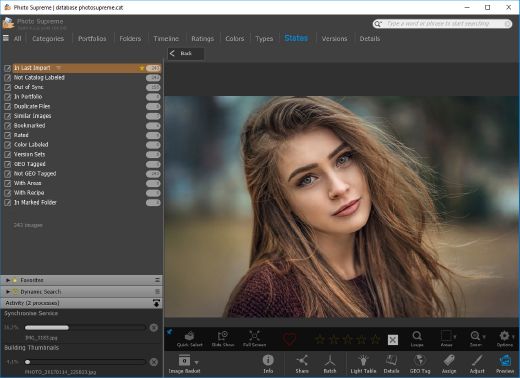
Description: Photo Supreme v2026 is a thoughtful and forward-looking release. This update has focused on smarter discovery, faster performance, and modern workflow expectations, especially around large catalogs, mobile integration, searches, and team environments.

Import and Select
One of the standout additions in Photo Supreme v2026 is the new multi-pass Import and Select workflow. This allows users to review and refine image selections in multiple stages instead of making all decisions in one pass. It’s especially useful for large shoots, letting photographers cull images more deliberately and with less pressure. In addition, the Import and Select feature now loads images faster than ever. Mac users will also appreciate direct iOS device importing, which makes it possible to bring photos straight from an iPhone or iPad into the catalog without relying on intermediary software. This significantly streamlines mobile-first workflows.

Powerful Searches
Photo Supreme now supports natural language searching, allowing users to find images using plain, conversational phrases rather than rigid metadata queries. This feature is powered by AI services such as OpenAI, Google Gemini, or local models with Ollama. This gives users flexibility in how advanced features are enabled. In addition, a new classification system enhances search accuracy by grouping images into meaningful categories upon import, making it easier to surface relevant results in large or complex catalogs.

Video & Media Handling
For users working with video, Photo Supreme v2026 introduces hover-based video previews. Simply hovering over a video thumbnail now reveals a short animated preview, making it much faster to identify clips without opening them individually. Support for modern formats has also been expanded, ensuring the software keeps pace with current media standards.

Sharing with ZIP
Exporting images is more flexible in v2026 thanks to ZIP output support in transfer profiles. This makes it easy to bundle images into a single archive for delivery, backup, or client sharing, all directly from within Photo Supreme. These enhancements simplify distribution workflows and reduce the need for external tools.

GEO Maps
GEOgraphic-Mapping features can now generate maps using not only Google Maps, but also OpenFreeMap with OpenStreetMaps. This removes the need for API keys while still delivering rich, interactive map displays. This update makes location-based browsing easier to configure and more accessible for all users.

Performance and Refinements
Photo Supreme v2026 delivers notable performance enhancements, resulting in faster browsing and a more responsive overall experience. Response times are improved by up to 10%, with especially noticeable gains for large libraries containing many catalog labels.
Catalogs with numerous stacks also see significant performance improvements, particularly when displayed in stacked views.
v2026 includes a wide range of refinements, such as: "Visually similar" stack detection, numerous stability fixes and workflow enhancements, polished UI behavior in collections, searches, and metadata handling

Wait, there's more, a lot more…
New "RAW Files" and "Video Files" catalog states
Added support for Google Gemini as an AI service
Added support for OpenAI GPT-5.2 as an AI Service
Added support for Ministral3 model with Ollama
Added file management support for ACR sidecar files
Update HTTP Server with Photo Supreme Online (Server Edition)
Faster face recognition
Added "AI-Estimated GEO Location" to the AI Panel
Faster result display in the Collection Viewer
"Cascade Metadata" from image to Stack or Version Set is now a background process
A highlighted stroke has been added to the active tabs, improving navigation
Now you can display metadata charts and graphs across multiple tabs
Added support for Ctrl/Cmd+Z functionality in text and memo fields
Defined the new Affinity v3 .AF and .AVIF file format as a supported "other file format"
Switching the collection viewer's view style is faster (eg from Basic to Grid to Clean to Custom Thumb Info)
Advanced Search now has an option to search by "File Size" and "File Size MB"
Finetuned the check for "need to compact" on PostgreSQL (Server Edition)
Bookmark keyboard shortcuts are now a "toggle", similar to ratings and color labels
Expanding nodes in the Catalog Tree is ~25% faster
When using the "Dump Full to Catalog File" feature, there's now the option to create either a "catalog dump" file, or a "catalog with thumbs" dump files
Added a XMP Storage Location for "original file AND non-standard sidecar file"
In "Stacked View", you can now select a specific item from the stack to show
Support for PostgreSQL 18.
And more…

Highlights for v2026
Multi-Pass "Import and Select": Seamlessly transition through passes with a fast-culling system that optimizes your workflow.
Direct iOS Image Import on macOS: Import images directly from your iOS devices with ease.
Video Thumbnail Preview: Hover over a video thumbnail or open the Quick View to view a live video preview.
Natural Language Search Powered by AI: Search your content using plain language, with smart integration through OpenAI, Google Gemini, or Ollama models.
Transfer Profiles can now create ZIP output files: Copy or send sets of images as a single ZIP file for easier sharing.
Maps with OpenFreeMap: Display images on interactive maps using OpenFreeMap/OpenStreetMaps with no API key needed.
Server Edition Thumbnail Caching: Enjoy faster performance with local thumbnail caching, automatic cleanup, and customizable settings for retention and cache size.
Classifications: Enhance search accuracy with an automatic image classification mechanism on import.

Release Name: IDimager Photo Supreme 2026.3.2.9449
Size: 162.7 MB
Links: HOMEPAGE – NFO – Torrent Search

Download: RAPiDGATOR

6 Comments
Aug 7

Advanced SystemCare Pro 19.5.0.227

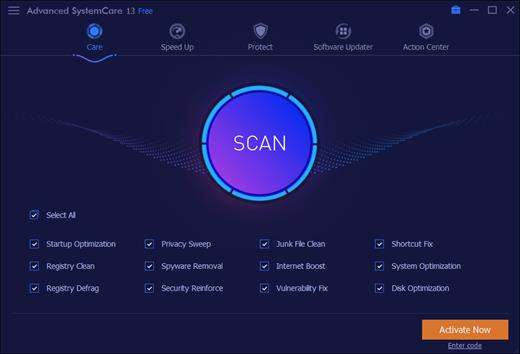
Description: Advanced SystemCare Pro provides an always-on, automated, the all-in-one PC optimization utility. It specializes in ONE-Click solutions to detect, clean, repair, speed up and eventually protect PC. Advanced SystemCare is a PC maintenance program that's incredibly easy to use, the World's Top System Utility for Superior PC Health! With the novel system technology, Advanced SystemCare empowers you to run your computer faster. Ensures more stably and more efficiently than with any other system utilities.

Clean & Optimize PC Performance:
- Basic PC cleaning and optimization
- 1-click to fix disk errors for more stable and efficient PC system
- Smarter AI mode for intelligent scan and premium PC cleaning & optimization
- Deep clean registry to prevent system crash
- Defrag hard drive data to optimize PC performance
- Auto RAM clean to stop unused programs and processes
- Auto care for PC as scheduled
- Monitor system condition in real-time
- 1-click to keep important programs up-to-date

Boost PC Speed:
- Up to 200% quicker PC startup
- Up to 300% Internet speedup with Internet Booster

Ensure PC & Privacy Security:
- Basic PC protection with spyware removal
- Full PC protection for detecting and removing deepest infections
- Capture intruders automatically with FaceID
- Block malicious links and suspicious senders in web emails
- Premium surfing protection with automatically clear tracking data
- Disguise digital fingerprint to keep online behaviour private
- Keep your personal data away from untrusted programs
- Proactively detect and block security holes in real-time
- Detect and enable both antivirus & firewall for dual protection

Release Name: Advanced SystemCare Pro 19.5.0.227
Size: 74.1 MB
Links: HOMEPAGE – NFO – Torrent Search

Download: RAPiDGATOR
5 Comments
Aug 7

XnConvert 1.115

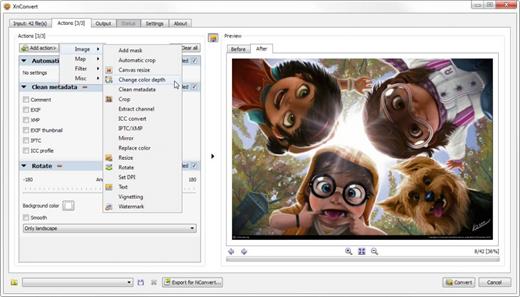
Description: XnConvert is a fast, powerful and free cross-platform batch image converter. It allows to automate editing of your photo collections: you can rotate, convert and compress your images, photos and pictures easily, and apply over 80 actions (like resize, crop, color adjustments, filter, ...).

All common picture and graphics formats are supported (JPEG, TIFF, PNG, GIF, WebP, PSD, JPEG2000, JPEG-XL, OpenEXR, camera RAW, HEIC, PDF, DNG, CR2). You can save and re-use your presets for another batch image conversion.

Features
Extensive Toolset
Combine and choose between more than 80 different operations including:
Metadata Editing.
Transforms: Rotate, Crop, Resize, ...
Adjustments: Brightness, Contrast, Saturation, ...
Filters: Blur, Emboss, Sharpen, ...
Effects: Masking, Watermark, Vignetting, ...
Watch folders for new or updated images and automatically apply a custom set of edits.

Release Name: XnConvert 1.115
Size: 27.3 MB
Links: HOMEPAGE – NFO – Torrent Search

Download: RAPiDGATOR

4 Comments
Aug 7

Net Monitor For Employees Pro 6.7.2

Description: Employee Monitoring Software for your Office. Stop employees wasting work time on illegal activity and keep records of such attempts.

Employee Monitoring Benefits
Employee monitoring is an established method used by many companies to help prevent and detect data breaches that can cost their business a fortune. It is an effective way to boost workers engagement and optimize working processes. Computer monitoring gives companies an overall picture of how work is done in and out of the office.

Employee Activity Tracking Will Help You
Workers may become disengaged when working remotely. By using computer surveillance software an organization can lower risk and become more profitable. Gathered data can be used for analyzing bottelnecks, unusual patterns, and other potential issues. All this can help managers to improve the business process to gain productivity.

Computer Monitoring, Staff Activity Tracking, Desktop Recording, Reporting...
Tracking your staff, preventing insider threats or just helping your workers can be difficult without proper computer monitoring and tracking software.

Employee Activity Tracking
Supervise staff activity by watching and recording live computer screens, web browsing history, applications use, keystrokes pressed... Use stealth mode if needed to hide your presence.

Computer Screen Recording
Record your staff live computer screens even when you are away and you are not monitoring. You can watch recordings later at any time.

Activity Logging and Reporting
Log detailed worker behavior. Logging can be done in the background even when you are not present. Create reports that contain data for visited web sites, application usage, keylogger...

Applications and Internet Blockings
Prevent worker to access certain web sites or start forbidden applications. Forbidden web browsing attempts are logged and will appear in reports.

Monitor Live Computer Screens
The application allows you to see what is currently displayed on an employee computer monitor. This way you can quickly discover if your employees are doing the tasks they are paid for. All employee computer screens can be displayed at once since they can be displayed as thumbnails with configurable size. You can simply zoom in to any employee computer screen by double clicking the thumbnail.

Release Name: Net Monitor For Employees Pro 6.7.2
Size: 50.1 MB
Links: HOMEPAGE – NFO – Torrent Search

Download: RAPiDGATOR
5 Comments
Aug 7

Conjure AI Photo & Art Studio 1.0.1

Description: Conjure AI - Your Offline Art & Design Studio. Conjure AI isn’t just an image generator - it’s your own private creative studio. Type what you want to see and a full AI engine runs entirely on your graphics card, right on your desk. No account. No uploads. No cloud. Your machine makes the image, and your ideas stay yours.

Generate stunning artwork, restore faces, upscale for print, remove backgrounds, and drop everything straight into 40 professional templates for business cards, posters, menus, wedding suites, thumbnails and more - all print‑ready with real vector text at 300 DPI.

If you love creating, owning your work, and avoiding subscriptions, this is the experience built for you.

Why People Choose Conjure AI
- Fully offline - nothing leaves your device
- Complete generation engine running on your GPU
- Magic Presets build a professional prompt from pose, framing, wardrobe, lighting and more
- 40 print & screen templates for real design work
- True vector type at 300 DPI - crisp, sharp, print‑ready
- PDF with bleed, crop marks & trim box
- Face restore, upscale, denoise, background removal & inpainting
- Brand Kit & StyleDNA keep every asset visually consistent
- On‑device vector QR codes
- Batch spreadsheet merges for certificates, labels & place cards

Generate Without Guesswork
Prompting is a skill - Conjure AI helps you master it. Choose from 14 preset categories (pose, framing, wardrobe, lighting, era, background, fabric, hair, eyes and more) and the app assembles a properly weighted, professional prompt. Pick from 19 finish styles across photographic, illustrated and product looks. Lock a seed for perfect repeats or shuffle for fresh variations.

A Studio That Actually Prints
Most AI apps melt text. Conjure AI never asks the model to write. The engine paints the artwork, then the app composites your text as real vector type, so your business cards, posters and menus stay sharp at any size.

Templates include
Business cards, letterheads, logos, wedding suites, menus, certificates, posters, flyers, book covers, album covers, labels, thumbnails, ads, social posts and character sheets. QR codes are generated locally and drawn as vector for reliable scanning.

One Look Across Everything
- Capture a palette, an artwork brief and a seed from any image, then apply all three across a full set.
- Build a brand kit from your logo and every template repaints itself around it.
- Merge a spreadsheet to produce hundreds of personalised outputs in one PDF.

System Requirements
- OS: Windows 10 version 19041.0 or higher
- DirectX: Version 11 (Minimum), DirectX 12 API, Hardware Feature Level 12 (Recommended)
- Memory: 16 GB (Minimum), 20 GB (Recommended)
- Video Memory: 4 GB (Minimum), 6 GB (Recommended)
- Processor: Quad Core Processor X64 (Minimum), Octa Core Processor X64 (Recommended)
- Graphics Processor: Vulkan capable graphics, 4 GB minimum - integrated included (Minimum), Dedicated GPU with 6–8 GB VRAM or more (Recommended)

Release Name: Conjure AI Photo & Art Studio 1.0.1
Size: 3.4 GB
Links: HOMEPAGE – NFO – Torrent Search

Download: RAPiDGATOR

3 Comments
Aug 7

Ant Download Manager Pro 2.17.7.96580

Description: Ant Download Manager (AntDM) is a quick download manager for any Internet file, that fully integrates with all popular browsers. AntDM allows to download free streaming video and audio from numerous web sites, supports P2P peer-to-peer protocol. AntDM supports downloading files from the most popular Premium Link Generators (Debrids).

Ant Download Manager (AntDM) - is a tool that allows you to repeatedly increase the speed of file downloads due to multiple download streams, resume, schedule downloads, capture and download audio and video streams.

Automatically processes download errors, recovers from temporary network errors, reconnects in case of server response delays, has the ability to resume interrupted downloads due to loss of connection, network problems, computer shutdown, or unexpected power outages.

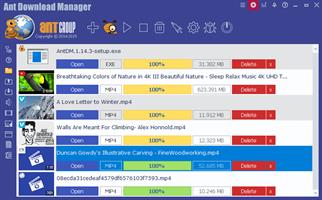
The standard GUI for softwares of this class makes AntDM friendly and easy to use. It has two screens - the first is more common for regular downloads and the second is using video preview for easy tracking of video downloads.

Has download queues, which allows you to accumulate download links at a convenient or scheduled time for the user.

Supports proxy-servers, HTTP and FTP file protocols and their protected versions of HTTPS and FTPS, as well as the main streaming protocols for audio and video content M3U8, MPEG-DASH, VIMEO-STREAM, firewalls, redirects, cookies, authorization, processing of audio and video content.

Supports BitTottrent a P2P (peer-to-peer) file sharing protocol.

Can be easily integrated into the main popular browsers Microsoft EDGE (Chromium-based), Google Chrome, Mozilla Firefox and their numerous clones: 360Chrome, Brave, CCleaner, Chedot, CocCoc, Comodo Dragon, Comodo IceDragon, Maxthon6, Opera, Slimjet, SRWare Iron, Torch, UC Browser, Vivaldi, Yandex, Waterfox, etc. The integration of extension into browsers is used to automatically capture file or media links and download them. Also you can not integrate AntDM extensions into your browsers, but use AntDM autonomously. For example, drag and drop download links from a browser into AntDM, download any single links manually, in a list or in batch mode from a file.

Allows not only downloading audio files, but also extracting audio tracks from video files, converting them to the popular MP3 format and adding basic accompanying information to them.

Supports most popular Generators Premium Links (Debrids): alldebrid.com, cocoleech.com, debrid-link.fr, ffdownloader.com, linksnappy.com, mega-debrid.eu, real-debrid.com, premium.rpnet.biz, simply-debrid.com, premiumize.me, etc.

Other features include multilingual support, download categories, download log, priorities and changes of download speed, task scheduler, sounds of various events, CHM User Guide, virus protection when download completion and many more.

Release Name: Ant Download Manager Pro 2.17.7.96580
Size: 61.9 MB
Links: HOMEPAGE – NFO – Torrent Search

Download: RAPiDGATOR
5 Comments
Aug 7

WinCatalog 2026.3.1.805

Description: Looking for a reliable and powerful disk catalog software to organize your huge collection of disks? WinCatalog 2024 disk cataloger is a perfect solution! On the market since 2001. Automatically create a catalog of all files, stored on your disks (HDDs, DVDs, CDs, network drives and other media storage devices): WinCatalog will automatically grab ID3 tags for music files, Exif tags and thumbnails for photos, thumbnails and basic information for video files, e-books, contents of archive files, thumbnails for images (pictures) and PDF files, ISO files, and much more.

Organize your file catalog, using virtual folders, tags (categories) and user defined fields, and find files in seconds, using powerful search, even when disks are not connected to the computer. Also easily use WinCatalog as a duplicate file finder. Your disk catalog can be automatically updated through Windows task scheduler.

And no matter how huge your collection of disks is - you will always have your file catalog on hand, perfectly organized.

Main features of WinCatalog Disk Catalog Software:

Ability to extract and store in a catalog thumbnails of graphic files (photos, pictures, RAW-images), as well as EXIF data of digital photos.
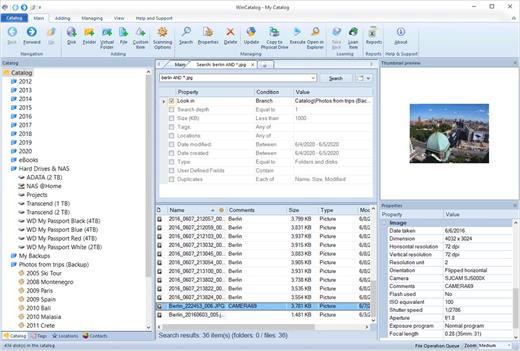
Thanks to WinCatalog 2024 disk catalog software you can automatically create and store thumbnails of graphic files (images, photos) saved in all popular formats (JPEG, PNG, BMP, ICO, GIF, Tiff, WMF, and EMF) or RAW image formats produced by most of modern digital photo cameras. You can also save EXIF data (comments, resolution, [photo camera model, focal distance, and other parameters) for photos. This means you can preview picture thumbnails in the catalog without the need to open the particular media. And it will allow you to quickly and easily locate a photo or an image in your image and photo catalog!

Fluently scan inside Zip, RAR, and 7z archives as well as ISO disk images, and add them as folders into the catalog
The program supports Zip, Zipx, RAR/RAR5, and 7z compressed files as well as ISO and NRG disk images. Files inside archives are displayed as files in folders.

Automatically extract supplemental information from music, video, Office Documents, PDF, HTML, TXT files during scanning a disk and creating a catalog
WinCatalog 2024 can display ID3 tags including artist name, song, album, disk cover and other information for music files in the following formats: MP3, WAV, WMA, OGG, OGA, ASF, M4A, M4B, M4P and MP4.
For video files WinCatalog extracts and adds to video catalog basic information including thumbnail, codec, video frame resolution, audio tracks information, etc. So you can successfully use WinCatalog as a video catalog software.
For E-books WinCatalog extracts a title, a description, authors' names, and a cover image. The supported formats of e-books are Epub, Mobi, and FB2.
For HTML files WinCatalog extracts and stores headings and tags.
For text files WinCatalog extracts a part of text and creates a preview that is displayed when you search for a particular document.
For PDF files WinCatalog creates a thumbnail for the first page and grabs text (if any) making them searchable by content.
For Office document files (Word, Excel, PowerPoint, OpenOffice, Markdown) WinCatalog creates a thumbnail for the first page and grabs text and document attributes making them searchable by content.

Release Name: WinCatalog 2026.3.1.805
Size: 74.7 MB
Links: HOMEPAGE – NFO – Torrent Search

Download: RAPiDGATOR

5 Comments
Aug 7

XL-Connector 3.7.31

Description: XL-Connector is a popular plugin that safely integrates Excel and Salesforce to seamlessly export, import, refresh and transform data with a lightning fast-api connection. It offers Salesforce admins a comprehensive toolbox that easily performs data and metadata management operations in a familiar Excel environment.

Your ideal tool for Salesforce data management in Excel

Export from Salesforce to Excel
Pull data from an existing Salesforce report or build your own SOQL query directly into Excel.

Get the most valuable Salesforce plugin for excel
- Saves hours and days of data-loading.
- Image not found
- Private and secure.
- Image not found
- Boosts team productivity.
- Amazing features for data manipulation.
- Image not found
- Improves the quality of your data by keeping it up to date.

Perform and automate any data operation in bulk
Mass create, update and upsert opportunities, accounts, leads, quotes and other SFDC objects with XL-Connector. Become a master of bulk updates and upserts in Salesforce with just a click of a button!

Manage your Salesforce duplicate records
Efficiently merge Salesforce Accounts, Contacts, and Leads in bulk (available in the Enterprise Admin edition).

Delete your Salesforce records in bulk
Mass delete records in Salesforce and keep your data fresh and updated.

Perform your Salesforce Data Migration with the help of XL-Connector
Safely migrate large amounts of data.

XL-Connector: Your Ideal tool for Salesforce metadata management.
XL-Connector is the only Excel to Salesforce connector that provides a complete assortment of metadata management tools that will hugely boost the productivity of Salesforce admins.

These tools enable management of such things as fields, validation rules, processes, picklists, security settings, custom metadata and much more. Tasks that normally take days, like updating the descriptions and help texts of data fields, will take minutes with XL-Connector.

Other XL-Connector great features you will appreciate

Super intuitive user interface
A climax between simplicity and comprehensiveness, The user interface is very friendly and presents a minimal learning curve.

Security by design
XL-Connector is a locally installed app that doesn't send your data anywhere outside of your secure environment. There's no cloud component to it, so the data travels directly between your PC and Salesforce instance over a secure encrypted channel.

Release Name: XL-Connector 3.7.31
Size: 19.7 MB
Links: HOMEPAGE – NFO – Torrent Search

Download: RAPiDGATOR

4 Comments