Please REGISTER or RENEW your account on RAPiDGATOR.net and support us by doing through all RAPiDGATOR working download links on main posts...
July 31

Kaleidoscope 7.0.1

Kaleidoscope spots differences in text and image files.
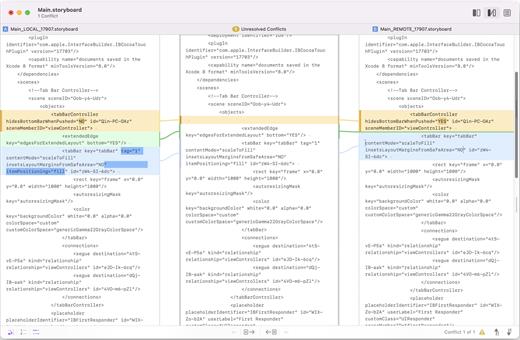
Kaleidoscope Features


  • General

    • Single window workflow: One tab per comparison
    • Compare two+ files: Add any number of files per tab
    • Always up to date: Auto-refreshes when files change
    • File Shelf: Quickly go from file to file
    • Path Bar: See where your files are
    • Keyboard shortcuts: Every action has a shortcut
  • Text Scope

    • Supports any text file: Plain text, source code, HTML, etc.
    • Clear comparisons
    • Three layouts: Blocks, Fluid, and Unified
    • Compare documents: Imports text from .doc and .rtf files
    • Instant search
    • Change Stepper: Quickly jump from change to change
    • Highlights: Added, deleted and changed text
  • Image Scope

    • All popular image file formats: JPEG, TIFF, PNG, PSD and more.
    • Four connected layouts: Two-Up, One-Up, Split, and Difference
    • Comprehensive image support: RGB/CMYK/LAB, alpha, any size.
    • Multi-touch support: Smooth scrolling and pinch to zoom
    • Customizable environment: Change background color, difference mask and checkerboard settings
    • Two difference mask modes: Spot absolute or relative changes
  • Integration

    • Git, Mercurial, SVN, and Bazaar: Integrate with a couple of clicks
    • Versions
    • TextMate SVN
    • Cornerstone
    • ksdiff Command-line tool: Integrate with practically anything
What’s New

Version 7.0.1:


  • Release notes were unavailable when this listing was updated.
Compatibility

macOS 11.1.0 or later
Apple Silicon or Intel Core processor


Release Name: Kaleidoscope 7.0.1
Size: 43.6 MB
Links: HOMEPAGE – NFO – Torrent Search

Download: RAPiDGATOR

6 Comments
July 30

DxO FilmPack 8.8.0

DxO Film Pack lets you rediscover the magic of analog film. Give your digital photos greater emotional impact with this creative image-processing software.

Rediscover the style, the colors, and the grain of more than 80 legendary analog films, faithfully reconstituted thanks to DxO’s exclusive calibration process. Combine many original renderings with filter, vignetting, blur, texture, frame, or light-leak effects to give your photos a unique look. It even allows you to preserve the quality of your digital images thanks to support for RAW format, benefitting from DxO’s unsurpassed powerful processing.

Features

  • More than 120 styles, 80 of which are legendary
  • Creative styles such as frames, textures, light leaks, creative vignetting, and blur
  • Exceptional black-and-white conversion
  • Support for RAW, JPEG, and TIFF formats
  • Designer presets: a touch of madness for your images
What’s New

Version 8.8.0:


  • Release notes were unavailable when this listing was updated.
Compatibility

macOS 10.14 or later


Release Name: DxO FilmPack 8.8.0
Size: 1.6 GB
Links: HOMEPAGE – NFO – Torrent Search

Download: RAPiDGATOR

3 Comments
July 30

Total Video Player 3.2.0

Total Video Player is a powerful, full-featured HD media player, supporting 1080p, 3GP, MP4, H264, MOV, FLV, and all other popular video files together with any audio formats (MP3, WMA, Ogg, MPEG-1,MPEG-2, etc.) as well as DVDs and audio CDs. With a perfect playlists manager and pinned-screen feature, it is really a very convenient media player. It can give you an incredibly enjoyable visual experience. No need to install any video codecs; this small tool can play almost any media format!

Features


  • Play Function

    • Fully enjoy vivid 1080p HD video
    • Play incomplete or corrupted video
    • Play almost any video format: TS, MTS, M2TS, MXF, TRP, TP, MP4, M4V, QT, MOV, MPG, MPEG, MPEG2, MPEG4, MJPG, MJPEG, AVI, 3GP, 3G2, FLV, MOD, TOD, RM, RMVB, WMV, ASF, MKV, F4V, DAT, DV, DIF, WebM, HD MPG, HD MPEG, HD MPEG2, HD MPEG4, HD MP4, HD WMV, QuickTime HD MOV,…
    • Support all common audio formats: FLAC, WAV, WMA, MP3, MP2, AAC, AC3, AIFF, APE, CAF, MPC, QCP, OGG, M4A, M4B, AUD, MKA, AIFC, RA, RAM, AU, AIF, CUE…
    • Pause, Step, Rewind
    • Full-screen playback
  • Subtitle Function

    • Support embedded subtitles in mkv and mp4 files.
    • Add external subtitle files.
    • Automatically load subtitle that name is same as the video.
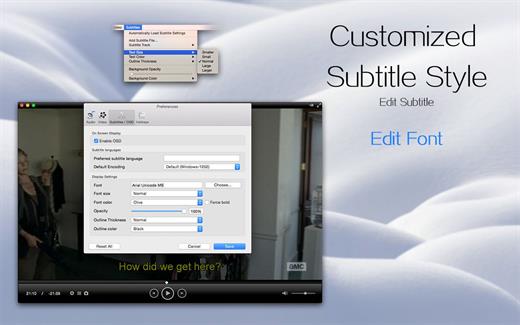
    • Subtitle’s font, text color and text size could be adjusted.
    • Supported subtitle formats: SubRip(.srt), Sub Station Alpha(.ssa, .ass), SAMI(.smi), VobSub(.idx/.sub), MPL2…
  • Deinterlace Feature

    • You could still enjoy same effect as 1080P full HD video even the movie is in 1080i format.
  • Humanization Design

    • Select Audio Track
    • Select Subtitle Track
    • Set audio device (5.1, 2 front 2 rear, stereo, mono, A/52 over S/PDIF)
  • Skin Customized

    • User could customize skin by choosing from a set of built-in skins.
  • Playlist

    • Order, Loop
    • Manage your media files with playlist
  • Volume Control
  • Screenshot Capture
  • Player screen could be always pinned at the front
What’s New

Version 3.2.0:


  • Release notes were unavailable when this listing was updated.
Compatibility

macOS 10.13 or later


Release Name: Total Video Player 3.2.0
Size: 52.5 MB
Links: HOMEPAGE – NFO – Torrent Search

Download: RAPiDGATOR

5 Comments
July 30

ON1 Resize AI 2026.5 v20.5.0.19010

ON1 Resize (was Perfect Resize) is the industry standard for photo enlargements. Use Genuine Fractals powered algorithms for optimizing clarity and detail for different image types. Get the best quality enlargements for your photos, whether taken with a DSLR or your mobile device.

Features


  • Easily enlarge and create a high quality print of a great shot you captured on your phone or tablet.
  • Increase image size over 1000% without the loss of sharpness or detail that you would normally expect.
  • Built-in presets and manual controls make it easy to create high quality enlargements tailored to your photos, including print size, type of material, and type of output–including gallery wraps.
  • The gallery wrap feature creates extended margins for wrapping your photo around wooden stretcher bars when printing to canvas. You have the option to either stretch or reflect the areas near the edge of your photo. Create a perfect gallery wrap and not lose any part of the photo.
  • Using the Sharpening controls can save you the workflow step of adding additional Sharpening before printing and can help compensate for loss of sharpness due to dot gain from your printer.
  • The tiling feature in Perfect Resize will divide an enlargement into smaller pieces that can be printed on a smaller printer.
  • Print. Select the printer settings and paper size as well as control how the image will fit on the paper along with color management options.
What’s New

Version 20.5.0:


  • Release notes were unavailable when this listing was updated.
Compatibility

macOS 10.15 or later
Apple Silicon or Intel Core processor


Release Name: ON1 Resize AI 2026.5 v20.5.0.19010
Size: 565.5 MB
Links: HOMEPAGE – NFO – Torrent Search

Download: RAPiDGATOR
5 Comments
July 30

Cisdem DVD Burner 8.2.0

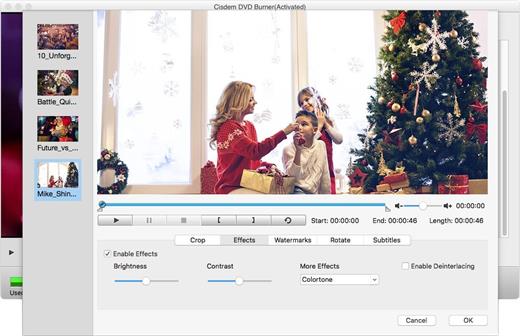
Cisdem DVD Burner is great DVD-burning software with more functionality but fewer steps to master than iDVD. It can burn any videos to DVD with subtitles/menu and background music and also provides an array of DVD menu templates to suite all your occasions. With its editing functions, you can crop, rotate, trim, remove letterboxing, and add special effects or watermarks, and then easily burn your high-quality personal DVD.

Features


  • Much Better than iDVD – Burn Virtually any Video to DVD

    • It burns all sorts of videos to DVD , be it internet downloaded, camcorder recorded or iPhone, iPad and many other devices created and also supports an array of formats, like MTS, AVI, HD MKV, MOV, MP4 and so on.
  • Powerful video Editor – Customize DVD

    • Provide different menu patterns for different occasions. Select one from to fit the subject of your DVD and customize it with your favorite thumbnails, buttons, frames, and text.
    • To drag and drop to add audio tracks or subtitles into it, You are easily to add background music and subtitles to better tell your story.
    • With the ability to crop, trim, deinterlace and add watermarks, and special effects to videos, you are easily to customize your DVD.
  • Real – time Preview and Burn DVD 16X Faster

    • With menu navigation and chapter switching over, you can play created DVD video in the Preview window just like on a DVD player.
    • With multi-threading, multi-core processing and multi-tasking DVD burning technology applied it is 10-20x faster than any competitor!
  • A High Quality DVD Experience Any Where

    • You can easily burn video into DVDs, ISO File, and DVD Folder and set to burn DVD based on disc volume (DVD5 or DVD9), TV system (NTSC or PAL), display ratio (16:9 or 4:3), etc. The output DVDs are playable on any DVD/BD player like Sony DVP serials and Panasonic DMP serials, etc.
What’s New

Version 8.2.0:


  • Release notes were unavailable when this listing was updated.
Compatibility

macOS 10.12 or later


Release Name: Cisdem DVD Burner 8.2.0
Size: 139.2 MB
Links: HOMEPAGE – NFO – Torrent Search

Download: RAPiDGATOR

5 Comments
July 30

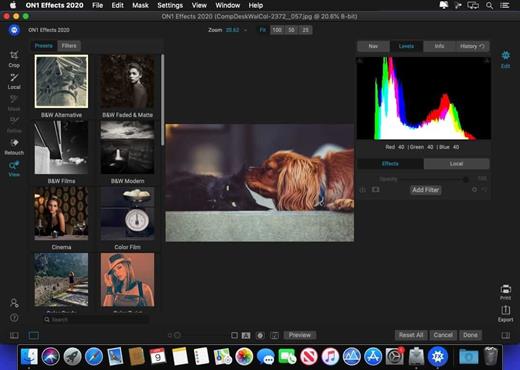
ON1 Effects 2026.5 v20.5.0.19010

ON1 Effects includes hundreds of stackable filters, presets, borders, and textures to help create your style. Whether you’re looking to add an HDR look, convert to B&W, bring out more detail, reduce noise, or enhance a portrait, don’t use five different plug-ins when ON1 Effects 2018 is your one-stop solution

Includes 23 stackable filters and hundreds of presets, borders, and textures. Everything you need to add any effect to your photos. With live adjustments, stack effects to create your own look, and save your own custom presets

Features:

  • Custom presets – Create and save your own custom presets. With the wide variety of filters to add different looks to your photos, it’s perfect for fine tuning and creating any look you want. Have a preset you use over and over? Customize it and save it as your own.
  • Effects works as a plug-in to Adobe® Photoshop®, Adobe Lightroom®, Adobe Photoshop Elements, Apple® Aperture®, or as a standalone app. ON1 Effects works where you do.
  • Live adjustments and previews – Responsive sliders and tools. We’ve made sure that your tools and slider adjustments won’t stick, giving you a fast and smooth editing experience. Filters respond fast and presets are easy to find and apply.
What’s New

Version 20.5.0:


  • Release notes were unavailable when this listing was updated.
Compatibility

macOS 10.15.0 or later

Apple Silicon or Intel Core processor


Release Name: ON1 Effects 2026.5 v20.5.0.19010
Size: 718.3 MB
Links: HOMEPAGE – NFO – Torrent Search

Download: RAPiDGATOR

5 Comments
July 30

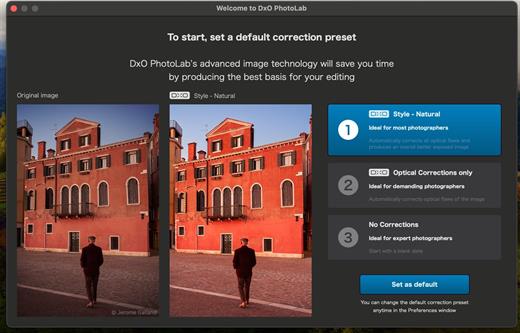
DxO PhotoLab 9.10.0 Elite

DxO PhotoLab provides a complete set of smart assisted corrections that you can manually fine-tune at any time. Take control on every aspect of your photos: effectively remove noise, get rid of light constraints, recover color details, apply sophisticated optical corrections, and enhance details.

Reducing digital noise in RAW images is an ongoing challenge for most photo-editing software. But with DxO DeepPRIME we are breaking new ground. The first artificial intelligence-based (AI) technology of its kind, DeepPRIME enables you to demosaic and denoise images simultaneously. Try it out – the results speak for themselves.

What’s New

Version 9.10.0:


  • Release notes were unavailable when this listing was updated.
Compatibility

macOS 13.6 or later


Release Name: DxO PhotoLab 9.10.0 Elite
Size: 2.3 GB
Links: HOMEPAGE – NFO – Torrent Search

Download: RAPiDGATOR

4 Comments
July 30

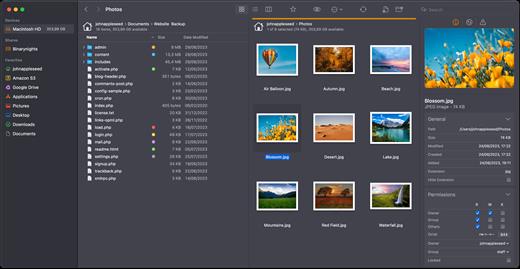
ForkLift 4.7.3

ForkLift is a powerful file manager and ferociously fast FTP client clothed in a clean and versatile UI that offers the combination of absolute simplicity and raw power expected from a well-executed Mac software.

ForkLift will connect to any remote server SFTP, FTP, WebDAV, Amazon S3, Backblaze B2, Google Drive, Rackspace CloudFiles, SMB, AFP and NFS shares on your local network,- pretty much anything you can plug into or hook up to a Mac. ForkLift also carries a complete toolbox for managing your files, including Folder Synchronization, Multi-Rename, Archive handling, Application deleter, editing files over remote connections and many more. All these power features are packaged into a Finder-like, dual-pane interface that delivers superior workflow while remaining absolutely familiar to use, along with Quick Look, Spotlight search and all.

Features

  • Completely rewritten entirely in Swift
  • ForkLift Mini
  • Two-way Sync
  • Preview
  • Quick Open
  • Multi Rename
  • Dark Mode
  • Dual Pane split vertically or horizontally
  • Favorite Sync via Dropbox
  • Dropbox Support
  • Transfer bandwidth throttling
  • Tags Support
  • Disklet
  • Sync Browsing
  • Tabs
  • Search by name, extention, kind, tags, or content
  • Quick Select
  • App Deleter
  • Remote Editing
  • Archive Management
  • Keyboard Control
  • Workspaces
  • FXP Copy
  • Tools
  • Git Support
  • Open in Terminal, iTerm, or Hyper
  • Hidden Files
  • Share
  • Possible to set as default file viewer
  • File Compare with FileMerge, Kaleidoscope, Beyond Compare, and Araxis Merge support
  • Multilingual: English, Chinese Simplified, Czech, French, German, Hungarian, Italian, Polish, Russian, Spanish and Ukrainian
What’s New

Version 4.7.3:


  • Release notes were unavailable when this listing was updated.
Compatibility

macOS 14.6 or later


Release Name: ForkLift 4.7.3
Size: 20.9 MB
Links: HOMEPAGE – NFO – Torrent Search

Download: RAPiDGATOR
5 Comments
July 30

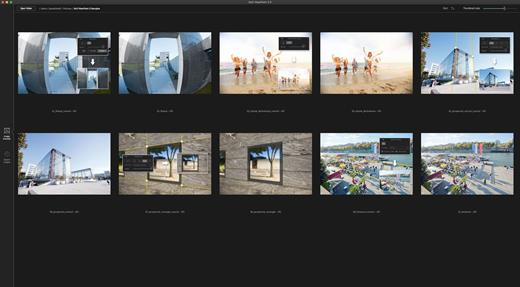
DxO ViewPoint 5.15.0

DxO ViewPoint is the indispensable companion to your wide-angle lens, correcting perspectives and easily restoring the natural shapes of the subjects located along image edges. As both a standalone application and as a plugin, it offers simple visual tools for making spectacular corrections, along with advanced controls for unrivaled precision.

Fix skewed perspectives
Manually use anchor points or the software’s automatic feature to correct skewed perspectives in wide-angle photos, from the simplest to the most complex.
Restore proportions
For natural-looking shapes, automatically correct the volume deformation of faces, bodies, and objects at the edges photos taken with a wide-angle lens.
Neutralize distortion
With DxO’s Optics Module database, the only one of its kind in the world, DxO ViewPoint can correct any type of distortion, including barrel, pincushion, and even fisheye effects.
Straighten the horizon
Rebalance landscape photos by automatically straightening a slanted horizon line.

What’s New

Version 5.15.0:


  • Release notes were unavailable when this listing was updated.
Compatibility

macOS 26 or later


Release Name: DxO ViewPoint 5.15.0
Size: 657.6 MB
Links: HOMEPAGE – NFO – Torrent Search

Download: RAPiDGATOR

4 Comments
July 30

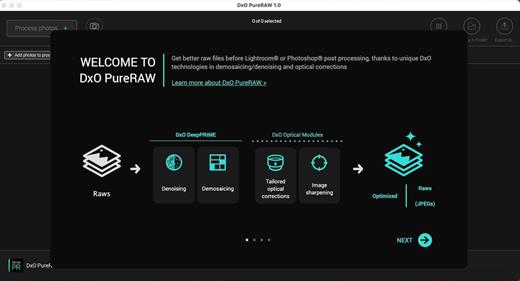
DxO PureRAW 6.4.1

DxO PureRAW Simply better RAW files, Enhance your RAW files to open up even more possibilities with Adobe Photoshop and Lightroom®.

Unlock the RAW-file editing capacity of Adobe Photoshop and Lightroom
Create better RAW files before retouching them in Adobe Photoshop, Lightroom, or other programs thanks to DxO’s exclusive demosaicing, denoising, and lens defect correction technologies.

Pure, flawless, and noise-free RAW photos
DxO PureRAW’s artificial intelligence strikes the perfect balance between preserving detail and eliminating noise. DeepPRIME technology solves these problems before you and better than you.

Your lenses deserve the very best corrections
Automatically correct the defects in your equipment using DxO’s specially designed optical modules.

Recover your old RAW files
Get back to editing your old photos that you set aside because of poor image quality, noise, or a lack of sharpness. DxO PureRAW gives you another chance.

Perfection is in the details
Enjoy large format photos: DxO PureRAW reveals all the details and finesse of every texture you capture so you can enjoy incredibly pure photos.

Soft, non-grainy bokeh
Permanently delete the “parasitic” grain your camera creates in the blurry areas of your photos. DxO PureRAW adds incredible softness to your images.

Photo editing made simple
Use DxO PureRAW before your usual editing software and convert your RAW files into DNG files in just a few clicks—all without sliders

What’s New

Version 6.4.1:


  • Release notes were unavailable when this listing was updated.
Compatibility

macOS 26 or later


Release Name: DxO PureRAW 6.4.1
Size: 958.3 MB
Links: HOMEPAGE – NFO – Torrent Search

Download: RAPiDGATOR
5 Comments