Please REGISTER or RENEW your account on RAPiDGATOR.net and support us by doing through all RAPiDGATOR working download links on main posts...
Aug 14

ON1 Photo RAW MAX 2026.5 v20.5.0.19062

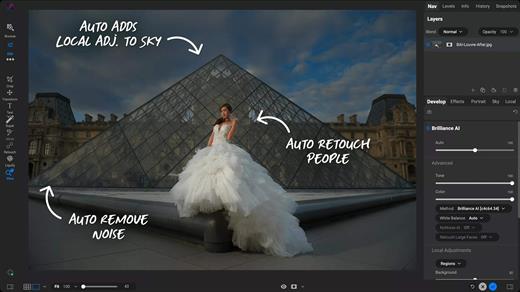
ON1 Photo RAW is a standalone macOS application designed to help you enhance your photos collection by quickly applying various effects, image layers, or masks, by employing the included retouching tools, or by resizing the original file.
Complex photo editing suite featuring a stylish yet organized user interface

Right off the bat, in the main window, you can easily browse your images collection and add new source image folders. The built-in image browser allows you to preview your photos and enables you to send them to other workspaces.

Even if ON1 Photo RAW does not take up too many resources, the switch between various workspaces, and applying different effects, comes with a slight delay.

Moreover, if you don’t interact with ON1 Photo RAW in fullscreen mode, the buttons associated with the various working spaces (develop, layers, resize, and so on), do not seem to work properly.

Enhance your photos quality and apply effects and masks to improve the final result

The capabilities are organized into multiple workspaces that can be accessed via different toolbars. This way, the currently selected image can be sent to any layer, enhanced, masked and/or resized very easily.

Finding your way around the application is quite easy since the workspace names are quite self-explanatory. Noteworthy is that ON1 Photo RAW can automate portrait retouching tasks, such as removing blemishes or cleaning up teeth.

Streamlined software solution designed to help you process and intensify certain image characteristics

ON1 Photo RAW provides a collection of powerful tools designed to help you deal with common photo editing problems: enhancing the image quality by adjusting the color, the tone, by cleaning certain unwanted elements, or by applying different effects, including black and white styles.

Moreover, it can automate face retouching tasks, enables you to resize the images, and offers you the possibility to work with multiple layers and masks.

What’s New

Version 20.5.0:


  • Release notes were unavailable when this listing was updated.
Compatibility

macOS 10.15 or later


Release Name: ON1 Photo RAW MAX 2026.5 v20.5.0.19062
Size: 1.1 GB
Links: HOMEPAGE – NFO – Torrent Search

Download: RAPiDGATOR

6 Comments
Aug 14

Keep It 2.8.9

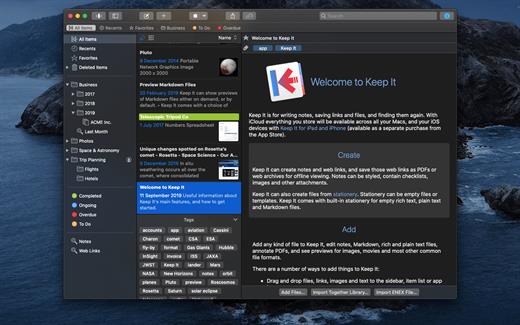
Keep It is for writing notes, saving web links, storing documents, and finding them again. Available on Mac, and as a separate app for iPhone and iPad, changes are automatically made available to all your devices with iCloud. Keep It is the destination for all those things you want to put somewhere, confident you will find them again later.

Features


  • Create, edit, view and save:

    • Notes with styles, checklists and attachments that look good and read well on all your devices
    • Web links with live previews, or saved as PDFs for offline viewing
    • Rich and plain text files, and Markdown documents
    • Add any other kind of file, and see previews for most images, documents, web pages, and more
    • See summaries and thumbnails in the list for most files
    • Use the Recents list to see things you’ve added or viewed lately
    • Share items with iCloud
  • Organize:

    • Folders let you organise things hierarchically – select a folder to see everything it and its subfolders contain
    • Use bundles to gather items into one place – items can be in more than one bundle at a time
    • Use labels to color-code items for quick visual recognition
    • Add searchable tags and comments
    • Make items favorites and drag lists to the Favorites Bar for quick access
  • Search and Filter:

    • Search everything in Keep It: names, tags, file contents, dates, kinds and more
    • Choose suggestions as you search to create complex searches with ease
    • Use keywords and natural language for dates while searching
    • Save searches for later reuse
    • Use the Tag Filter to see all items with a tag and any other relevant tags; choose another tag to drill down further
  • Use Keep It with other apps:

    • Compact Mode reduces the app to a single column, ideal for using alongside other apps
    • Drag pretty much anything to Keep It
    • Copy clickable links to items in Keep It
    • Share extension can add links, text, images and other files, and append text to notes from within other apps
    • Save files to Keep It’s folders to automatically add them to the library
    • Use a bookmarklet to add links from web browsers that don’t use Share extensions

*** You need to disable the System Integrity Protection (SIP) to perform the selected Application.

What’s New

Version 2.8.9:


  • Release notes were unavailable when this listing was updated.
Compatibility

macOS 11.3.0 or later


Release Name: Keep It 2.8.9
Size: 36.8 MB
Links: HOMEPAGE – NFO – Torrent Search

Download: RAPiDGATOR
5 Comments
Aug 14

Chief Architect Premier X18 v28.1.0.53

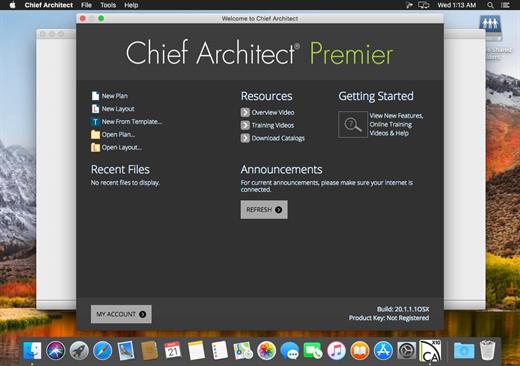
Chief Architect Premier is software for all aspects of residential and commercial design. Construction and powerful drawing tools help professionals to quickly create drawings according to standard construction practices. Each element located in the plan is commonly used by default for the design process efficient and productive. When drawing walls, the program automatically creates a 3D model and generates a list of materials. With powerful automatic and manual building tools to produce construction documents with site plans, floor plans, framing plans, electrical drawings / air conditioning, details of sections and elevations. Finally, Chief Architect includes design tools for photorealistic renderings,

Some features


  • has powerful tools for design and construction
  • Easily create kitchens, bathrooms and interior
  • has tools for 3D modeling and design
  • Create construction drawings
  • has CAD Tools for Productivity and precision
  • creates drawings of sites for individual or multiple lots
What’s New

Version 28.1.0.53:


  • Release notes were unavailable when this listing was updated.
Compatibility

OS X 10.10 or later, 64-bit processor


Release Name: Chief Architect Premier X18 v28.1.0.53
Size: 561 MB
Links: HOMEPAGE – NFO – Torrent Search

Download: RAPiDGATOR

7 Comments
Aug 14

MouseBoost Pro 5.2.7

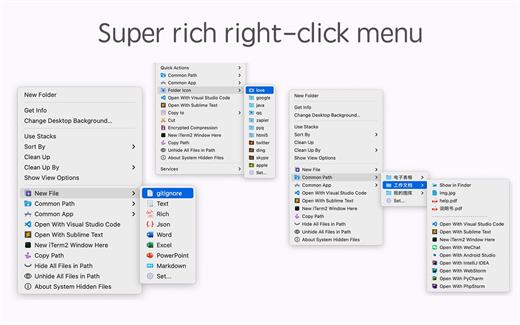
MouseBoost Pro integrates more than 30 kinds of small tools, and the operation way is very simple, as long as you click the right mouse button, you can activate all kinds of functions you want, so that your work efficiency is greatly improved.

You can create any file type you want, open any APP you want, self-sorting, fully customized!

*** Main Features ***
– All menus support custom sorting.
– Quickly create all kinds of commonly used files, and supports custom creation of various file types you want.
– Quickly open your terminal, iTerm2, and go to the directory you want.
– Quickly open VSCode, Sublime Text and Emacs, and customize the various apps you want to open.
– Quickly copy the current path power.
– Complete files deletion is supported.
– Supports files moving, copying and cutting.
– Supports files encrypted compression.
– Quickly open your favorite directory.
– Quickly get file MD5,SHA1,SHA256 and other information.
– Supports hiding and displaying of specified files.
– Supports modify folder icon.

What’s New

Version 5.2.7:


  • Release notes were unavailable when this listing was updated.
Compatibility

macOS 10.11 or later


Release Name: MouseBoost Pro 5.2.7
Size: 22.1 MB
Links: HOMEPAGE – NFO – Torrent Search

Download: RAPiDGATOR
5 Comments
Aug 14

LookAway 2.4.0

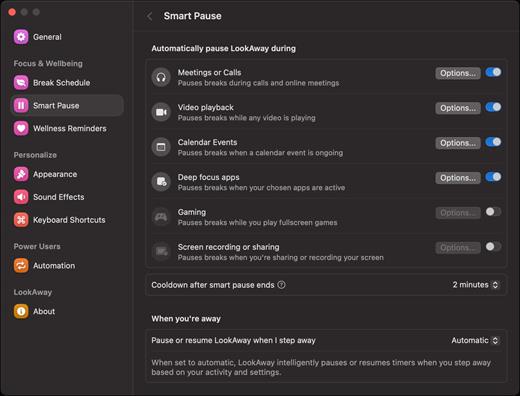
LookAway puts your mac in rest mode at regular intervals to help you rest your eyes. It’s gentle, smart, and fully customizable.

Features:


  • Regular eye breaks
  • Pre-Break Alert
  • At your fingertips
  • Fully customizable
  • Intelligent Pausing
  • Delightful Design
What’s New

Version 2.4.0:


  • Release notes were unavailable when this listing was updated.
Compatibility

macOS 12 or later


Release Name: LookAway 2.4.0
Size: 27.8 MB
Links: HOMEPAGE – NFO – Torrent Search

Download: RAPiDGATOR

5 Comments
Aug 14

Rectangle Pro 3.87

Snap windows faster in this featureful Rectangle superset. Toss windows in the right places with cursor movement, move multiple windows with one command, create custom shortcuts, and more.

One simple key combo
• 16 window sizes & positions
• No need to remember a ton of keyboard shortcuts, but those are all here, too

A Supercharged Rectangle Superset
• Keyboard shortcuts
• Drag windows to screen edges to snap

PRO
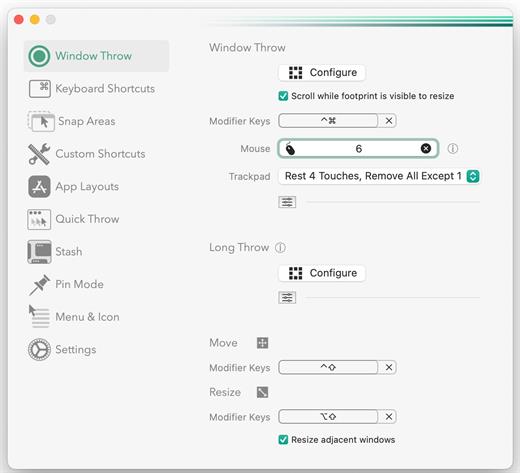
• Move and resize by holding a key and moving your cursor
• Snap windows under your cursor, even if not in focus
• Custom shortcuts for any size & position
• Sync your settings over iCloud

The Lightweight Gesture Champ
• Unlike touch gesture based window managers, Rectangle Pro only consumes CPU when configured modifier keys are pressed. Even then it’s minimal
• Rectangle Pro is a breeze to learn, and doesn’t conflict with any built-in macOS behavior
• Use it with any device that moves the cursor

Unmatched Customization and Actions
• Create keyboard shortcuts with any window size and location, and specify what happens on each repeated execution
• Fill left and right actions make it simple to maximize screen usage without overlap
• Match the keyboard shortcut window management of that other OS

Multiple Windows at Once
• Cascade windows
• Move all windows for an app to another display or screen half
• Tile top windows in a 2×2 or 2×3 grid

Additional Efficiency and Speed
• Each window action can be configured with a quick, simple cursor movement and modifier key combination
• Just press and release modifier keys while you move your cursor over the window you want to snap

What’s New

Version 3.87:


  • Release notes were unavailable when this listing was updated.
Compatibility

macOS 10.12 or later
Apple Silicon or Intel Core processor


Release Name: Rectangle Pro 3.87
Size: 11.1 MB
Links: HOMEPAGE – NFO – Torrent Search

Download: RAPiDGATOR
5 Comments
Aug 14

iNet Network Scanner 4.0.4

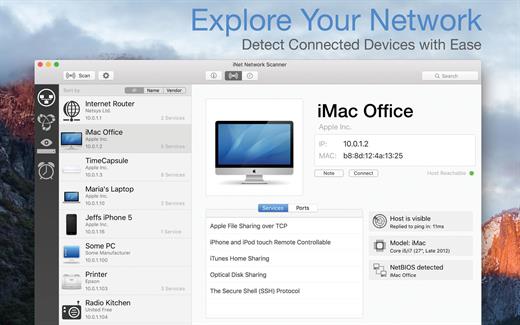
iNet Network Scanner provides you with information about networks your Mac is connected to. Its very easy and user friendly design allows even the unexperienced user to get a profound and understandable overview of a network and the running services. iNet is also available as iPhone and iPad app via the iTunes Store.

What’s New

Version 4.0.4:


  • [Improved] Icon copy handling and image checks
  • [Added] Display of SSID (WiFi name) in network info
  • [Updated] Vendor and Services Databases
  • [Fixed] Possible crash on startup
Compatibility

macOS 11.0 or later


Release Name: iNet Network Scanner 4.0.4
Size: 327.4 MB
Links: HOMEPAGE – NFO – Torrent Search

Download: RAPiDGATOR

7 Comments
Aug 14

PDF Squeezer 4.8.1

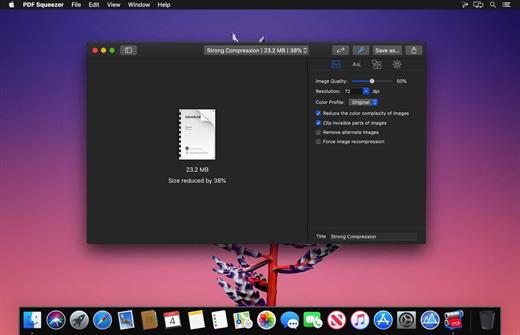
PDF Squeezer is an easy-to-use PDF compression tool.

It reduces the size of large PDF documents by compressing images and removing irrelevant information. This will help you obtain important savings in bandwidth costs, digital storage costs and network transmission times.

Features

  • Simply drag and drop your file into the application window
  • Choose from predefined compression filters or create your own
  • Compress all files in a folder and its subfolders
  • Batch compress multiple files
  • Finder, Safari and Preview ad-on available via the share menu
  • Support for password protected PDFs
  • Automatic compression and save with ‘One-Click-Compression’
What’s New

Version 4.8.1:


  • Release notes were unavailable when this listing was updated.
Compatibility

macOS 10.13.0 or later


Release Name: PDF Squeezer 4.8.1
Size: 42.9 MB
Links: HOMEPAGE – NFO – Torrent Search

Download: RAPiDGATOR
5 Comments
Aug 14

Topaz Gigapixel 1.3.4

Topaz Gigapixel knocks traditional upscaling tools off their pedestals.

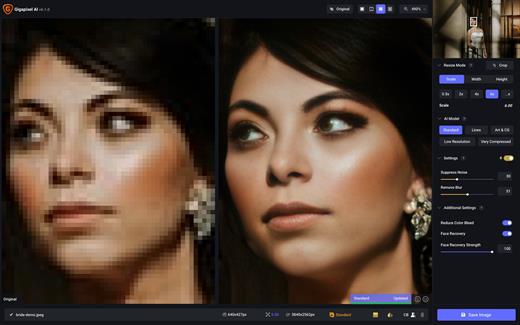
Enlarging your image without losing detail has always been impossible… until now. Upscale your photos by up to 600% while perfectly preserving image quality.

Breathtakingly sharp prints. High-resolution cropping in post-production. iPhone photos that look like they came out of a DSLR.

No matter why you’re enlarging your photos, you always want the best possible quality for your results. Gigapixel AI is currently the only photo enlargement product available that can actually add detail back to your upscaled photo.

What’s New

Version 1.3.4:


  • Release notes were unavailable when this listing was updated.
Compatibility

macOS 12 Monterrey,ARM only.


Release Name: Topaz Gigapixel 1.3.4
Size: 861 MB
Links: HOMEPAGE – NFO – Torrent Search

Download: RAPiDGATOR

6 Comments
Aug 14

Looq 1.7.3

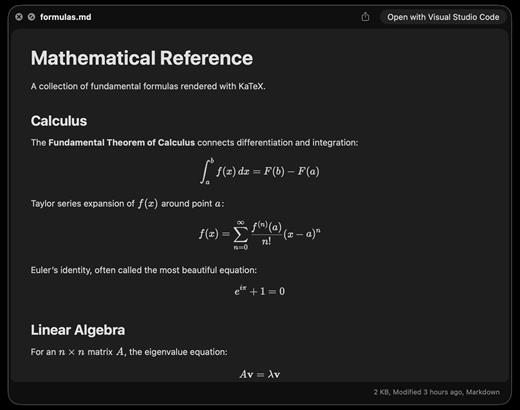
A better look at your files. Preview Markdown with KaTeX and Mermaid, highlight 190+ languages, view CSV and SQLite tables, browse archives and folders. All from Quick Look.
macOS 14 (Sonoma) or later

Markdown
Full GFM rendering with rich formatting support.


  • Live rendering on file save
  • KaTeX math (inline and block)
  • BeautifulMermaid diagrams
  • Syntax-highlighted code blocks
  • GitHub Alerts and emoji shortcodes
  • Auto table of contents sidebar
  • Remote image caching
  • Scroll position memory

Source Code
Syntax highlighting for 190+ languages.


  • Progressive rendering
  • Auto-format JSON, CSS, XML, SVG, plist
  • Configurable line numbers
  • Custom fonts, size, and weight
  • Tab width and word wrap
  • Independent light and dark themes
  • Shebang detection

Data Files
Native table views for structured data.


  • Resizable CSV and TSV columns
  • Alternating row colors
  • SQLite multi-table preview
  • Column type and constraint tooltips
  • Color-coded diff/patch
  • Multi-file tab switching
  • Large file truncation

Archives and Folders
Browse compressed files and directories.


  • ZIP and TAR directory tree
  • Pure Swift binary parsing
  • File size, date, and type columns
  • Sortable column headers
  • Folder preview with Spotlight metadata
  • Configurable display columns
  • Finder tag support
What’s New

Version 1.7.3:


  • Release notes were unavailable when this listing was updated.
Compatibility

macOS 14 (Sonoma) or later


Release Name: Looq 1.7.3
Size: 17.3 MB
Links: HOMEPAGE – NFO – Torrent Search

Download: RAPiDGATOR
5 Comments