Please REGISTER or RENEW your account on RAPiDGATOR.net and support us by doing through all RAPiDGATOR working download links on main posts...
Jan 1

Support US

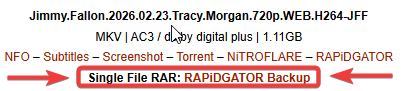
If the main Rapidgator link is deleted or no longer active, you can use the backup link labeled 'Single File RAR: RAPiDGATOR Backup' right below the main one.

To all Nitroflare users, please switch to Rapidgator and purchase a Rapidgator account from now on.

If you are purchasing an account from Rapidgator's Resellers, please be sure to read this guide before purchasing.

Our downloads are only accessable via VPN Connection. If you do not have one, please sign up! All downloads are up and running on a main post. If that link is broken, please try a newer RAPIDGATOR download link.

⚠️Please pay attention : downloads are only accessable via VPN Connection. If you need one, please sign up!⚠️

1- Never use the add fund option and pay your purchase directly 2- Always make sure to buy from the last healthy and active link in the main post and never buy from a deleted file 3- Use PC or mobile to buy account and have fun! 4- Do not use auto paying or auto renew option for your subscription because it doesn't give us any commission. Cancel auto pay and let the subscription expire then purchase via a link on main page links

================

You can not access the downloads?? Can't access RLSBB? Get NordVPN. It's very very cheap and the setup only takes 1min. Sign up

Unblock RLSBB with NordVPN: A secure VPN for mobile and computer. No add-ons. See more

Use Light Search to get post title only as result.

UK users use .in domain or use VPN

0 Comments
Feb 27

Adobe Master Collection CC 2026 26.02.2026 (x64) (Selective Download)

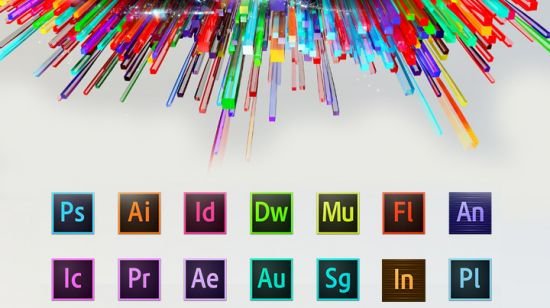
Description: As I hope you know, the Adobe Master Collection package does not officially exist in nature; Adobe has never released it. But, nevertheless, he is in front of you! Moreover, it is assembled on the basis of a modern installer produced by Adobe, the use of which for this assembly became possible thanks to the joint efforts of your humble servant and the well-known PainteR. We both worked hard to make this package come to life. Adobe Master Collection is a collection of applications from the Creative Cloud line, combined with a multilingual installer with the ability to select the installation path and interface language of the installed programs. In terms of functionality, everything is very similar to the well-proven Adobe Master Collection CS6 in the past. Only, the installer interface has undergone major changes compared to its namesake in the Creative Suite 6 line, the composition of the package has changed somewhat, and the versions of the programs themselves are definitely newer.
Pacakge Content
Adobe Acrobat Pro 64-bit (Russian and English)
Adobe Acrobat Pro 32-bit (Russian and English)
Adobe After Effects 2026 (Russian and English)
Adobe Animate 2024 (Russian and English)
Adobe Audition 2026 (English only)
Adobe Bridge 2026 (Russian and English)
Adobe Character Animator 2026 (Russian and English)
Adobe Dimension (English only)
Adobe Dreamweaver 2021 (Russian and English)
Adobe Fresco (Russian and English)
Adobe Illustrator 2026 (Russian and English)
Adobe InCopy 2026 (Russian and English)
Adobe InDesign 2026 (Russian and English)
Adobe Lightroom Classic (Russian and English)
Adobe Media Encoder 2026 (Russian and English)
Adobe Photoshop 2026 (Russian and English)
Adobe Premiere Pro 2026 (Russian and English)
Adobe Premiere Rush (Russian and English)
Adobe Substance 3D Designer (English only)
Adobe Substance 3D Modeler (English only)
Adobe Substance 3D Painter (English only)
Adobe Substance 3D Sampler (English only)
Adobe Substance 3D Stager (English only)
Adobe XD (Russian and English)

FAQ

Question: I can’t click the “Continue” button because the window contents don’t fit within the window itself, and the button is out of sight. What should I do?
Answer: This happens occasionally on poorly configured operating systems. There’s a TAB key on your keyboard. Use it to navigate to the desired menu item.
Question: The installation was not completed due to an unknown error. What should I do?
Answer: Please review the error code explanation . I also recommend reviewing the installation log. It is located at C:\Program Files (x86)\Common Files\Adobe\Installers\Install.log. You may find more detailed information about the problem and how to resolve it there.
Question: My antivirus detected a Trojan in this release. How so?
Answer: Some antivirus programs may falsely report that this release contains viruses. They typically point to the files crack.exe, Cinema 4D.exe, templib.dll, and xzlib0.dll. However, I can assure you that these are all false positives! To resolve this, simply disable your antivirus during the installation of Acrobat and the first launch of Cinema 4D (if you installed After Effects with it). I’ll explain how to do this using the Windows security mechanism as an example. First, I recommend disabling SmartScreen. And not just during installation, but PERMANENTLY! To do this, launch the Windows Security app and select “App & browser control” -* “Reputation-based protection settings” -* “Check apps and files” -* Disable. *In Windows 10, there’s one less intermediate step. Next, disable the main antivirus module. But this is temporary. In the Windows Security app, select “Virus & threat protection” -* “Manage settings” and move all the switches to the Off position. After the installation is complete, you can return the switches to their original positions. And if your antivirus complains about the last two files in the list, simply add them to the antivirus exclusions.
Question: What do I need to do to access cloud storage and other online services?
Answer: To do this, connect to the Adobe server with your ID by selecting “Help->Sign In” from the program menu and logging in. I strongly recommend closing the window prompting you to launch the trial version by clicking the “X.” This will prevent you from encountering the annoying trial expiration message in the future! Online services will be available after restarting the program.
Question: What’s the status of the medications in the current build?
Answer: The build was patched using the work of uncia & CGP Co. A number of files were patched, which I then integrated into the installer. You don’t need to do anything to patch them! Just in case, the original files are saved with the *.bak extension. If you want to get the original, unpatched product, simply remove this extension from these files and replace the existing patched files with them.
Question: What about disabling spyware modules?
Answer: The following spyware modules are disabled: Log Transport Application (LogTransport2.exe), CRLog Transport Application (CRLogTransport.exe), Adobe Crash Processor (Adobe Crash Processor.exe), Adobe Crash Report Window (AdobeCrashReportWindow.exe), Adobe Crash Report Service (AdobeCrashReport.exe), and Crashpad Handler (crashpad_handler.exe). Just in case, the files that initialize them are saved with the *.bak extension. If you suddenly want to restore their functionality, simply remove this extension from these files. The crack included in the build also removes Adobe Genuine Service if this module was previously installed with other Adobe programs (this module is not installed with this build).
Question: When opening a program, I get the error “Adobe Creative Cloud, needed to resolve the problem, is missing or damaged…”. What should I do?
Answer: You have leftover installations of Adobe Creative Cloud components on your system. These need to be removed. To do this, use the Adobe Creative Cloud Cleaner Tool . Select “All” as the component to remove, then “Adobe Creative Cloud Desktop”. Then, reinstall the offending program. This cleanup and reinstallation will not damage any previously installed programs.
Question: After installing Photoshop, I get the error “SSE 4.2 or later.” What should I do?
Answer: According to Adobe , Photoshop 2021 and later requires a processor with support for SSE 4.2 or later. Unfortunately, if your processor doesn’t support this architecture, this version of Photoshop will not work on your computer.
Question: I can’t download neurofilters in Photoshop. Why?
Answer: If you’re being denied downloading neurofilters, delete the folder C:\Users\<username>\AppData\Roaming\Adobe\UXP\PluginsStorage\PHSP\27\Internal\com.adobe.nfp.gallery\PluginData. See the number 27 in the path? If you have folders 26, 25, and so on in addition to 27, you need to delete them as well! Afterward, restart the program – the filters should start downloading. I recommend downloading all the necessary filters at once, as deleting this folder also deletes all previously downloaded neurofilters.
Question: My Generative AI isn’t working. Is there a way to resolve this?
Answer: Only paid subscribers can use generative tools. Even then, they have a limit on the number of generations. You can also use generative tools during a free 14-day trial period. So, if you really need generative tools, register a new business account (14-day trial vs. 7-day trial for personal accounts) and activate the trial period. Then, log in to the program using the “Help->Sign In” menu. After 14 days, register a new ID. Continue doing this until you’re done. Unfortunately, there are currently no other options. For residents of the Russian Federation, the process is somewhat more complicated. Since Adobe has officially withdrawn from Russia, you’ll need to use a VPN both during registration and while using generative tools. And not just in your browser! You need a VPN that intercepts internet connections and those of other programs on your computer, particularly Adobe applications. Oh, and before registering a new account, don’t forget to log out of your old one, both in your programs and your browser. It’s also a good idea to clear cookies for the Adobe website in your browser. That’s all! Please don’t bother me with any questions about generative options.
Question: When I launch Animate, the start screen is just a black background. What should I do?
Answer: If the start screen isn’t important to you, simply use the program menu to create or open a file. If you want to see the start screen at startup, you need to connect to the Adobe server with your ID by selecting “Help->Sign In” from the program menu and logging in. The start screen will work normally.
Question: Acrobat Pro requires authorization when launching. Is this normal?
Answer: Your Acrobat Pro installation was untreated. This most likely occurred because the program was installed via an update or because the crack was blocked by your antivirus. In this case, you need to run the cracker manually with your antivirus disabled. The cracker paths in the Master Collection distribution are: ..\Adobe 2026\products\APRO_x32\crack.exe for the 32-bit version, ..\Adobe 2026\products\APRO\crack.exe for the 64-bit version. Run the cracker as administrator and wait for the message “Cracking complete. Enjoy!” to appear. After that, you can freely use the cured application.
Question: Can I install both 32-bit and 64-bit Acrobat Pro simultaneously?
Answer: Yes, it’s possible, although I don’t understand why this is necessary…
Question: I can’t connect to the Adobe server with my ID from Acrobat Pro. What should I do?
Answer: Unfortunately, this is a quirk of the program. It’s a bit buggy.
Question: How do I switch between the old and new Acrobat Pro interfaces?
Answer: New -* Old: In the upper left corner of the program, click “Menu” and select “Disable new Acrobat” from the drop-down menu, then restart the program. Old -* New: In the top menu, click “View” and select “Enable new Acrobat” from the drop-down menu, then restart the program.
Question: Why am I blocked from creating new projects in Premiere Rush?
Answer: For the program to function properly, you need to connect to the Adobe server with your ID by selecting “Help->Sign In” from the program menu and logging in.
Question: Why does Fresco require authorization immediately after launch?
Answer: The program doesn’t allow use without authorization. No other option!
Question: After launching Fresco, it closes almost immediately with a notification that I don’t have time to read. What’s wrong?
Answer: The notification most likely states that the program requires a GPU with Direct X that supports Feature Level 12.1. Apparently, your GPU doesn’t support this version. I can’t help with that. Use version 5.5.5 or earlier. Although it lists similar system requirements, the program runs with Feature Level 12.0.
Question: After launching Fresco, a notification appears stating that the program requires Microsoft Edge WebView2 Runtime. What should I do?
Answer: In the notification window, click “Download.” The official Microsoft Edge WebView2 page will open in your browser. Scroll to the “Download the WebView2 Runtime” section. Under the “Evergreen Bootstrapper” heading, click “Download,” accept the license agreement, and download the Microsoft Edge WebView2 Runtime installer. Run the downloaded installer and wait for it to complete. Fresco will then start working.
Question: Even though I select English during installation, Fresco is still in Russian. What should I do?
Answer: This type of installer doesn’t allow the user to select a language for Fresco. The language is selected automatically based on the OS’s preferred language setting. If you want to change your preferred language, go to Settings->Time & Language->Language->Preferred languages ​​and select English above Russian in the list. This will change Fresco’s interface language. However, keep in mind that this is a system setting, not a specific program’s setting. The interface language of some other programs and even some OS interface elements may also change!
Question: Even though I select English during installation, XD is still in Russian? What should I do?
Answer: This type of installer doesn’t allow the user to select a language for XD. The language is selected automatically based on the operating system language. However, you can change the program interface language after the application is installed. To do this, launch the program and open any template. Then, log in by going to “Help->Sign In…” in the program menu. Restart the program, open the template again, then click “Edit->Preferences->Language” in the program menu and set the desired application interface language.
Question: When I try to save a file in InDesign, I see a black window with a waiting icon on top. What’s wrong?
Answer: InDesign has been able to save files to the cloud for some time now. And this saving option is selected by default. But you’re not logged in! This means the cloud is unavailable to you. Hence the unloading window. However, there are two solutions to this problem. First, disconnect from the internet and try saving the file; the window will now fill up, and due to the lack of an internet connection, the option “Save to your device” will appear. Second, log in to the program with your Adobe ID and try saving the file; the window will now load, and you’ll see the option to save the file to the cloud, but in the lower left corner of the window you’ll see an alternative save button, “On your computer.” You only need to do either of these steps once, and the option to save files to your computer will be selected by default.
Question: Illustrator and InDesign are consuming a lot of resources. Is there anything I can do?
Answer: Try killing the CoreSync.exe process in Task Manager. Then rename or delete the file that launches this process. It’s located at: C:\Program Files (x86)\Adobe\Adobe Sync\CoreSync\CoreSync.exe. According to reviews, this significantly reduces the program’s resource consumption. Another option: log in using the Help->Sign In… menu.
Question: When I first launch Premiere Pro, it starts in English, even though I selected a different interface language during installation. Why is that?
Answer: Another bug on the part of Adobe’s incompetent programmers. Apparently, they mixed up the order of the commands responsible for creating configs and reading them. The error is harmless. The second time I launch the program, it will start in the selected interface language.
Question: When I launch Premiere Pro, After Effects, Media Encoder, or Audition, the application closes with error 0xc0000142! The same thing happens with InDesign. What’s wrong?
Answer: Starting with version 24.1, these applications require your processor to support Advanced Vector Extensions 2 (AVX2). If your processor doesn’t support this technology, none of these programs will launch, returning the same error. I recommend rolling back to a version earlier than 24.1. For InDesign, roll back to a version earlier than 20.0.
Question: When trying to use the transcription plugin in Premiere Pro or Media Encoder, the program endlessly downloads language packs. What’s wrong?
Answer: Adobe Speech to Text language packs are not included in this build. They are large, 800 MB each. However, I’ve kept in mind the needs of those who actually use the plugin and created a build specifically for them called Adobe Speech to Text for Premiere Pro (also compatible with Media Encoder), which allows them to install any of the Speech to Text Language Packs. Look for it on trackers!
Question: Can you tell me more about the ability to use Maxon Cinema 4D as a standalone application?
Answer: Maxon Cinema 4D is forced to install as part of the Adobe After Effects 2026 suite. By default, it’s a trial version. But I’ve fixed it for you (using the n1z method). When you first launch the program, you’ll see a License Manager window with an error message. Just close it. The program will automatically launch again. But this time, it’s completely free of greed! Just to clarify, this is the version without RedShift. Also, you should know that the developers have removed the Russian interface from Maxon Cinema 4D starting with the 2024 version. So, don’t blame me for the lack of any of that.
Question: Is there any way to update applications included in the Master Collection?
Answer: I strongly advise against updating the applications themselves or using the Creative Cloud Desktop app, as this will almost certainly result in the installation failing. I recommend using my own builds with updated versions of the programs. The new version can be installed over the old one if both versions are from the same series (for example, both versions have the “2026” badge). If you have the Master Collection and only need to update Photoshop, you can use a separate Photoshop build—everything will update correctly, with all your settings carried over to the new version.

Notes

ATTENTION! The build includes a new, more advanced mechanism for blocking pop-up windows informing about the end of the trial period. A one-time OS reboot may be required to initiate it! I would also like to draw attention to the fact that all the “tails” from the old blocking methods will be cleaned up. This applies to entries in hosts, rules in Windows Firewall and tasks in the Task Scheduler. In this regard, I recommend that you reinstall programs installed from my builds earlier, even if their version has not changed with the release of the Master Collection. This ensures that programs will not be left without protection from ill-fated pop-ups.

Release Name: Adobe Master Collection CC 2026 26.02.2026 (x64) (Selective Download)
Size: 42 GB
Links: HOMEPAGE – NFO – Torrent Search

Download: RAPiDGATOR

2 Comments
Feb 27

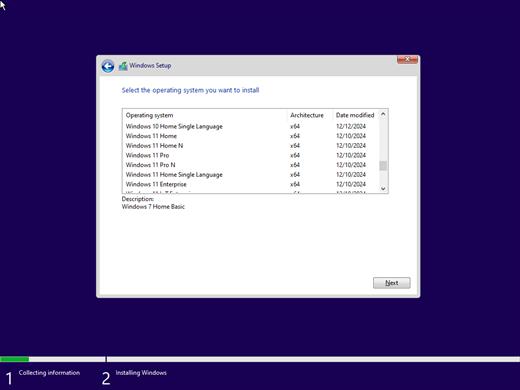
Windows All (7, 8.1, 10, 11) All Editions (x64) With Updates AIO 47in1 February 2026 Pre-Activated

Description: This is Full ISO With All Windows 11, 10, 8.1, 7. Updates have been integrated until July 2025. You can install Windows with Word, Excel, PowerPoint, Access, Publisher, Outlook, and OneNote pre-installed or without. There are no cosmetic changes in it and nothing is cut!

Features –


  1. Installation of Windows 7, 8.1, 10 and 11 with pre-installed additional system libraries (C ++ Redistributable Package), with a choice of installation options and the presence of MSDaRT. As well as Windows installations with pre-installed (or without – optional) Word, Excel, PowerPoint, Access, Publisher, Outlook and OneNote.
  2. Replacing / adding your own versions of Windows
  3. running WinPE С9PE, 7×86, 7×64, 8×86, 8×64, 10×86 and 10×64 from 2k10 Live assembly
  4. OS cleaning/treatment from viruses/trojans/blockers/banners
  5. data recovery, operating system and its loading
  6. creating/deploying system images
  7. testing of computer hardware components
  8. support for multimedia and network with the ability to access the Internet
  9. includes a software package of more than 400 programs
  10. modular structure of the assembly, which gives almost unlimited possibilities for editing the assembly by the user according to his requirements

Assembly composition Windows 7–8.1–10–11 AIO

  1. Windows 7 Home Basic x64
  2. Windows 7 Home Basic N x64
  3. Windows 7 Home Premium x64
  4. Windows 7 Home Premium N x64
  5. Windows 7 Professional x64
  6. Windows 7 Professional N x64
  7. Windows 7 Ultimate x64
  8. Windows 7 Ultimate N x64
  9. Windows 7 Enterprise x64
  10. Windows 7 Enterprise N x64
  11. Windows 8.1 Home
  12. Windows 8.1 Pro
  13. Windows 8.1 Pro VL
  14. Windows 8.1 Enterprise
  15. Windows 8.1 Embedded Enterprise
  16. Windows 10 Home
  17. Windows 10 Home N
  18. Windows 10 Team
  19. Windows 10 Home Single Language
  20. Windows 10 Pro
  21. Windows 10 Pro Education
  22. Windows 10 Pro for Workstations
  23. Windows 10 Pro N
  24. Windows 10 Pro Education N
  25. Windows 10 Pro N for Workstations
  26. Windows 10 Education
  27. Windows 10 Education N
  28. Windows 10 Enterprise
  29. Windows 10 Enterprise N
  30. Windows 10 IoT Enterprise
  31. Windows 10 Enterprise multi-session
  32. Windows 11 Home
  33. Windows 11 Home N
  34. Windows 11 Home Single Language
  35. Windows 11 Pro
  36. Windows 11 Pro N
  37. Windows 11 Pro Education
  38. Windows 11 Pro Education N
  39. Windows 11 Pro for Workstations
  40. Windows 11 Pro N for Workstations
  41. Windows 11 Education
  42. Windows 11 Education N
  43. Windows 11 Enterprise
  44. Windows 11 Enterprise N
  45. Windows 11 Enterprise multi-session
  46. Windows 11 IoT Enterprise
  47. Windows 11 IoT Enterprise Subscription

Release Name: Windows All (7, 8.1, 10, 11) All Editions (x64) With Updates AIO 47in1 February 2026 Pre-Activated
Size: 16.6 GB
Links: HOMEPAGE – NFO – Torrent Search

Download: RAPiDGATOR
2 Comments
Feb 27

Servolutions POPcon Pro 4.9.6

Description: POPcon PRO connects your MS Exchange Server to your POP3 and IMAP mailboxes. It contains all of the features of the POPcon Standard version plus the antivirus, antispam and rule-based distribution functions.

POPcon PRO downloads the emails from POP3, POP3-SSL, IMAP and IMAP-SSL mailboxes and distributes them to exchange or domino mailboxes according to the recipient information found in the mail headers.

The software runs as a background service under any .NET 4.7.2-compatible Windows Server version (Windows 2025, Windows 2022, Windows 2019, Windows 2016, 2012) or even normal Windows workstations (Windows 11, 10, 8, 7).

POPcon PRO checks each incoming email with its built-in antivirus scanner. Emails that contain viruses are encapsulated in a warning message and can be diverted to the postmaster. Antivirus signatures are automatically updated daily. POPcon PRO also includes anti-spam measures.

POPcon PRO Features
Antispam: Checks IP addresses in the headers of incoming emails against internet spam blacklist servers and filters email from known spam senders.
Archive function: Archives all downloaded emails into separate folder on the server. This function can be configured to create individual daily or monthly archive folders.
Built-in internal anti-virus engine - virus-scans every incoming email before relaying it to your exchange server. The virus scanner updates itself hourly or daily (user-selectable) by downloading new virus signatures from the internet.
Rule-based distribution - allows you to forward, send a copy, or delete an email if it meets user-configured conditions. Conditions can be strings to find in recipients, senders, subjects or the names of attachments.
Excel-importable detailed message log

PRO Version includes all POPcon standard features:
Poll POP3, POP3-SSL, IMAP and IMAP-SSL mailboxes and forward mail to a single MS Exchange™ or Lotus Domino™ Server mailbox or distribute mail collected in a single catch-all mailbox to multiple MS Exchange Server™ mailboxes according to user the mail was sent to. POPcon analyses the mail header fields (TO:, CC, received .. for, X-RESENT-TO, etc.) and filters mail recipients for matches to pre-configured "allowed" domains.
Can be installed on same machine as MS Exchange Server™ - needs only one internet connection and at least one catch-all style mailbox to receive mail for the whole workgroup or company
Minimum download schedule interval: 1 minute. NEW: Now also 0 minutes (contiuous downloads) implemented! There is no problem if downloads take longer than the scheduled interval. In these cases POPcon will continue with the next mail cycle at the next full minute after ending the current one.
Automatically uses a configurable dial-up networking account to connect to and disconnect from the internet. Supports Routers and dedicated internet connections as well.
Monitor POPcon's actions from any system in your network using the "POPcon Administrator" utility included with the software. Trigger mail retrieval at odd times or configure additional POP3 mailboxes to poll - all from your workstation.
POPcon ís installed as a service. The service is started at system start-up time without the need for a user to log in.

Release Name: Servolutions POPcon Pro 4.9.6
Size: 63.8 MB
Links: HOMEPAGE – NFO – Torrent Search

Download: RAPiDGATOR

11 Comments
Feb 27

reaConverter Pro 8.0.201

Description: Easily process full batches of files and folders. reaConverter combines powerful automation with intuitive tools to streamline image conversion and eliminate repetitive editing.

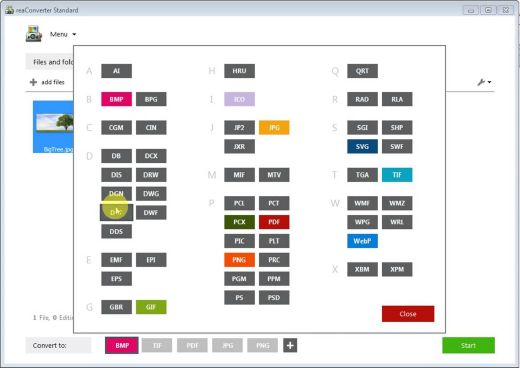
700+ File Formats
reaConverter delivers high-efficiency batch conversion for an extensive range of file formats.

Efficient Conversion
A powerful file conversion toolkit with advanced processing features — giving you precise, granular control over every output.

Image Editing
reaConverter simplifies batch image editing — apply touch-ups, transformations, and effects to unlimited images simultaneously.

Automation
Professional-grade automation features for high-volume file conversion and batch processing.

Development
Integrate reaConverter's functionality into scripts, applications, or websites using its command-line tool or DLL.

Release Name: reaConverter Pro 8.0.201
Size: 451.7 MB
Links: HOMEPAGE – NFO – Torrent Search

Download: RAPiDGATOR

10 Comments
Feb 27

Wondershare DVD Creator 6.6.2.3

Description: Easy and powerful DVD Toolbox. Meet all your DVD needs. Create DVDs With Any Video. Burn videos in 150 formats to DVD/DVD folder/Blu-ray DVD folder/ISO/Blu-ray disc, like MP4 to DVD, MKV to DVD, AVI to DVD, and more. Support all popular disc types: DVD-9 and DVD-5; DVD-R/RW, DVD+R/RW, DVD+R DL, DVD-R DL, DVD-RAM; BD-R, BD-RE, BD-25, BD-50, BD-100.

One Click to Burn DVD Easily
Burn DVDs with one click, completely easy for everyone.
Directly burn multiple videos of different formats to a DVD at one time.
Create a DVD project file allowing you to quickly resume editing anytime.

Edit DVD Video With Built-in Video Editor
Trim: Trim unwanted part of your home movies.
Crop: Crop video to the proper size to fit your screen or remove the blank edge.
Enhance: Adjust video brightness/contrast/saturation, and apply special effects for a better visual experience.
Watermark: Add image/text watermark to video for copyright protection.
Subtitle: Add subtitles to your DVD movies, including .srt, .ass and .ssa extensions.

Feasible CD Burner to Burn Music to CD
Burn music to a CD with an easy and straightforward process.
Empowered CD Burner for Windows 10, 8, 7, and XP.
Support to burn MP3 and all other audio formats to CD.
Rip CD easily with CD ripper function.

Release Name: Wondershare DVD Creator 6.6.2.3
Size: 229.4 MB
Links: HOMEPAGE – NFO – Torrent Search

Download: RAPiDGATOR

10 Comments
Feb 27

R-Wipe & Clean 20.0.2548

Description: R-Wipe & Clean is a complete R-Tools solution to remove useless files, free up your disk space, and clean various privacy-compromising information on your online and offline activity. This includes internet history and cookies, lists of downloaded files and opened documents, various data caches, temporary files, and many more items, created by the operating system, most contemporary internet browsers and communication programs, and by hundreds of third-party applications.

It is also possible to create specific lists of traces to be cleaned for unsupported applications. All small computer cleaning and file erasing jobs can be combined into large computer cleaning tasks that can be started immediately, or at scheduled time/events.

In addition to new traces to clean, the latest version offers its users several brand new features:
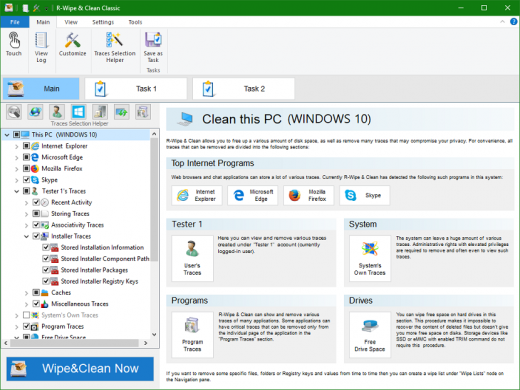
Touch interface: A new graphical interface designed for devices with touch screens: tablets, laptops with touch screens, etc.. Users with non-touch screen devices may use it too, to enjoy its original stylish appearance.
Traces Selection helper: a tool to quickly select some of the most common traces to clean.
Support for SSD devices: the program correctly recognizes SSD devices and treats them accordingly to avoid their additional wear and tear.
R-Wipe & Clean Smart: an advanced tool to create and manage very complex wipe lists.
R-Wipe & Clean Lite: a free version that cleans most essential computer traces.

Computer Cleaning
Traces Selection helper: a tool to quickly select some of the most common traces to clean.
Cleaning Internet activity: removing traces from most contemporary browsers and communication programs.
Cleaning personal traces: removing various lists, logs, caches, temporary files, and other traces of your activity.
Cleaning system traces: removing registry traces, temp files, system history, and various log files.
Cleaning traces from various third-party programs: removing various caches, logs, temporary files, recent file lists, and other traces left by applications.
Cleaning can be performed as a background task and computer can be turn off upon its completion.

Wiping
Support for SSD devices: R-Wipe & Clean correctly recognizes SSD devices and by default wipes only necessary data on the disk preventing them from additional wear.
Strong or fast erase algorithms, including DoD-approved, for wiping files and free disk space.
Support for FAT/exFAT and NTFS file systems.
Wiping files' alternate data streams and cluster "tips", or free parts of file clusters.
Wiping files directly from File Explorer.
Wiping free space on a single disk directly from its shortcut menu.
Wiping unused space of several disks through one single wipe task.
Wipe records of small files stored directly in the NTFS Master File Table.
Predefined wipe lists of files, folders, and Registry keys to be wiped through a single task. Files or folders can be added to a current wipe list directly from File Explorer.

Touch Interface
A new graphical interface designed for devices with touch screens with various resolutions: tablets, laptops with touch screens, etc.. In addition to its modern look and animation, Touch Interface is adapted to the way the users control their touch screen devices: by swiping and tapping. It provides access to all controls and settings of R-Wipe & Clean, so users with non-touch screen devices may use it too, to enjoy its original stylish appearance.

Advanced Features
All separate cleaning and wiping actions can be combined into large wipe and clean tasks to launch them manually or at scheduled times or events (user log-on/log-off, system start-up/shutdown, closing any or all browsers, etc.)
Detailed representation of all trace items on your computer.
Detailed logging of all wipe and clean operations.
Customization: R-Wipe & Clean can hide those items you will never want to clean.
Full system integration: Most wipe and clean operations can be performed directly from Windows.
Password protection.
R-Wipe & Clean Smart: an advanced tool to create and manage very complex wipe lists.
Cleaning and wiping task can be started from a command line.
Boss Key to close a web-browser in emergency.
Stealth mode to hide computer cleaning.
Standby/hibernate control: Your computer will not hibernate until R-Wipe & Clean finishes its long job.
Startup Renaming for files/folders locked by Windows and other programs. They will be renamed and cleaned during the next start-up.

Release Name: R-Wipe & Clean 20.0.2548
Size: 21.4 MB
Links: HOMEPAGE – NFO – Torrent Search

Download: RAPiDGATOR

11 Comments
Feb 27

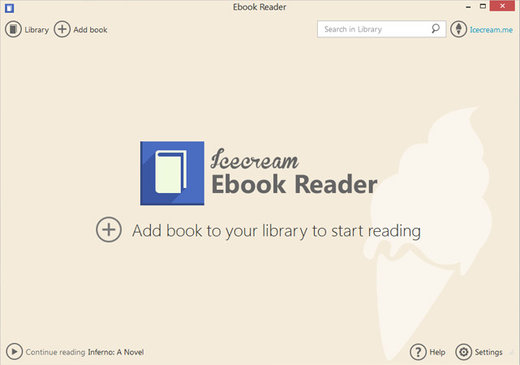
Icecream Ebook Reader Pro 6.53

Description: Meet easy-to-use pro EPUB reader for Windows to read eBooks in EPUB, MOBI, PDF and other popular formats. Enjoy books in full screen with Icecream Ebook Reader.

EPUB Reader’s main features
Enjoy reading on PC with the best eBook Reader introduced to you by Icecream Apps.

Supported eBook formats
Not just an EPUB reader. The software also enables you to read books of other formats: MOBI, PDF, FB2, CBR, CBZ, TXT and even ZIP. However, no DRM protected content is supported.

Highlight and add notes
Add notes or highlight text in eBooks of the major formats such as EPUB and MOBI. Search and sort your notes by text or color.

Windows 11/10 support
Our reader supports all the main Windows OSs including Windows 11. We worked hard to make it the perfect, if not the best, Windows 10 EPUB reader.

Full-screen mode
Make the most of your EPUB reader: press F11 to switch to full-screen mode instantly.

Text to speech
Our reader will convert text to speech from any eBook and read it aloud for you. Different voices are available according to your system’s settings.

Search in eBooks
Don’t get lost in your eBook. Use in-book smart search by text or a page number to find what you need in no time.

Dark reading mode
Reading and making notes must be still enjoyable even in dim light. That’s why we created a well-designed night version of the EPUB reader.

Copy, Translate, Google Search
Quickly select eBook text to copy it to clipboard, translate or search it on Google or Wikipedia.

Customizable layout
Adjust font family, font size, line space if needed. Set double or single page text layout.

Create your digital library
Add books to the eBook reader without limits, categorize them, add to favorites, etc. Search the library, track reading progress, use bookmarks and much more.

Release Name: Icecream Ebook Reader Pro 6.53
Size: 32 MB
Links: HOMEPAGE – NFO – Torrent Search

Download: RAPiDGATOR
10 Comments
Feb 27

PVS-Studio 7.41.103683.2151

Description: PVS-Studio is a static analyzer on guard of code quality, security (SAST), and code safety. PVS-Studio detects various errors – typos, dead code, and potential vulnerabilities (Static Application Security Testing, SAST). The analyzer matches warnings to the Common Weakness Enumeration, SEI CERT Coding Standards, and supports the MISRA standard.

When it is time to use the PVS-Studio analyzer

For a developer
You make occasional mistakes during development
Debugging when searching for errors is time consuming
Errors get into the version control system
Once an error is found by QA specialists, it’s difficult to debug that code

For a manager
Frequent returns to old tasks due to bugs
Users report errors in your products
You hire more developers but notice a code quality decline
With the increasing amount of code, it is difficult to assess its quality and reliability

For a security professional
Difficulties with external code audit
Potential customers require the use of such tools
Clients require to use security and safety standards in development

For a security professional
Difficulties with external code audit
Potential customers require the use of such tools
Clients require to use security and safety standards in development

Supported languages and compilers

Windows
Visual Studio, C, C++, C++/CLI, C++/CX (WinRT)
MinGW C, C++
Texas Instruments Code Composer Studio, C6000-CGT, C, C++

Windows/Linux
IAR Embedded Workbench, C/C++ Compiler for ARM C, C++
QNX Momentics, QCC C, C++
Keil µVision, DS-MDK, ARM Compiler 5/6 C, C++
Texas Instruments Code Composer Studio, ARM Code
Generation Tools C, C++
MPLAB XC8 C

Windows/Linux/macOS
GNU Arm Embedded Toolchain, Arm Embedded
GCC compiler, C, C++
GNU toolchain for RISC-V, C, C++
CLion, Qt Creator, Eclipse, GCC, Clang, C, C++
IntelliJ IDEA, Android Studio, Java
Visual Studio, JetBrains Rider, C#, .NET Framework, .NET

Release Name: PVS-Studio 7.41.103683.2151
Size: 185.4 MB
Links: HOMEPAGE – NFO – Torrent Search

Download: RAPiDGATOR
9 Comments
Feb 27

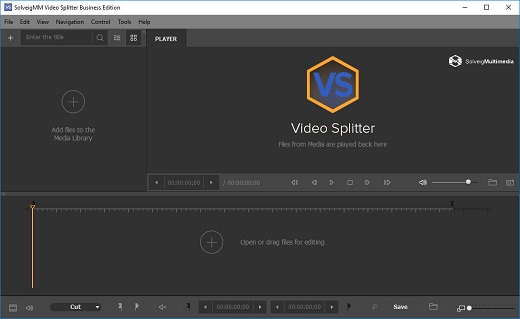
SolveigMM Video Splitter 8.2.2602.09

Broadcast Edition

Description: Smart rendering video-audio editor for lossless cut and join ensures top-notch quality, accuracy and performance.

- Enjoy lossless editing with no slowdowns.
- Seamlessly remove unwanted video parts with just a couple clicks.
- Cut and join up video and audio streams with pinpoint accuracy.
- All that – through an intuitive interface!

Features
Smart editing approach to ensure input data integrity. Also known as Direct Stream Copy.
All popular video and audio formats supported
Editing of embedded and external subtitles for MP4, MKV, WEBM, AVI, TS formats Show tutorial
Supports multiple audio tracks editing ( MP4, MKV, WEBM, AVI, TS )
Ad removal for unhindered movie experience Show tutorial
Merging of media files for all supported formats
Keeps up to 99.9% of the video quality unchanged
Edits all popular video and audio file formats
Media files merging for all supported formats
File slicing by parts, duration or file size
Supports editing of embedded subtitles for MKV, WEBM, AVI, TS files of UTF8, ASS, SSA, GAB2 formats
Supports editing of external subtitles for MP4, MKV, WEBM, AVI, TS of ASS, SRT formats
Cut commercials: simultaneously delete multiple parts of a movie; remove all ads from a movie with just two actions.
Batch mode editing: unlimited editing tasks in a single run (business version only!)
Command line interface accepts XML files with batch task descriptions (business version only!)
Can be used on portable storage devices, eg. USB Sticks (portable license required)
Can operate under Citrix XenApp 6.5

Release Name: SolveigMM Video Splitter 8.2.2602.09
Size: 64 MB
Links: HOMEPAGE – NFO – Torrent Search

Download: RAPiDGATOR

9 Comments
Feb 27

PassFab 4EasyPartition 3.10.1.11

The most secure and professional system migration and all-in-one partition management tool. Quickly and safely migrate your Windows system to other hard disk or PC. 1-click to move to a new high-speed SSD, make your Windows boot faster.

Convert MBR to GPT to update Windows 11 without losing data.
Upgrade to a larger hard drive, free up your disk space.
Easily clone disks/partitions to create full backups, saving your time and efforts.
Quickly resize, create, delete, split, and format partitions, simplifying your PC disk management.

Smart Disk & Partition Cloning
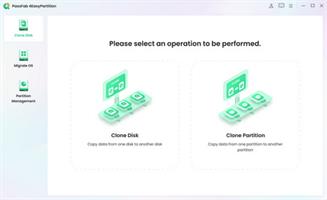
PassFab 4EasyPartition helps to clone one disk/partition data to another disk/partition intact without losing any data on all Windows-supported PCs.

Clone Disk
Want to recover data? Want to upgrade your drive? PassFab 4EasyPartition helps you to clone HDD, SSD, USB flash drive and other types of hard drive and transfer all the saved data & applications to the new drive.

Clone Partition
Running out of disk space? PassFab 4EasyPartition enables you easily upgrade/replace/backup hard drives and transfer large amounts of data from one partition to another.

One-Click System Migration
Hunting for an easy-to-use tool to migrate your data, operating system and applications to other hard drives? PassFab 4EasyPartition is the best choice for you with just one-click, without requiring you to reinstall your operating system or applications!

Migrate OS to SSD/HDD
Safely and easily migrate your data, OS and applications to another hard drive without data loss.

Upgrade to a New High-speed SSD
Replace HDD with SSD, providing you with the easiest and fastest way to boot.

Safely Transfer Everything
Ensure no business interruption when user migrate system to a more efficient OS. no need to install applications, system configuration file and other files as well.

No Need to Reinstall the System
Transfer data directly without reinstalling the app. Improve efficiency and save your time.

Seamless MBR and GPT Disk Conversion
Realize seamless conversion between MBR and GPT disks, and instantly unlock new flexibility. Switch between the two formats quickly and easily, whether for compatibility adjustments or system upgrades, without losing data.

Seamless Windows 11 Upgrade
PassFab 4EasyPartition offers a hassle-free solution. Easily switch from MBR to GPT, smoothly upgrading from Windows 7, 8, or 10 to the sleek Windows 11 interface.

Preserve Data, Skip Reinstallation Worries
PassFab 4EasyPartition makes MBR to GPT transition a breeze, removing concerns about data loss or complicated reinstallation processes.

Unlock Storage Capacity
Stuck with MBR's four partition limit and 2TB cap? No more worries! Use PassFab 4EasyPartition to convert your drive to GPT, unlock the potential to create up to 128 partitions, and maximize your storage space.

Broaden Device Compatibility
Ensure seamless compatibility across various devices, including older computers. Convert your disk from GPT to MBR to unlock broader support and accessibility.

Revive Legacy Systems
Bring life to vintage operating systems like Windows 95/98/ME, Windows NT4, Windows 2000, Windows 2003, or the 32-bit version of Windows XP. Converting GPT to MBR guarantees smooth startup and operation for your cherished legacy system.

The Safest Way to Recover Partitions
PassFab 4EasyPartition is a reliable partition recovery software, which can help you recover deleted partitions, restore formatted partitions and repair unformatted partitions easily and safely.

Release Name: PassFab 4EasyPartition 3.10.1.11
Size: 81.6 MB
Links: HOMEPAGE – NFO – Torrent Search

Download: RAPiDGATOR
10 Comments